Check your Target account for online orders and eligible linked store purchases, or ask Guest Services to attempt a receipt lookup using a supported payment card. Target receipt and return help explains the available proof-of-purchase options (checked September 11, 2026).
This is the complete guide to Target receipt lookup, what every code on your receipt means, how to use receipts for Target Circle rewards, and how to create Target-formatted receipts using the Target receipt template.
How to Get Your Target Receipt — 3 Methods
Method 1: Target App (Fastest)
Check your account for online orders and store purchases linked through a supported card or Target Wallet:
- Open the Target app
- Tap your profile icon (top right)
- Tap Receipts
- Find the date of your purchase
- Tap to view the full itemized receipt
This works for any purchase where you scanned your Target Circle barcode or used Target Wallet at checkout. The app shows the full breakdown: items, prices, tax categories, payment method, and the unique transaction barcode. You can share or download as PDF.
Method 2: Target.com Order History
For online orders, drive-up pickup, and same-day delivery, receipts live in your target.com account:
- Sign in at target.com
- Click Account → Orders
- Find the order
- Click View order details
- Click Print receipt or download as PDF
Save a copy of the order details while they are available. For other retailers, see our Amazon receipt guide and Walmart receipt lookup guide.
Method 3: Guest Services Desk
If you do not use the app and lost your paper receipt:
- Visit Guest Services at any Target
- Bring the card you used for payment
- Provide the approximate date and store location
- Guest Services can attempt a lookup using supported payment methods within the return window for the item
For an unlinked cash purchase, ask Guest Services what evidence is available. A receipt lookup or return is not guaranteed.
Target Receipt Tax Codes Explained
Target receipts use letter codes to identify how each item was taxed. These vary slightly by state but follow this general pattern:
| Code | Meaning | Example Items |
|---|---|---|
| A | Apparel (taxable at apparel rate) | Clothing, shoes, accessories |
| F | Food (non-taxable in most states) | Groceries, snacks, beverages |
| P | Prepared food (taxable) | Starbucks items, deli sandwiches |
| T | Taxable (standard rate) | Electronics, household goods, general merchandise |
| N | Non-taxable | Prescription items in some states |
| X | Tax-exempt | Reseller purchases with exemption certificate |
Read the tax summary and ask Target about an unfamiliar item code. A letter beside an item does not, by itself, establish its legal tax treatment in every state.
Target Receipt Identifier Codes
| Code | Meaning |
|---|---|
| TRN | Transaction number (unique per receipt) |
| STR | Store number (4-digit Target location ID) |
| REG | Register number |
| OPR | Operator (cashier) ID |
| DPCI | Department, Class, and Item code (Targets internal product ID) |
| UPC | Universal Product Code (item barcode) |
| Auth Code | Card authorization code from payment |
The TRN (transaction number) is the key identifier for any Target receipt lookup. Guest Services uses it to find specific transactions. Compare this format with other retail giants like Walmarts TC (Transaction Code).
Target Circle and Your Receipt
Identify yourself as a Target Circle member at checkout using the linked phone number or Wallet barcode. The Target Circle help page describes current benefits (checked September 11, 2026):
- Check your account for receipts and return barcodes associated with eligible purchases
- Most Target Circle deals apply automatically; certain bonuses, coupons and rebates require activation
- The former 1% earnings program has ended; current rewards depend on the applicable offer
For a missing offer or receipt, contact Guest Services with the purchase details. Do not assume adding a receipt later applies offers retroactively. See Target’s current deal instructions.
Target Digital Receipt vs Paper Receipt
Both contain identical information. Digital advantages:
| Feature | Paper Receipt | Digital Receipt |
|---|---|---|
| Storage | Manual filing | Auto-saved in app |
| Durability | Thermal paper can fade | Keep a downloaded copy and backup |
| Return documentation | Bring the original if available | Show the account receipt or return barcode; policy conditions apply |
| Account linking | Retain the original receipt | Check whether the purchase is linked to your account |
| Sharable | Photocopy | Share via app |
| Tax records | May support a documented expense | May support a documented expense; see IRS receipt requirements guide |
Target Receipt Template — What is on Every Receipt
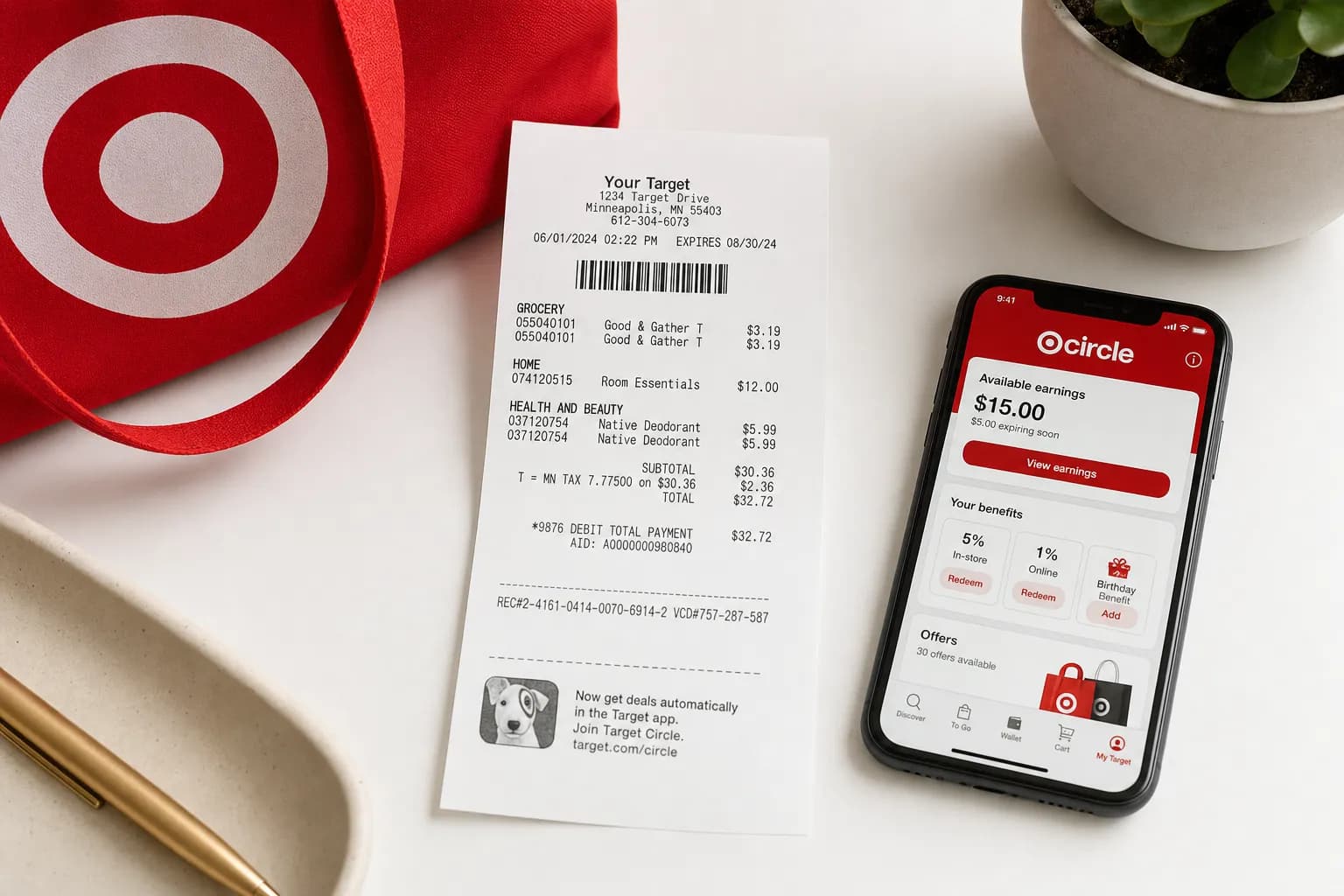
A standard Target receipt has 11 sections. Knowing the layout helps with returns, expense tracking, and creating department store receipt templates:
| Section | Details |
|---|---|
| Header | "Target" logo, store address, phone number |
| Store ID | 4-digit store number (STR) |
| Transaction info | Date, time, register (REG), cashier (OPR) |
| Items | Product description, DPCI/UPC, price, tax code |
| Subtotal | Pre-tax total |
| Tax breakdown | Tax rate(s) applied, tax amount |
| Total | Final amount charged |
| Payment | Method, last 4 of card, auth code |
| Change | Cash back (if any) |
| Savings | Target Circle savings, RedCard 5%, coupons |
| Barcode | Scannable receipt barcode for returns |
If you need to recreate this format, the Target receipt template on ReceiptEdit covers every field. Similar templates exist for Walmart, Costco, and other major retailers.
Target Receipt Generator
The receipt generator creates Target-formatted receipts with:
- Standard Target layout: store number, register, transaction info
- Item lines with DPCI numbers and tax codes
- Target Circle savings line
- RedCard 5% discount field
- Tax breakdown by code
- Scannable barcode at the bottom
- PDF or PNG download
For business documentation that needs a different format than retail, use the invoice generator.
Target Return Policy — What You Need to Know
Targets Return Windows
U.S. policy checked September 11, 2026. See Target’s return policy for condition rules, Target Plus and product exceptions.
| Category | Return Window |
|---|---|
| Most items | 90 days from purchase |
| Target Circle Card purchases | Extra 30 days on eligible purchases; exclusions apply |
| Target-owned brands (Cat & Jack, Threshold, etc.) | 1 year (with receipt) |
| Electronics, entertainment | 30 days |
| Apple and Beats products | 14 days |
| Mobile phones | 14 days |
| Opened beauty products | 90 days (with receipt only) |
Returns Without a Target Receipt
If you lost your receipt:
- Card lookup: Bring a supported payment card so Guest Services can attempt to find the purchase.
- Account records: Check for an order receipt or return barcode in your Target account.
- No proof of purchase: Target may offer a merchandise return card, subject to limits and verification. Target Plus purchases require proof of purchase. Target receipt and return help.
Target Receipt for Taxes and Business Use
Tax Deduction Documentation
An original receipt can support a tax record, but the merchant name and four receipt fields do not establish deductibility. Keep payment evidence and the relevant business-purpose records. See our IRS receipt requirements guide.
FSA/HSA Reimbursement
Our pharmacy receipt layouts illustrate fields; request the original transaction record from the seller for a claim.
Request the merchant-issued itemized record and check the expense and documentation with your plan administrator. A store name or generated layout does not establish eligibility. See our FSA documentation guide.
Expense Reports
Corporate expense systems accept Target app receipts as PDFs. Open the receipt, tap Share, and upload to Concur/Expensify/etc. For frequent business shopping at Target, our small business receipt guide covers the full organization system.
Target Receipt FAQs
How do I look up an old Target receipt?
Check your Target account for order details and eligible linked store receipts. If a purchase is missing, bring the original payment method to Guest Services within the applicable return window.
What does the F code mean on a Target receipt?
Ask Target to explain an unfamiliar code on the actual receipt. Do not use a generic letter-code guide as a determination of whether the item is taxable or benefit-eligible.
How do I add a missed receipt to my Target Circle account?
Ask Target Guest Services about a missing purchase or offer. Do not assume that scanning an old receipt retroactively applies Target Circle offers; the offer terms and account linkage determine eligibility.
Can I return to Target without a receipt?
Target can attempt a lookup using supported payment cards. Without proof, a merchandise return card may be offered, subject to the policy; there is no guaranteed refund. Target receipt and return help.
How long does Target keep receipt records?
Save your own complete copies; do not assume account history will remain available indefinitely. For an older or missing transaction, ask the retailer what records it can retrieve.
What is the DPCI on a Target receipt?
DPCI stands for Department, Class, Item. It is Targets internal product identifier, formatted as XXX-XX-XXXX (department-class-item). It is different from the UPC barcode. Target Guest Services uses the DPCI to identify the exact product for returns and exchanges. It is especially useful when the product description is too abbreviated to identify the item.
Are Target app receipts accepted by the IRS?
An original receipt can support a tax record, but the merchant name and four receipt fields do not establish deductibility. Keep payment evidence and the relevant business-purpose records. See our IRS receipt requirements guide. Keep electronic copies readable and follow IRS retention guidance.
How do I print a Target receipt from the app?
Open the Target app, tap your profile → Receipts, select the receipt, tap the Share icon, and choose Print. The receipt opens in your phone browser print preview. You can print to a connected printer or save as PDF. iPhone users select Print from the Share menu. Android users tap the three-dot menu.