Costco Receipt Generator
Enter warehouse and member references, then add item codes, descriptions and amounts. Check the whole-subtotal tax setting and payment line before saving the receipt.
Last updated
Pair each warehouse item code with a clear description
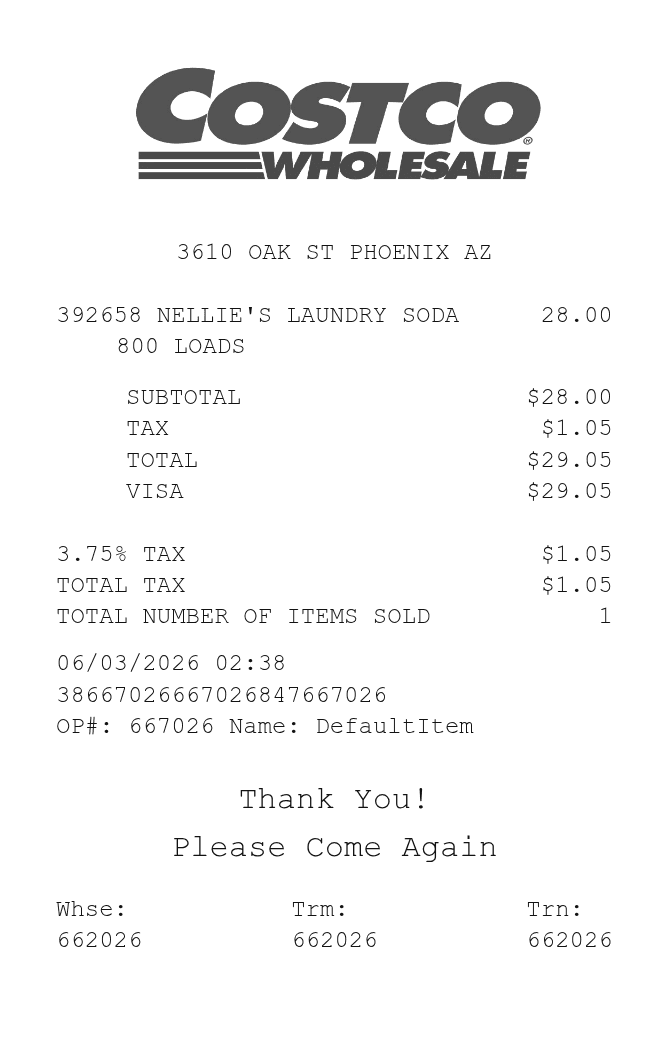
The Costco editor gives each item a code, a main description, an additional description and an amount. The extra description is useful for a pack count, size or other product detail. Checkout references such as warehouse, terminal, transaction and operator numbers appear separately near the footer.
Costco warehouse receipts
A Costco warehouse receipt lists the warehouse, item numbers with short descriptions and prices, instant savings, subtotal, tax, total and payment, with your membership number. Costco checks receipts at the exit in every warehouse; it says the check confirms items were processed correctly by cashiers and that members were charged properly. To fix a wrong charge, take the receipt to the returns counter at the warehouse where you shopped.
Returns fall under Costco's Risk-Free 100% Satisfaction Guarantee, which refunds the purchase price on most products. Televisions, computers, cameras, phones and major appliances must be returned within 90 days of receiving them. Gift cards, tickets, precious metals and custom special orders can't be returned for a refund. Executive members get a 2% reward of about 2% of pre-tax purchases, up to $1,250 a year, issued on the renewal statement rather than the receipt; gasoline, tobacco and food court purchases don't earn it.
How to find or print a Costco receipt
On Costco.com, go to Orders & Returns, then the In-Warehouse tab under Orders & Purchases, where receipts are shown for up to two years once your membership is verified. The Costco app shows the same receipts but can't print them. For purchases older than two years, ask at the membership counter with photo ID and the purchase date.
Gas station purchases appear online only from September 30, 2024 onward, and food court, optical, travel and Instacart orders aren't listed.
Fields in this warehouse layout
| Section | Details |
|---|---|
| Warehouse | Address and warehouse number |
| Member and checkout | Member reference, operator, terminal and transaction |
| Products | Item code, two description lines and complete amount |
| Totals | Subtotal, tax and total with payment method |
| Footer | Receipt reference, date, time and closing text |
Related receipt guides
Review item codes and complete amounts
- Replace the warehouse and member examples.
- Use the description fields to identify each product and pack size.
- Enter each item row’s full amount and check Tax % (whole subtotal).
- Review checkout references and the footer, then export.
FAQs
Official sources
- Costco — Viewing in-warehouse receipts
- Costco — Duplicate receipts
- Costco — Return policy
- Costco — Why receipts are checked at the door
- Costco — Executive rewards