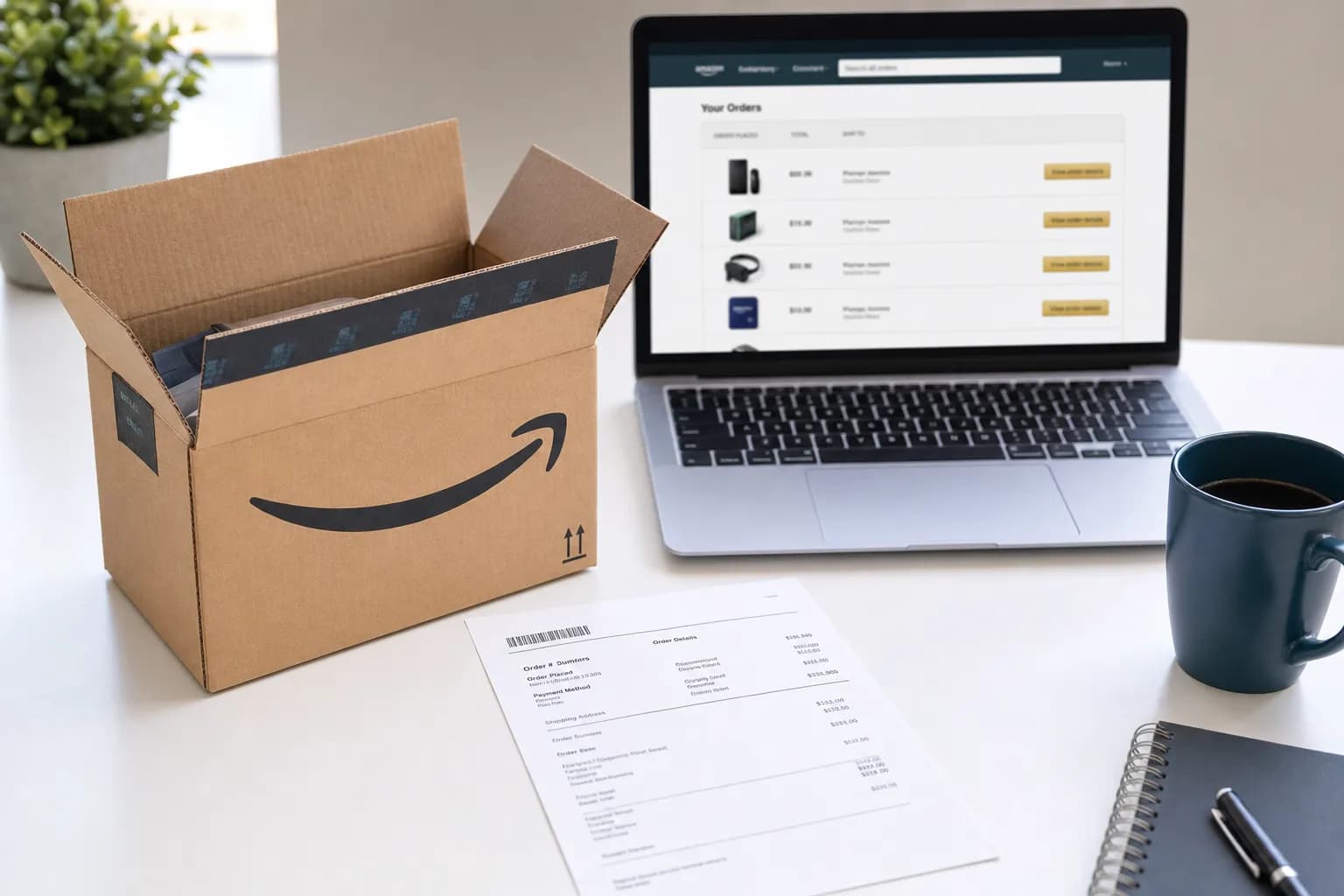
Start with Your Orders in the Amazon account used for the purchase. Open the order details to look for an invoice or printable order summary, and save a copy while it is available.
This covers every method to get your Amazon receipt, how to download it as a PDF, and what to do when you need receipts for taxes, FSA reimbursement, or expense reports. We also have Amazon receipt templates if you need to recreate the format.
How to Find Your Amazon Receipt — 3 Methods
Method 1: Amazon Website (Desktop)
The fastest way to pull up an Amazon receipt on a computer:
- Go to amazon.com and sign in
- Click Returns & Orders in the top right
- Find the order you need
- Click View Invoice (under the order total)
Check what the invoice or order summary actually shows, including items, charges and payment status. An invoice and proof of completed payment are not interchangeable in every situation. Do not assume Amazon keeps accessible order history forever.
Method 2: Amazon App (Mobile)
On your phone, the path is slightly different:
- Open the Amazon app
- Tap the profile icon (bottom bar), then Your Orders
- Find the order and tap it
- Scroll down and tap Invoice
The mobile invoice opens in your phone's browser. From there you can save it as a PDF or share it via email. One thing to watch: the app sometimes shows "Invoice not available" for very recent orders. Check the order again later or contact Amazon or the seller about an unavailable invoice; do not rely on a fixed generation deadline.
Method 3: Amazon Receipt Email
Amazon sends an order confirmation email for every purchase. These emails contain:
- Order number
- Item names and quantities
- Prices and estimated tax
- Shipping address and delivery estimate
Search your email for "Your Amazon.com order" or the order number. These confirmation emails are not full invoices though. They show estimated tax, not the final tax charged. For an official receipt with the exact tax amount, use Method 1 or 2. If you need detailed line-by-line breakdowns, our guide on itemized receipts covers what should be on each one.
How to Download an Amazon Receipt as PDF
Download from Desktop
- Go to Returns & Orders and find your order
- Click View Invoice
- On the invoice page, click Print this page for your records
- In the print dialog, change the printer to Save as PDF
- Save the file
This gives you a clean PDF with Amazon's standard layout: order number at the top, itemized list in the middle, totals and tax at the bottom, and payment method details at the end.
Download from the Amazon App
After tapping Invoice in the app, the receipt opens in your phone's browser. On iPhone, tap the share icon and select Save to Files or Print (then choose Save as PDF). On Android, tap the three-dot menu and select Share or Print.
Amazon Receipt PDF for Business Accounts
Amazon Business distinguishes downloadable invoice PDFs in Manage Your Invoices from CSV invoicing reports in Business Analytics. Use the available documents and reports together when organizing expenses for small business tax filing; a summary report is not a substitute for every supporting invoice.
How to Print an Amazon Receipt
From the invoice page (desktop or mobile), click or tap Print this page for your records. Amazon formats the page specifically for printing. The navigation, sidebar, and footer are stripped. What prints is the receipt itself.
Amazon Business describes bulk invoice PDF downloads under Manage Your Invoices. See its invoice and reconciliation guidance (checked September 11, 2026). Availability in a consumer account can differ.
For a physical receipt that matches retail receipt formatting rather than Amazon's web invoice style, you can use our receipt maker to generate one with standard receipt layout: store name at top, items in the middle, total at bottom, and a barcode.
Amazon Receipt for Taxes and Reimbursement
Amazon Receipt for Tax Deductions
An Amazon invoice can be part of your supporting records for a business purchase. Deductibility depends on the expense and the evidence, not the Amazon name. Useful details include:
| Required Detail | Where It Appears on Amazon Receipt |
|---|---|
| Date of purchase | Top of invoice, under order number |
| Seller/vendor name | "Sold by" field for each item |
| Item description | Product name and ASIN |
| Amount paid | Line item price + tax + shipping |
| Payment method | Bottom of invoice |
Save the downloaded record with your payment evidence and other tax records. Follow IRS retention guidance for the applicable period. See receipts and invoices for the distinction between the documents.
Amazon Receipt for FSA/HSA Reimbursement
Request the merchant-issued itemized record and check the expense and documentation with your plan administrator. A store name or generated layout does not establish eligibility. See our FSA documentation guide.
If the administrator rejects a record, ask the seller for the missing details and follow the administrator’s instructions. The Amazon receipt template can organize your own notes, but a generated document does not replace required independent evidence.
Amazon Receipt for Expense Reports
Attach the complete order and payment record required by your employer. An upload or automatic text extraction does not establish approval; check that the captured details are accurate.
One catch: Amazon orders with multiple items from different sellers generate separate invoices. A single order might produce 2-3 separate invoice PDFs. Check that you've downloaded all of them before submitting.
Amazon Gift Receipt — What It Shows and How Returns Work
How to Add a Gift Receipt to an Amazon Order
During checkout, check the box labeled This order contains a gift. Amazon includes a gift receipt in the package. The gift receipt shows:
- Item name and description
- A gift message (if you wrote one)
- A return barcode
What it does NOT show: the price you paid. The recipient sees the item name and a way to return it, but never the dollar amount.
Gift Receipt Returns
For an eligible gift return, follow Amazon’s return flow using the available gift receipt or order details. Check the item’s eligibility, deadline and refund destination before returning it; gift-card credit is not guaranteed for every gift.
For a gift without a gift receipt, ask Amazon which return options apply to that order and who would receive any refund. Do not assume the gift recipient will receive credit.
Amazon Receipt Template — What's on Every Receipt
For other store layouts, see Walmart, Target and the grocery receipt collection.
An Amazon order invoice follows a consistent format across all orders:
| Section | Details |
|---|---|
| Header | Amazon.com logo, "Final Details for Order #xxx-xxxxxxx-xxxxxxx" |
| Order date | Date the order was placed |
| Shipping address | Full delivery address |
| Order summary | Each item with name, ASIN, seller, quantity, price |
| Shipping & handling | Shipping method and cost (often $0 for Prime) |
| Tax | Tax amount by jurisdiction |
| Grand total | Final charged amount |
| Payment method | Credit card type + last 4 digits, or gift card balance used |
| Billing address | Address associated with the payment method |
If you need to recreate this layout, the Amazon receipt template on ReceiptEdit includes every field: order number, ASIN, seller info, tax breakdown, and payment details. For other online retailers, browse the electronics receipt templates or department store templates.
Amazon Receipt Generator — Create Receipts Online
Lost an Amazon receipt and can't access your account? The receipt generator lets you create an Amazon-formatted receipt with:
- Amazon's standard order invoice layout
- Customizable order number, items, prices, and tax
- Seller information and shipping details
- PDF or PNG download
You can also use the invoice generator if you need a seller-side Amazon invoice rather than a buyer receipt.
Amazon Receipt Number and Order Details Explained
Amazon Order Number Format
Every Amazon order has a 17-digit order number in the format xxx-xxxxxxx-xxxxxxx (three groups separated by hyphens). This number appears at the top of every receipt and in your confirmation email. You can search for any order by pasting this number into the search bar on the Orders page.
The order number is not the same as a tracking number. Tracking numbers come from the carrier (UPS, USPS, FedEx) and are separate from Amazon's internal order system.
Amazon Invoice Number
Amazon doesn't assign a separate invoice number to consumer orders. The order number IS the invoice number. Business accounts may see an additional invoice reference number on their VAT invoices, but for standard consumer orders, the order number is the only identifier you need.
If someone asks for your "Amazon receipt number," give them the order number. That's what customer service, return centers, and third-party sellers use to locate your transaction. For a broader look at how order numbers, receipt numbers, and store-specific lookup codes differ across retailers, that guide covers the details.
FAQs About Amazon Receipts
How do I get an Amazon receipt for taxes?
Find the order in Your Orders, open its invoice or printable summary if available, and save a readable copy. Use IRS retention guidance rather than assuming three years covers every record.
Can I get an Amazon receipt without an account?
Not directly. Amazon receipts are tied to your account. If you placed the order as a guest (rare since Amazon requires account creation for most purchases), check your email for the order confirmation. That email contains the order details, though not the final tax amount. If you deleted the account, contact Amazon customer service with the email address and approximate order date.
How do I download an Amazon receipt as PDF?
Go to Returns & Orders, click View Invoice on the order, then click "Print this page for your records." In the print dialog, select Save as PDF instead of a physical printer. On mobile, open the invoice in your browser and use your phone's share or print function to save as PDF.
How do I print an Amazon receipt from the app?
Open the Amazon app, go to Your Orders, tap the order, and tap Invoice. The invoice opens in your phone's browser. Tap the share icon and select Print, then choose your connected printer. If the Invoice option is unavailable, contact Amazon or the seller about the documents available for that order.
What does an Amazon gift receipt show?
A gift receipt identifies the gift and may provide return details without showing its price. Check Amazon’s return instructions for that order; possessing a barcode does not guarantee acceptance.
Does Amazon email receipts?
Amazon sends order confirmation emails but not formal receipts. The confirmation email shows items, estimated tax, and the order number. For the official receipt with final tax and payment details, go to Returns & Orders and click View Invoice. The emailed confirmation and the invoice can show different tax amounts because the email uses estimated tax.
How do I find my Amazon receipt number?
Your Amazon receipt number is your order number. It's the 17-digit code in the format xxx-xxxxxxx-xxxxxxx. Find it at the top of any order page, in your confirmation email subject line, or in the shipping notification. Amazon doesn't use a separate receipt number.
Can I get an Amazon receipt for FSA reimbursement?
Request the merchant-issued itemized record and check the expense and documentation with your plan administrator. A store name or generated layout does not establish eligibility. See our FSA documentation guide. A personally generated receipt is not a pharmacy- or merchant-issued replacement.