Amazon Receipt Template
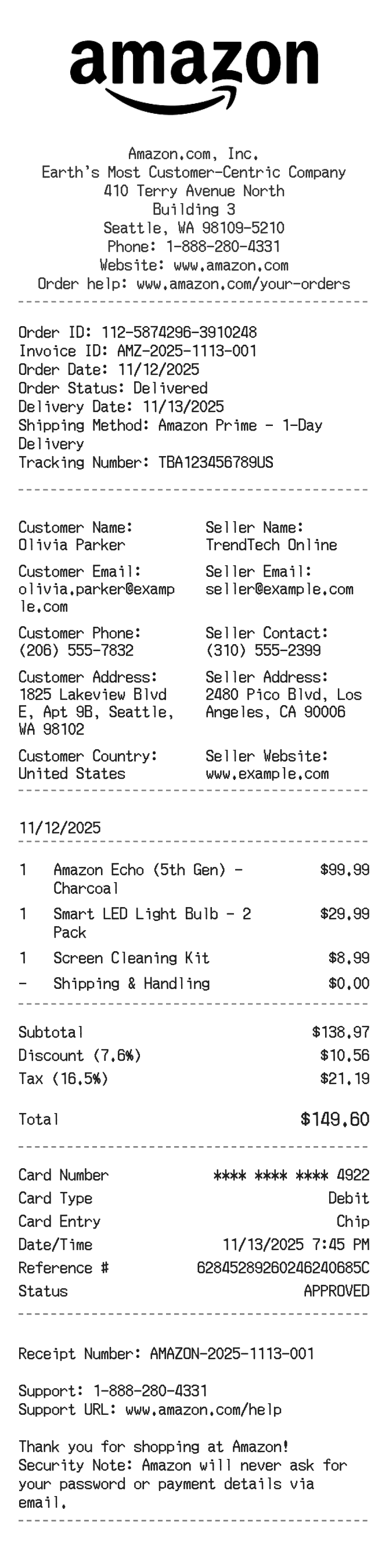
Edit the order, seller and delivery references, then add products and shipping charges. Check the calculated total and payment notes before saving.
Last updated
Separate the seller from the order and delivery details
The Amazon layout has room for both customer and seller information, along with order, invoice and tracking references. Its item section includes products and a shipping row. Delivery status and payment messages are editable text, so review them separately when you change the items or dates.
Amazon order summaries and invoices
Amazon's receipt is the order summary, opened from Invoice under the order number in Your Orders. It shows the order date and number, payment method, shipping address, each item with who it was sold by, the item subtotal, shipping, total before tax, tax and grand total. Amazon order numbers have 17 digits in three groups. A VAT invoice is only available when a business adds and validates its VAT number in Manage Tax Registrations before ordering, and invoices can't be changed after the order ships.
Most items can be returned within 30 days of delivery, with 15 days for Apple products, and most items bought from November 1 to December 31, 2026 can be returned until January 31, 2027, or January 15 for Apple. When a third-party seller ships its own stock, the return goes to that seller, who must provide a US return address, a prepaid label or a refund without the item back.
How to print an Amazon invoice
Go to Your Orders, select Invoice under the order number, then Print this page for your records and use your browser's print button. The invoice is available once the order ships. For digital orders, a print or download option appears on the order's details page when a VAT invoice exists.
In marketplace facilitator states, Amazon calculates, collects and remits sales tax on third-party seller sales, so the tax on your invoice comes from Amazon either way. Tax shown at checkout is an estimate.
Information grouped in this layout
| Section | Details |
|---|---|
| Order | Order ID, invoice reference, dates and delivery notes |
| Parties | Customer and seller names, contacts and addresses |
| Products | Description, quantity and unit price |
| Shipping | A separate charge in the item list |
| Summary | Calculated items, percentage discount and tax |
Related receipt guides
Review the order as well as the total
- Enter the seller and customer details from your record.
- Update order, invoice, shipping and delivery references.
- Add products with quantities and unit prices; enter the shipping charge once in its own row.
- Check discount and tax settings, then review the separate payment message before downloading.