e-Transfer Receipt Template
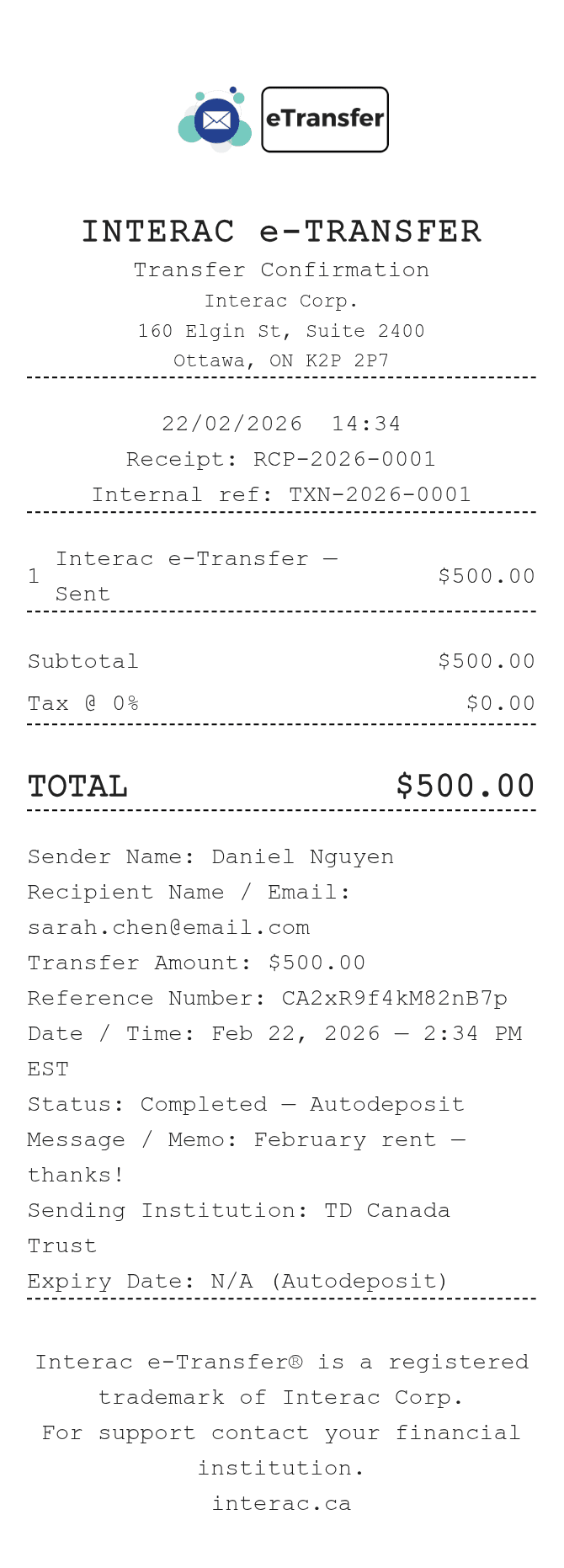
Record the sender, recipient, reference and CAD amount for an e-Transfer. Check the separate date and status fields before saving your payment record.
✏️ Editable fields📱 PDF & Image export⚡ Instant preview
📝Editor
👁️Live Preview
Last updated
Keep the recipient and transfer reference easy to find
This e-Transfer layout includes the sender, recipient email or name, financial institution and payment memo. It also has separate fields for transfer amount, status and expiration date. You fill in those details yourself; the page does not send an Interac e-Transfer or check whether a recipient has deposited one.
Fields to review together
| Section | Details |
|---|---|
| People | Sender name and recipient details |
| References | Reference number, financial institution and memo |
| Timing | Transaction date and optional expiration-date entry |
| Status | Editable transaction-status text |
| Value | Transfer Amount text plus the separate amount row used by the receipt total |
Avoid conflicting amounts or dates
- Replace the example recipient and sender details first.
- Enter the amount in both the transfer-detail field and the payment row. They are separate entries.
- Update the transaction date, receipt date and any expiration-date text to match the record.
- Read the status and memo in the preview, confirm the total and export the document.