Venmo Payment Receipt Template
Add the sender, recipient and payment purpose to an editable Venmo layout. Arrange the sections, review amounts and references, then save the receipt.
✏️ Editable fields📱 PDF & Image export⚡ Instant preview
📝Editor
👁️Live Preview
Last updated
A payment layout with space for both people
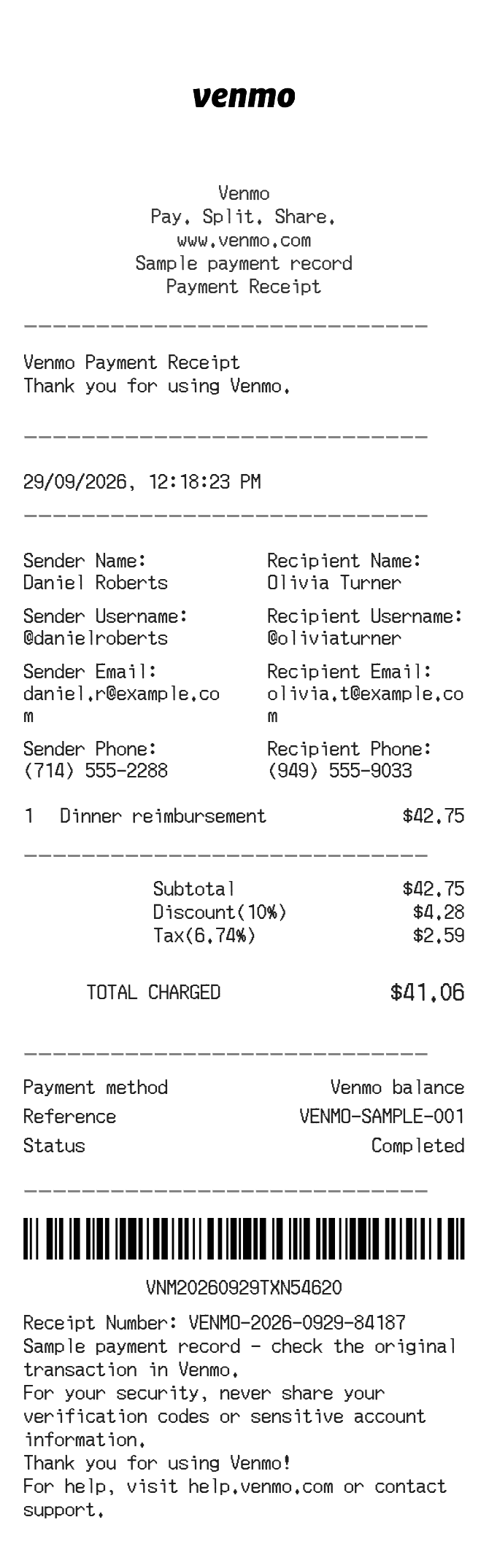
The Venmo template uses separate sections for sender and recipient details, a payment note, item amounts and payment references. Names and usernames can sit beside each other, while the note explains what the payment relates to. You can arrange the sections to suit your record without connecting to a Venmo account.
Sections in the editor
| Section | Details |
|---|---|
| People | Sender and recipient names, usernames and contact rows |
| Payment purpose | An editable message and item description |
| Amounts | Quantities, unit prices and configured discount or tax |
| References | Payment method, reference and status text |
| Layout | Date/time, optional barcode and footer sections |
Check amounts and notes together
- Replace the sample names, usernames and any contact details you want to include.
- Enter the payment purpose and amount. The item section multiplies quantities by unit prices.
- Review the discount and tax settings; set them to zero if they do not apply to your record. Separate payment notes are not recalculated from the item total.
- Check repeated dates and references across the sections, then export the preview.