Remittance Advice Template
List the invoices covered by a supplier payment, add its date and bank reference, then download the advice. Check that the invoice allocations match the payment amount.
✏️ Editable fields📱 PDF & Image export⚡ Instant preview
📝Editor
👁️Live Preview
Last updated
Tell a supplier which invoices a payment covers
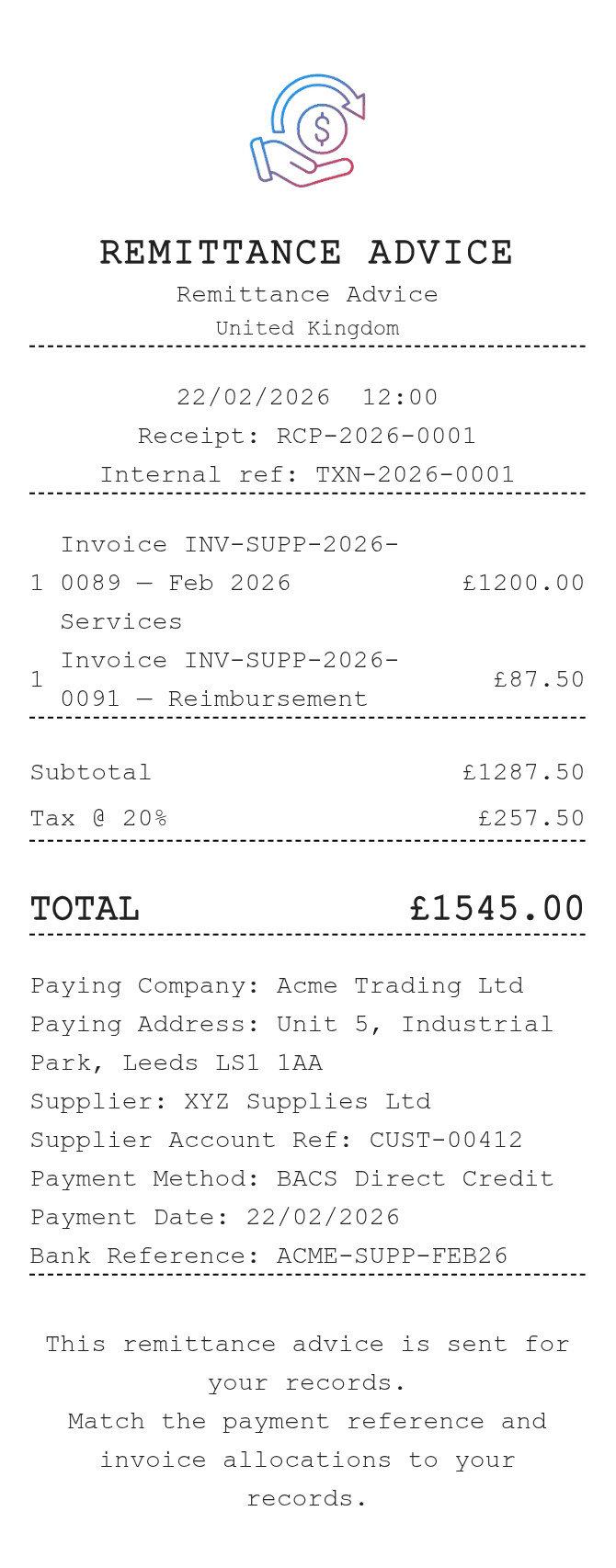
This remittance advice layout connects a payment to the invoices it covers. It starts with sender and recipient company details, then lists invoice descriptions and allocated amounts. The payment method, date and bank reference give the supplier context for matching the record to its own accounts.
What belongs on the advice
| Section | Details |
|---|---|
| Payer | Sending company name and address |
| Supplier | Recipient company and recipient reference |
| Allocation | Invoice descriptions and the amount applied to each one |
| Payment | Method, date and bank reference |
Match the invoice rows to the payment
- Enter the companies and use the recipient reference for the supplier’s account or invoice reference.
- Add one row for each allocation, naming the invoice in its description.
- Enter the full amount allocated to each row. Review any tax setting so the total agrees with the payment you are describing.
- Check the payment date, bank reference and footer, then export the advice.