Taco Bell Receipt Generator
Enter the order and cashier details, then list tacos, meals and modifications with complete row charges. Review tax and the payment references before downloading.
Last updated
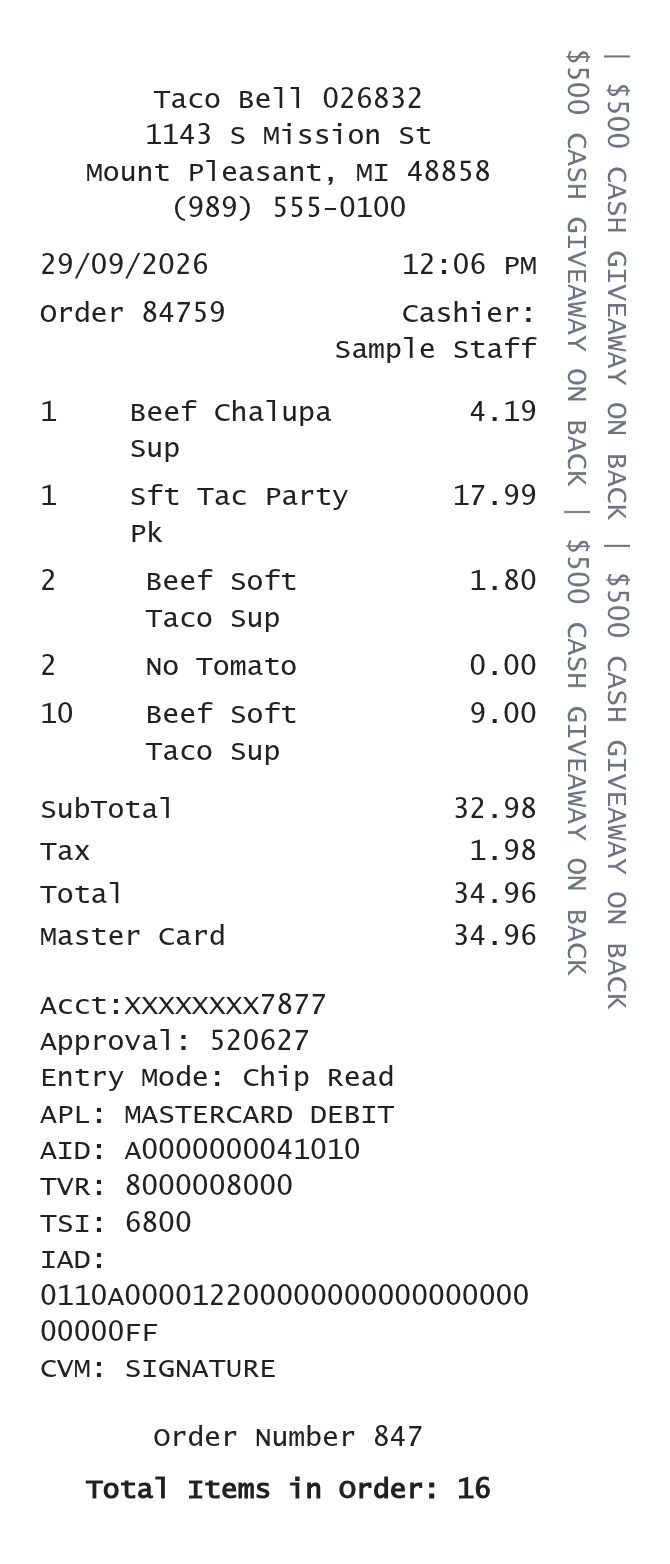
Keep party-pack contents and paid additions clear
The Taco Bell sample has a main meal row with additional descriptions beneath it. Use those rows to explain the order, including any preparation notes or separately priced additions. The lower section keeps card-entry and authorization references together.
What a Taco Bell receipt is used for
A Taco Bell receipt prints the store number at the top, which the official survey at tellthebell.com asks for together with the visit date and time. At participating restaurants, a barcode at the bottom of the receipt lets you add drive-thru and counter orders to Taco Bell Rewards: scan it with the app within 5 days, or type in the numbers under it, and points usually post within 48 hours.
Rewards earns 10 points per $1, with rewards unlocking every 250 points. Taxes, fees, merchandise, alcohol, donations and gift cards don't earn points, and prepared food is taxed at the restaurant's local rate.
How to get a copy of a Taco Bell receipt
Signed-in app and website orders appear in your account's order history. Guest-checkout orders have no account history, and in-store receipts come from the restaurant that served you. Taco Bell's Help Center is at help.tacobell.com, or call 1-800-TACOBELL.
Food and checkout information
| Section | Details |
|---|---|
| Restaurant | Name, number, address and contact |
| Order | Cashier, date, time and order references |
| Food | Description, displayed quantity and complete line charge |
| Summary | Item count, subtotal, entered tax and total |
| Card references | Approval, entry mode, APL, AID, TVR, TSI, IAD and CVM |
Related receipt guides
Review every row that carries a charge
- Replace the restaurant, cashier and order details.
- List meals and identify included components or modifications.
- Enter zero for an uncharged note and full amounts for priced rows.
- Check tax, total and card references before export.