TfL Receipt Template with Journey and Balance Notes
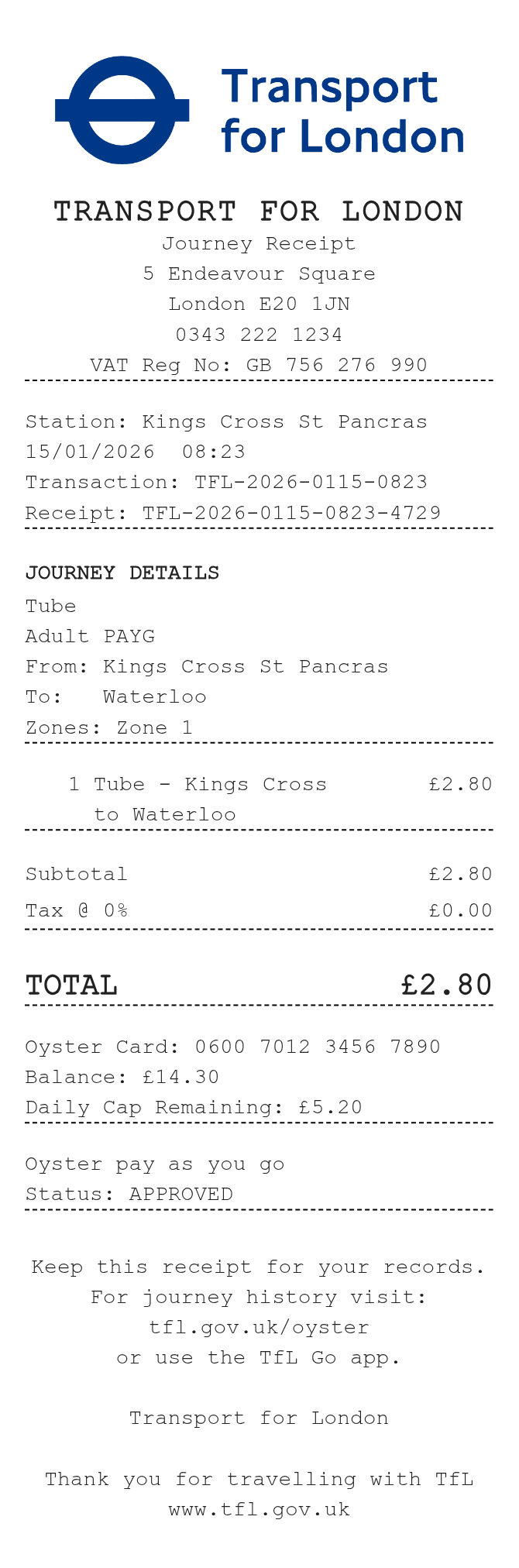
Record the stations, journey type and fare details. Enter the charge and review any Oyster balance or daily-cap notes separately before saving.
Last updated
Keep the journey charge separate from balance notes
The TfL receipt template has fields for a station, journey origin and destination, fare zones, journey type and fare type. It also includes an Oyster card number, balance and Daily Cap Remaining. These are printed notes; they do not calculate the fare or follow the amounts in the item table.
Where a TfL fare record comes from
With TfL pay as you go, you don't buy a ticket before you travel. You touch in and out with a contactless card, a device or an Oyster card, and the system charges the right fare. In Zones 1-9, pay as you go fares are capped, so you pay no more than the cap in one day or one week (Monday to Sunday). Because of this, the record of what you paid is the journey and payment history in a TfL contactless and Oyster account, not a printed ticket. TfL's account terms say you can see contactless billing and journey history for up to 13 months, while Oyster journey history is kept for up to eight weeks.
If you don't add a contactless card to an account, TfL shows only seven days of journey and payment history, and you must enter the card number, expiry date, security code and billing address each time you check. Oyster Auto top-up adds £10, £20 or £40 when your balance falls below £20 as you touch in, and these payments appear on your bank statement as Oyster Auto top-up. For VAT, HMRC's Notice 744A says domestic passenger transport in any vehicle, ship or aircraft with at least 10 seats, including the driver and crew, can be zero rated. A TfL receipt for a bus or train fare therefore normally has no VAT to reclaim.
How to get a copy of a TfL receipt or journey statement
Sign in to your contactless and Oyster account on the TfL website. Since a January 2025 update, the free TfL Go app also shows journey history, lets you apply for incomplete journey refunds and top up Oyster pay as you go. In your account, you can choose how often journey statements are sent to you and in what format, which gives you a regular TfL receipt for expense records.
Without an online account, you can check journeys at any Tube station ticket machine. For contactless, TfL's unregistered card service covers journeys from the past 7 days only.
Journey fields and amounts
| Section | Details |
|---|---|
| Route | Record the station, Journey From and Journey To. |
| Fare description | Choose or enter the available journey and fare details and record the zones. |
| Oyster references | Enter the card number and any recorded balance or cap note. |
| Item charge | Use a full line amount. The quantity column is descriptive. |
| Payment and tax | Select the payment method and review Tax %, which adds tax across all line amounts. |
Related receipt guides
Match the card notes to the journey
- Check whether your record concerns Oyster or a contactless payment card, then keep the card and balance notes consistent with it.
- A route or fare-type edit does not refresh the charge, Oyster balance or cap note. Update those entries yourself.
- Read the full preview, including the receipt number and footer, before downloading.
FAQs
Official sources
- TfL - Pay as you go
- TfL - Online accounts terms and conditions
- TfL - Apply for a refund
- TfL - Journey history in the TfL Go app (January 2025)
- HMRC - VAT Notice 744A, passenger transport