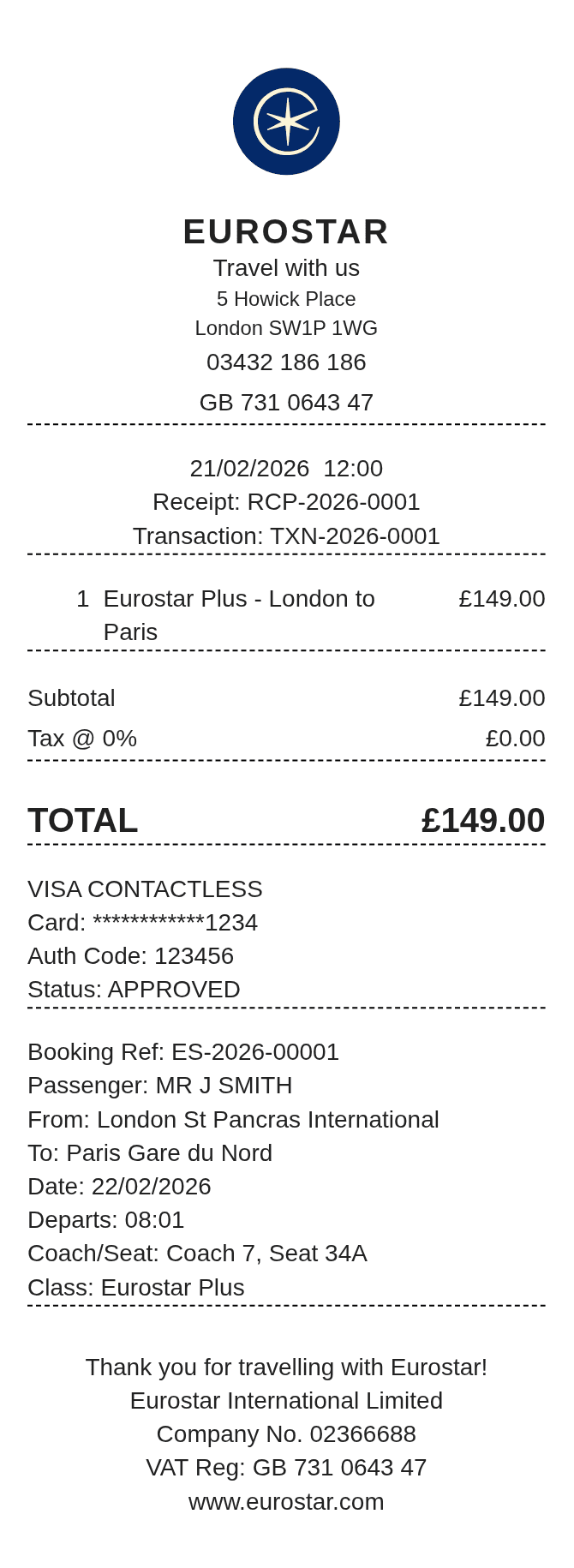
Eurostar Receipt Template with Coach and Seat References
Enter the passenger, stations, departure and coach/seat details. Add the full fare amount, review the payment summary and save the completed layout.
Last updated
Tie a fare to its rail journey
This Eurostar receipt template keeps the booking reference and passenger name above the route, departure and seat notes. Ticket Class is a field you can edit freely. Changing the class, stations or seat does not look up a fare, so enter the actual amount you want to record in the item table.
What a Eurostar receipt shows and how VAT applies
Eurostar says all accounting details can be found on your ticket, and that its tickets are accepted as accounting evidence with all European tax authorities. For a separate document, you can print a receipt from the payment history of your booking on eurostar.com. VAT depends on where the journey runs. Eurostar's help center says the VAT rate on high-speed train travel in the UK or French territory is 0%, while train travel in Belgium is charged at 6%, the Netherlands at 9% and Germany at 7%. Check which countries your journey covers before you claim VAT back on business travel.
Your fare class decides what you can recover later. For Eurostar Standard and Eurostar Plus, you can change the date or time with no fee up to one hour before departure, but not the destination, and a refund costs £25, €25 or $40 per leg, per person, up to seven days before departure. Eurostar Premier tickets can be exchanged or refunded with no fee up to 48 hours after the original departure time. Eurostar SNAP tickets are non-exchangeable, non-refundable and non-transferable. Requests made by phone or at the station carry a service charge of £12, €14 or $20 per transaction, and the name on a ticket can't be changed.
How to get a copy of a Eurostar receipt
Log in to your account on eurostar.com, open Manage your booking, scroll to payment history and select print receipt. Eurostar notes that invoices aren't currently available in its app, so use the website to view or print one. If you booked through an external agency or third-party business, contact that company directly for an invoice or receipt, since Eurostar says full refunds can also only be processed by the website or retailer where you bought the ticket.
Details for the journey
| Section | Details |
|---|---|
| Booking | Enter the booking reference and passenger name. |
| Stations | Record the departure and arrival stations as separate fields. |
| Departure and seat | Set the departure date/time and combined Coach & Seat note. |
| Ticket charge | Enter a full line amount; quantity is shown but does not multiply the amount. |
| Tax and payment | Tax % adds one rate across all items. Review the selected payment method before download. |
Related receipt guides
Review the class wording
- Use the class wording from the booking being documented. The prefilled description is an editable example, not a list of current ticket products.
- A booking reference or barcode entered here does not create a valid rail ticket. Use the ticket issued by the travel provider for your journey.
FAQs
Official sources
- Eurostar invoice and receipt help
- Eurostar Help Centre - Can I get an invoice for my ticket?
- Eurostar Help Centre - Cancel a ticket and get a refund
- Eurostar Help Centre - Change a booking
- Eurostar - Refunds and compensation for delays and cancellations