Zaxby's Receipt Generator
Enter chicken meals, sandwiches and drinks with their quantities and prices. Add pickup information and check the receipt before exporting.
Last updated
Keep a meal description with its price
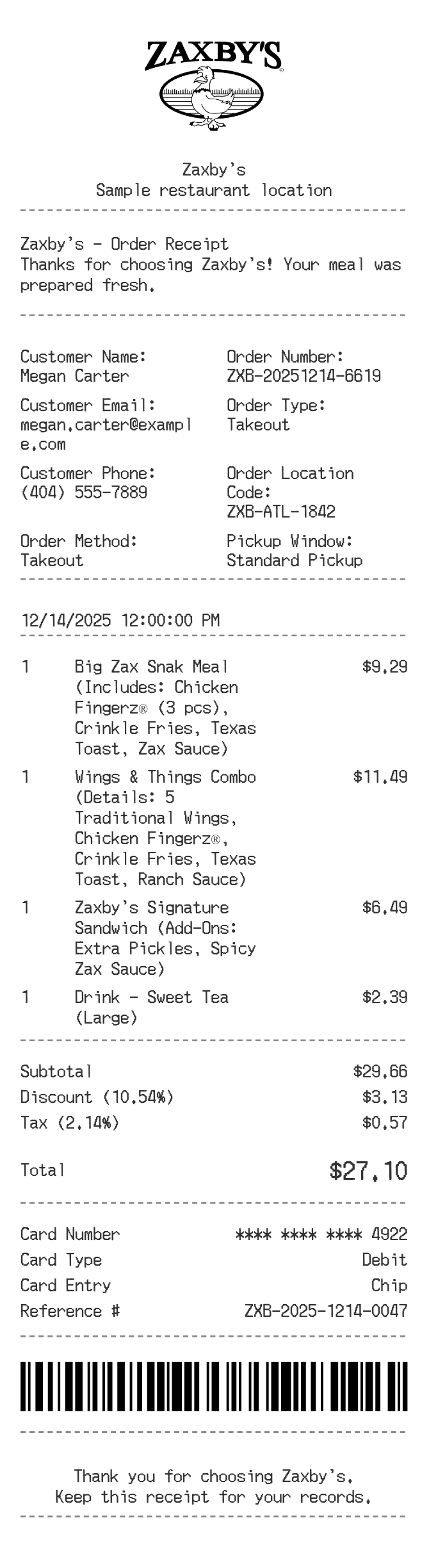
The Zaxby's layout has space for detailed meal descriptions, including sides and sauces included in a combo. The order-information sections can carry the customer and pickup reference. Item prices remain separate from the descriptive text, so check charges after changing a meal.
Zaxby's receipts and Zax Rewardz points
A printed Zaxby's receipt carries a QR code or barcode with a numerical code beneath it, and that code is how a visit you forgot to scan gets credited to Zax Rewardz. According to the Zaxby's FAQ, you log in to the app, tap Rewards, then Scan to Earn, and either scan the QR code or type the number into the box under "Forgot to scan In-store?" before tapping Earn Points. Receipts must be uploaded within 48 hours of the purchase. To earn at the time of the order instead, scan your member QR code at the register or drive-thru, or log in before ordering online.
Under the Zax Rewardz policy, last revised January 23, 2025, members get 10 points for every dollar spent, with spending rounded to the nearest dollar and a 50-cent minimum. Points are calculated on the transaction total excluding taxes, surcharges and fees, including delivery fees charged by Zaxby's, and you can earn on no more than two transactions in any four-hour period. Orders through third-party delivery services such as DoorDash or Grubhub don't earn points, and neither do gift card purchases or reloads. Points expire 365 days after they are earned, and notice of points earned arrives within about 72 hours.
Finding a Zaxby's order record or getting a refund
For orders placed in the Zaxby's app, open the Reorder tab on the home screen and select Recent Orders to see your transaction history. Online orders can't be modified once placed, so contact the restaurant directly, as quickly as possible, to change or cancel one.
For a refund, Zaxby's says to contact the store directly or use the Zaxbys Listens feedback site, choose the store you visited and select Refund. An order refunded on the same day earns no points, and a refund on a later day deducts the points it earned.
Build a readable pickup receipt
| Section | Details |
|---|---|
| Header | Edit the sample store heading. |
| Pickup | Enter the order and customer references needed for collection. |
| Combo meals | Describe included food together and enter the complete meal unit price. |
| Separate purchases | List an additional sandwich, side or drink on another priced row. |
| Payment | Review tax and discount percentages before checking the amount paid. |
Related receipt guides
Keep long meal descriptions manageable
- Use clear item names and short notes for substitutions. Review the preview to see how a long description wraps on the receipt.
- An included sauce or side should not get another charge unless the order contains a separately priced extra.