Chick-fil-A Receipt Generator
Enter the food, drinks and sauces from the order. Edit the register and pickup details, then check the receipt before downloading it.
Last updated
Record the meal and the small extras
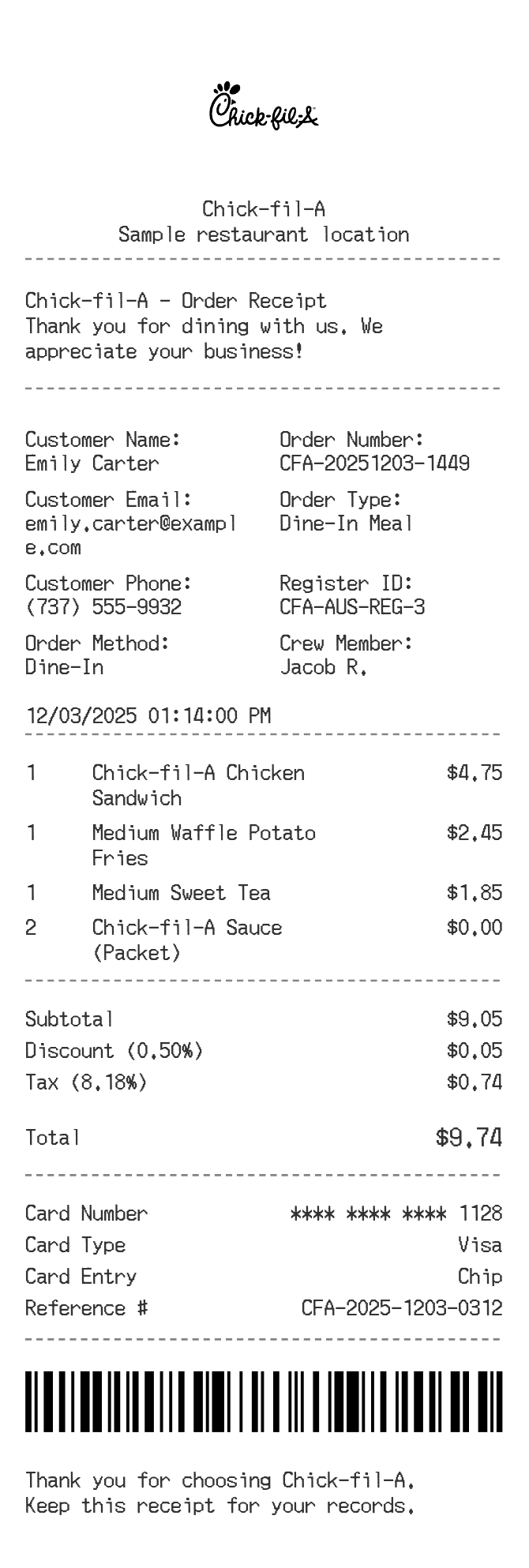
This Chick-fil-A layout includes an item list plus customer, register and crew information. Use the description to distinguish a sandwich from a meal or a different portion size. Sauces or other no-charge additions can appear with a zero price when that matches the order.
Chick-fil-A receipts and Chick-fil-A One points
To claim points for a visit, Chick-fil-A asks for three details from the receipt: the restaurant number, the date of the transaction and the order number, plus the order total. Many receipts also print a serial number for the Chick-fil-A customer survey at mycfavisit.com, which emails a code for a free sandwich within 24 hours of completing it. Orders placed through DoorDash inside the Chick-fil-A App show only the subtotal and taxes in your history, with fees and tips on the DoorDash receipt.
Chick-fil-A One members earn 10 points per dollar on qualifying orders, and rewards start at 200 points. Points don't expire, though rewards do. If you forgot to scan, submit the missed transaction from your transaction history; Chick-fil-A gives no credit after 30 days or if the receipt is lost or unreadable, allows one submission per day, and posts approved points within 48 hours based on the pre-tax total.
Finding past Chick-fil-A receipts
Chick-fil-A keeps up to one year of order history. In the app, open For You, then Account, Transactions and Transaction History, or view transaction history in your account online. Orders placed directly in DoorDash or Uber Eats don't appear there, so get those receipts from the delivery app.
Refunds for mobile and online orders are handled by the restaurant you ordered from, and orders from the past 24 hours can be reported from Transaction History. Catering ordered online or in the app accepts cards and PayPal and earns points when you sign in.
What to edit in each section
| Section | Details |
|---|---|
| Store heading | Add the branch information for the purchase. |
| Order references | Edit customer, register and staff details in the information sections. |
| Food and drinks | Enter an item description, quantity and unit price on each row. |
| No-charge additions | Use a zero price when a listed addition did not cost extra. |
| Payment and totals | Check the discount and tax percentages, then the payment details. |
Related receipt guides
Review the item names as well as the total
- A size or meal description does not automatically change a price. Enter the correct amount for that particular item.
- This is an editable document. It does not retrieve an order or post a purchase to a rewards account.
FAQs
Official sources
- Chick-fil-A — Forgot to scan
- Chick-fil-A — Transaction history
- Chick-fil-A — Refunds for mobile orders
- Chick-fil-A One