About the Raising Cane's Receipt
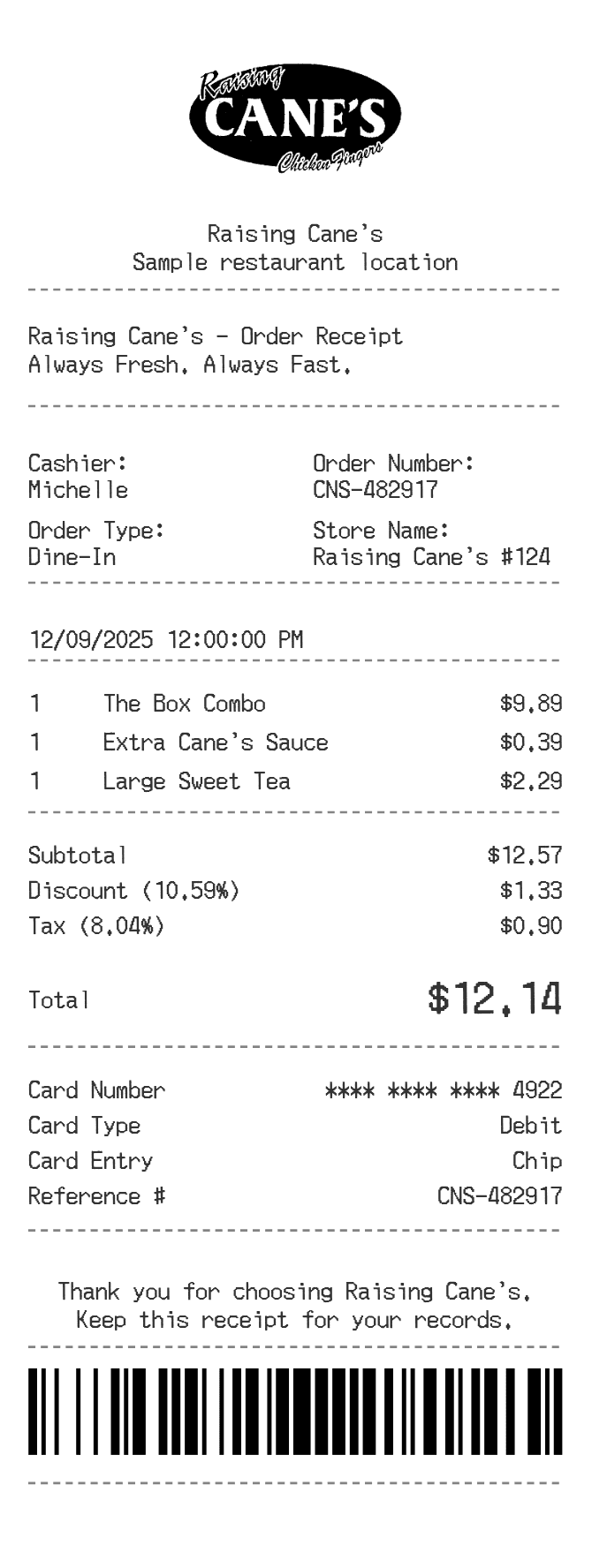
A Raising Cane's receipt documents a quick-service chicken finger meal transaction, showing itemized food and drink orders, applicable sales tax, and the total charged. People commonly need to recreate or reference one for expense reimbursement, personal budgeting, or to replace a lost receipt from a dine-in, drive-thru, or online order. The format is straightforward but includes location-specific tax rates and order details.
Raising Cane's in Numbers
Founded in 1996 by Todd Graves in Baton Rouge, Louisiana, Raising Cane's built its brand around a single core menu item: chicken fingers. The chain has grown to over 800 locations across the United States and internationally. Headquartered in Plano, Texas, it is consistently ranked among the fastest-growing fast-food chains by unit count and sales.
What Is On a Raising Cane's Receipt
| Section | Details |
|---|
| Section | Details |
| Header | Store name, address, phone number, and location number |
| Order info | Date, time, order number, and order type (dine-in, drive-thru, or carry-out) |
| Cashier / Terminal | Register number and team member identifier |
| Items ordered | Menu item name, quantity, and price per item (e.g., Box Combo, Caniac Combo, drinks, extra dipping sauce) |
| Subtotal | Sum of all items before tax |
| Tax | Sales tax calculated at the applicable local and state rate |
| Total | Final amount charged to the customer |
| Payment method | Cash, card type, last four digits of card, or mobile payment |
| Survey / Feedback | URL or code for optional customer satisfaction survey |
Using a Raising Cane's Receipt
- Raising Cane's does not offer traditional refunds on food orders, but a receipt helps resolve order errors or missing items at the counter or drive-thru.
- If your order was placed through the Raising Cane's app or a third-party delivery platform, contact support through that platform with your order number.
- Keep your receipt if you are submitting a meal expense for work reimbursement, as it shows the itemized breakdown and total.
- Raising Cane's does not have a formal return window like retail stores; issues are typically handled at the location on the same visit.
FAQs
Can I get a digital copy of my Raising Cane's receipt?
If you ordered through the Raising Cane's app or website, a receipt or order confirmation is emailed to your account address. In-store and drive-thru purchases typically produce only a paper receipt unless you used a linked loyalty account.
What information do I need to recreate a Raising Cane's receipt?
You will need the date and time of the visit, the specific location, the items ordered with their prices, the applicable sales tax rate for that city and state, and the payment method used. The ReceiptEdit template lets you fill in each of these fields accurately.
Does Raising Cane's have a loyalty program that tracks receipts?
Yes, Raising Cane's has a rewards program called Caniac Club. Purchases linked to your account may be accessible through the app, which can serve as a reference for past orders and amounts spent.
Why does the tax on my Raising Cane's receipt vary by location?
Sales tax on restaurant meals is set by state and local governments, so the rate differs depending on which city and state the location is in. Some jurisdictions also tax prepared food at a different rate than groceries, which affects the final total.
Related Templates