Hardee's Receipt Generator
Enter meals, sides and drinks, then set the dine-in or pickup information. Check quantities, adjustments and payment before exporting the receipt.
Last updated
Show the order without crowding the item list
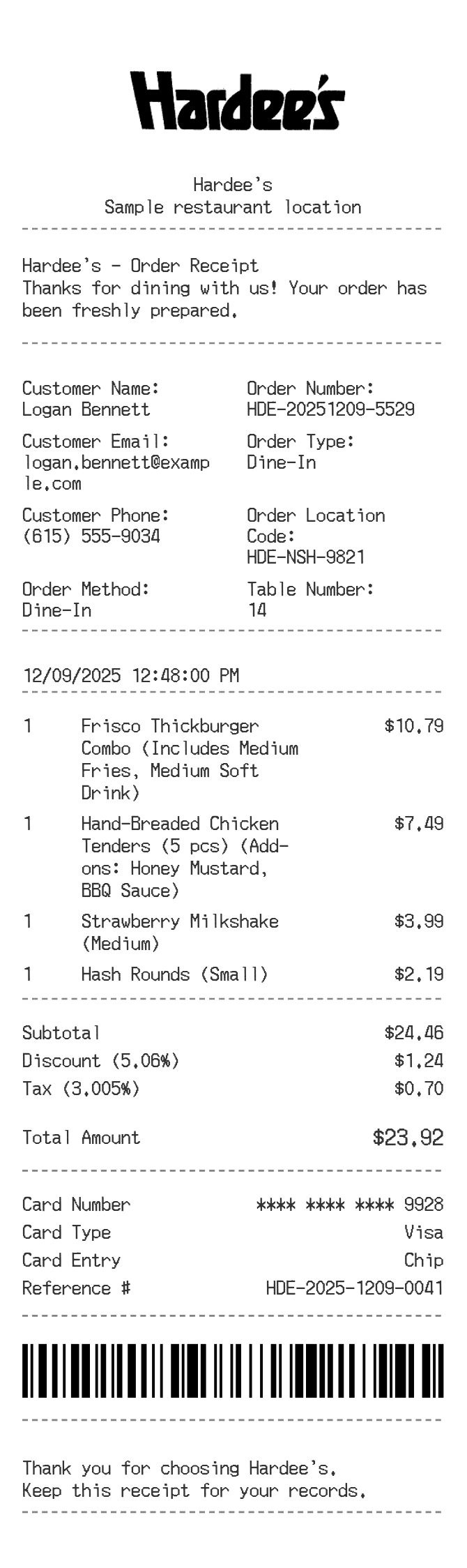
This Hardee's layout keeps the table, customer and order references in information sections above the food list. Use the item descriptions for meal contents and sauce choices. Separate payment and message sections can be kept, moved or removed as needed.
Hardee's receipts and My Rewards
At participating Hardee's locations, the in-restaurant receipt carries a barcode at the bottom. Its 13-digit number is how My Rewards members claim Stars for a visit when they forgot to show their code: enter it in the app within 72 hours of the purchase. Hardee's says that if a receipt has no barcode at the bottom, the location doesn't participate in My Rewards. Prices are set by location, so two receipts for the same item can differ.
Members earn 10 Stars for every $1 spent on app and online orders, usually posted within an hour and at most 24 hours. Stars expire 365 days after they're earned, and each reward has its own expiry date. Buying a gift card earns no Stars, but paying with one does. Orders placed on Uber Eats, DoorDash or Grubhub don't earn Stars and come with that platform's receipt.
Mobile orders and refunds
Hardee's asks for an email and phone number on mobile and online orders so the restaurant can send order details, and recent orders appear in the app. Scheduled orders can be canceled before their prep time, but ASAP orders go straight to the restaurant and can't be canceled. For a wrong charge or order, contact Hardee's Guest Relations.
If a meal is a business expense, keep the receipt and note who attended and why; business meals are generally 50% deductible.
Work through the receipt sections
| Section | Details |
|---|---|
| Order type | Write dine-in, pickup or another description that matches the record. |
| References | Edit the order, table and customer details independently. |
| Meals | Enter the complete meal description and its unit price. |
| Additions | List a separately charged side or drink on another item row. |
| Adjustments | Check the discount and tax percentages before reviewing the final payment. |
Related receipt guides
Avoid counting included food twice
- A meal can be one priced row with its included items written in the description. Add separate charges only when they were actually separate.
- Sample prices and product descriptions do not represent a current menu. Replace them with the details of the order.