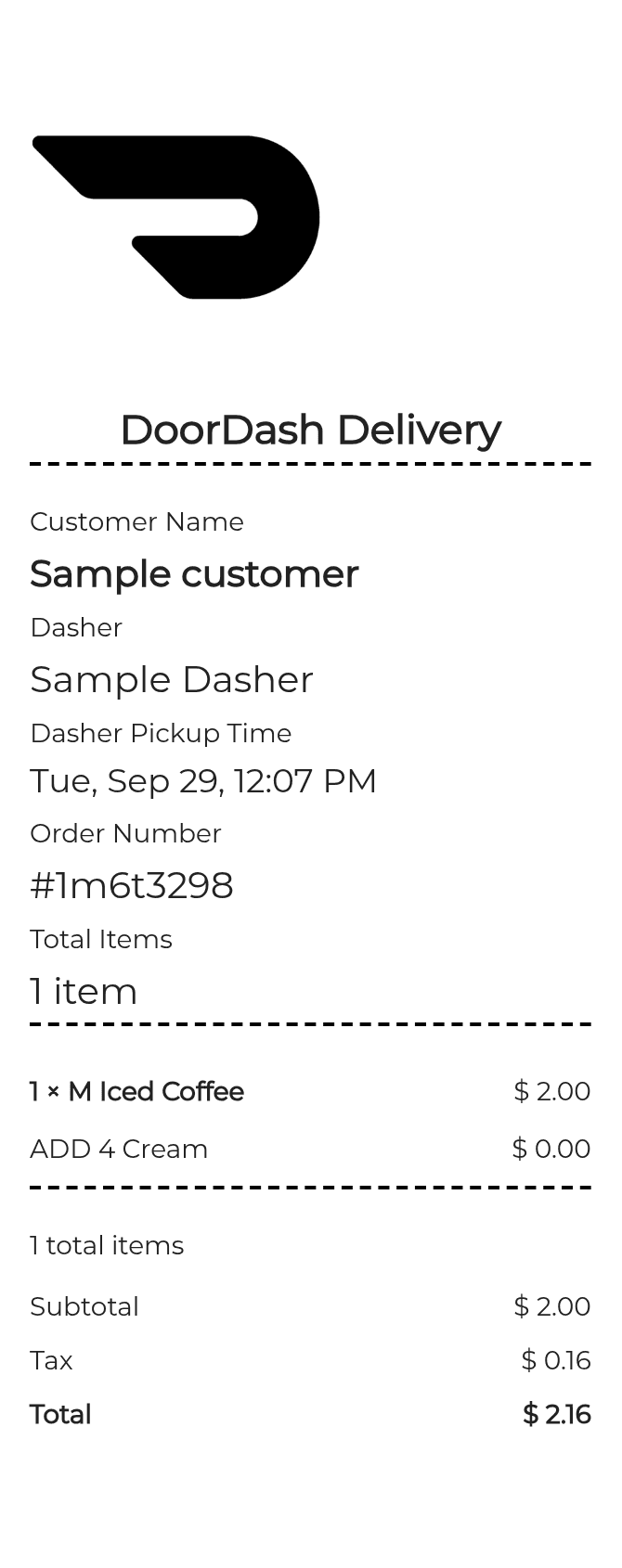
About the DoorDash Receipt
A DoorDash receipt documents a food delivery order placed through the DoorDash app or website. It itemizes the restaurant order, delivery fee, service fee, taxes, tip, and any promotions applied. People recreate DoorDash receipts most often for expense reimbursement, business meal documentation, or to replace a missing confirmation email from a past order.
DoorDash in Numbers
DoorDash was founded in 2013 in Palo Alto, California and is now headquartered in San Francisco. It is the largest food delivery platform in the United States by market share, operating in thousands of cities across the US, Canada, and Australia. DoorDash went public on the NYSE in December 2020.
What Is On a DoorDash Receipt
| Section | Details |
|---|
| Section | Details |
| Order Header | DoorDash logo, order date and time, order ID number |
| Restaurant Info | Restaurant name, address, and contact number |
| Delivery Address | Customer name and delivery address |
| Item Breakdown | Each menu item, quantity, customizations, and individual price |
| Subtotal | Sum of all ordered items before fees and taxes |
| Fees | Delivery fee, service fee, and any applicable small order fee |
| Taxes | Sales tax calculated on eligible items based on delivery location |
| Tip | Dasher tip amount selected at checkout or adjusted after delivery |
| Order Total | Final charge including all items, fees, taxes, and tip |
Using a DoorDash Receipt
- DoorDash receipts are commonly used to submit food delivery expenses for business reimbursement โ include the order ID and date when filing.
- For missing or incorrect charges, locate your receipt in the DoorDash app under Orders and use the Help option to request a credit or refund.
- DoorDash does not issue refunds for delivered orders at restaurants; disputes for wrong or missing items are handled through in-app support.
- If you need a receipt for tax purposes, the order confirmation email and in-app order history both serve as official documentation.
FAQs
How do I find a past DoorDash receipt?
Open the DoorDash app, tap the Orders tab, select the order you need, and tap Get Help or the receipt icon. Your confirmation email also contains a full itemized receipt.
What information does a DoorDash receipt include?
A DoorDash receipt lists the restaurant name, each item ordered with price, subtotal, delivery fee, service fee, taxes, tip, and the total amount charged, along with the order ID and date.
Can I get a DoorDash receipt for expense reimbursement?
Yes. The itemized email receipt or the in-app receipt both work for expense reports. Include the order ID, date, total, and your delivery address to satisfy most employer or accounting requirements.
Why would someone need to recreate a DoorDash receipt?
Common reasons include a deleted confirmation email, a corporate expense submission requiring a specific format, or needing a printed copy when the digital version is unavailable.
Related Templates