Carl's Jr. Receipt Generator
Add burgers, combos and extras to the item list. Set the order type and review the discount, tax and payment sections before saving.
Last updated
Keep a combo and its extras together
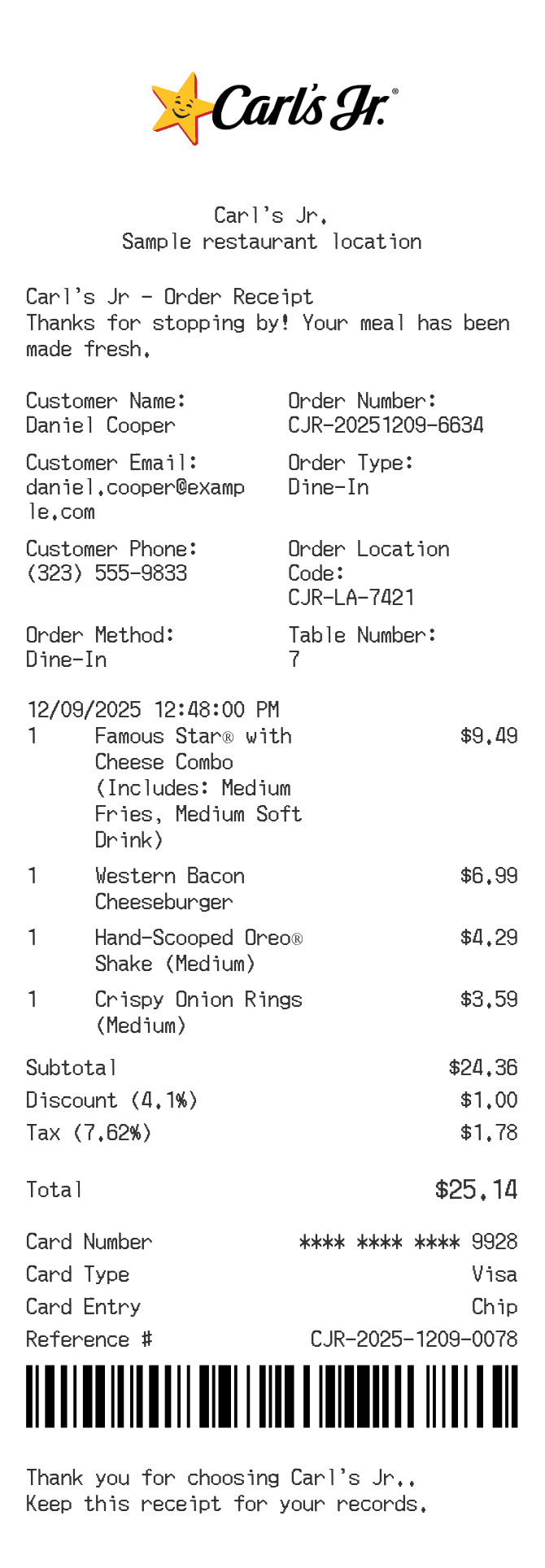
The Carl's Jr. receipt uses expandable sections for the store, customer or order details, items and payment. A combo can occupy one item row, with its contents written underneath the name. Use another priced row for an extra that was charged separately.
What a Carl's Jr. receipt is used for
Carl's Jr. My Rewards members earn 10 Stars for every $1 spent on app or online orders, and they can also earn Stars on orders placed in the restaurant. At the counter, you show the cashier the "my code" QR code in the app. If you forget, Carl's Jr. says to take the receipt from the order and enter its 13-digit barcode number into the app within 72 hours of the transaction. A receipt with no barcode at the bottom means the location you visited is not participating in My Rewards. Stars usually post about 60 minutes after the order but can take up to 24 hours, and earned Stars expire 365 days after they are earned.
Prices are not the same everywhere. Carl's Jr. notes that different locations may offer different pricing, so choosing another store in the app can change an item's price, and the receipt is the clearest record of what you paid. Sales tax depends on the state as well. In California, the CDTFA's Publication 22 (January 2025 edition) says to-go sales of hot prepared food are taxable, and a to-go combination package that includes a hot item, such as a hot sandwich or coffee, is taxable as a whole. A cold food item sold individually to go is not taxable, although restaurants that meet the 80-80 rule generally tax to-go sales unless they separately account for cold food.
Getting help with a Carl's Jr. receipt or order
Your Stars balance and rewards appear on the app's home page, or online at order.carlsjr.com after you log in. If you were charged the wrong amount, received the wrong order or sent an order to the wrong location, Carl's Jr. directs customers to Guest Relations at ckr.com/contact-us. Orders placed through Uber Eats, Postmates, DoorDash or Grubhub don't earn Stars, while delivery ordered through the Carl's Jr. app or website does.
If the meal is a business expense, IRS Publication 463 (for 2025 returns) says a restaurant receipt should show the restaurant's name and location, the number of people served, and the date and amount. Business meals are generally only 50% deductible.
Arrange the meal receipt
| Section | Details |
|---|---|
| Service details | Edit the order number and dine-in, takeout or other service description. |
| Table or customer | Use the information rows for the references required by the order. |
| Combos | Enter quantity and unit price for each complete meal. |
| Extras | Add a separate item when an addition has its own charge. |
| Summary | Check the discount percentage, tax percentage and payment block. |
Related receipt guides
Match descriptions to what was charged
- A note such as “no onions” describes an item; it does not alter the price. Enter a charge separately if it affects the order total.
- You can remove unused sections and shorten long descriptions. Check the preview before exporting a narrow receipt.
FAQs
Official sources
- Carl's Jr. - FAQs (My Rewards, mobile ordering, gift cards)
- CDTFA - Publication 22, Dining and Beverage Industry (January 2025)
- IRS - Publication 463 (2025), Travel, Gift, and Car Expenses