Five Guys Receipt Generator
Write out burgers, toppings, fries and drinks. Add the order information and review the item prices and total before saving your receipt.
Last updated
Keep toppings with the right burger
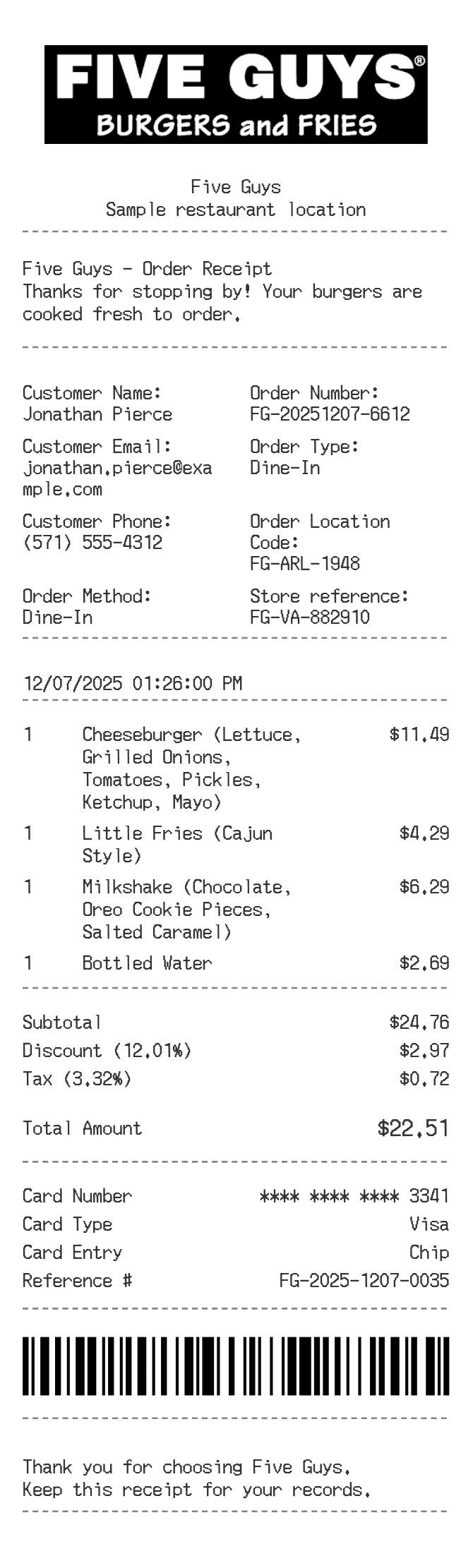
The Five Guys template has a sectioned item list with room for detailed burger and shake descriptions. Put topping choices beside the item they belong to. The order and payment information remain in separate blocks, so a long food description does not need to carry those references too.
What a Five Guys receipt shows
A Five Guys receipt is headed FIVE GUYS BURGERS AND FRIES with the store name, address and phone, then a store number in a state-prefix format such as VA-0175. The order number prints large, each burger or sandwich is followed by its free toppings on separate lines, and the totals show the subtotal, one combined tax line and the total. The footer carries the date and time and a transaction or check number.
The store number, date and time are what the Five Guys customer survey asks for. In 2026 the survey enters you in a monthly drawing for one of ten $75 Five Guys e-gift cards; it must be taken within 30 days of the receipt date, and no purchase is necessary.
Getting a copy of a Five Guys receipt
Five Guys has no US rewards program, so in-store purchases aren't saved to an account. Orders placed in the Five Guys app are kept in its order history; for website orders, keep the confirmation email. For a refund or order problem, Five Guys asks for the order number, the location and the order total at 866-345-GUYS or through its Contact page.
Describe the order clearly
| Section | Details |
|---|---|
| Store and order | Edit the branch heading and order references. |
| Burgers | Identify the burger and add its topping choices in the description. |
| Sides and drinks | List separately charged fries, shakes or drinks on their own rows. |
| Quantities | Enter the number purchased and the price for one unit. |
| Total | Review the discount and tax percentages, then the payment section. |
Related receipt guides
Descriptions do not set prices
- Topping and mix-in names are text. They do not select a menu price or determine whether an addition is free.
- For two burgers with different choices, separate rows can make the order easier to read than one shared description.