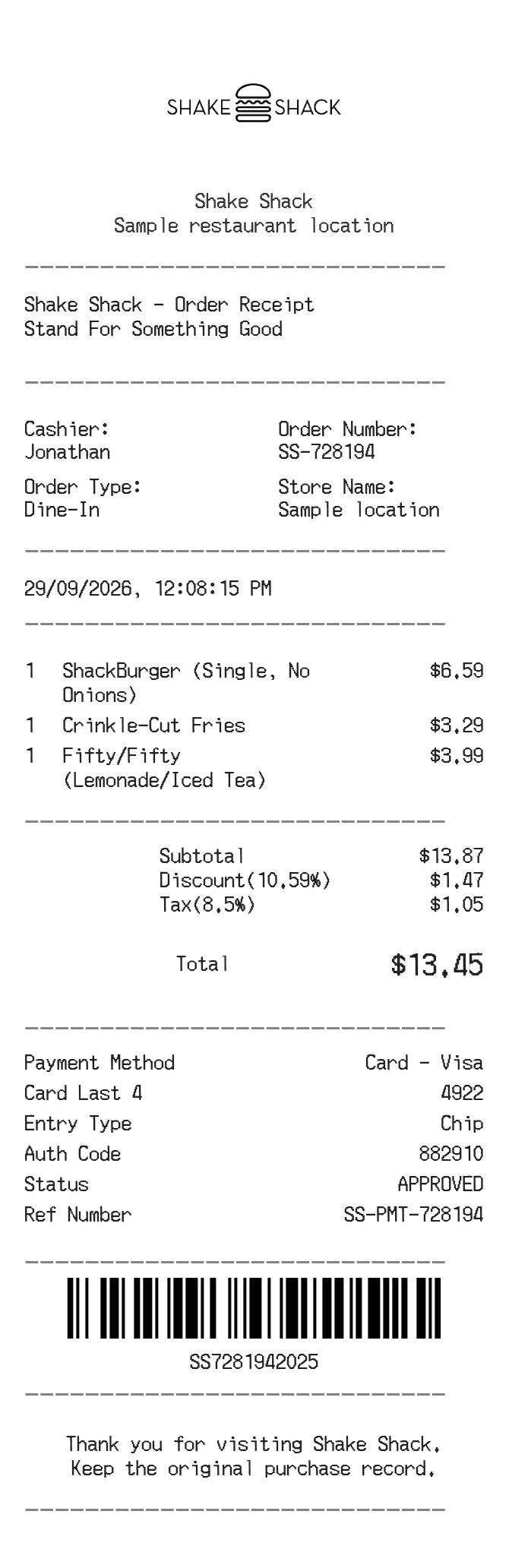
About the Shake Shack Receipt
A Shake Shack receipt documents a dine-in, counter, or kiosk order at one of their burger and milkshake locations. It lists each menu item, customizations, applicable taxes, and the total charged. People recreate a Shake Shack receipt to replace a lost paper copy for expense tracking, reimbursement, or personal record-keeping after a meal.
Shake Shack in Numbers
Shake Shack started as a hot dog cart in Madison Square Park, New York City in 2001 before becoming a permanent kiosk in 2004. It went public in 2015 and has since expanded to hundreds of locations across the US and internationally, with headquarters remaining in New York City.
What Is On a Shake Shack Receipt
| Section | Details |
|---|
| Section | Details |
| Header | Shake Shack logo, location name, and store address |
| Order info | Date, time, order number, and cashier or kiosk ID |
| Order type | Dine-in, counter pickup, or mobile order |
| Items | Menu item name, quantity, any add-ons or modifications, and line price |
| Subtotal | Sum of all items before tax |
| Tax | State and local sales tax applied to taxable items |
| Total | Final amount charged to the customer |
| Payment | Payment method (card type, last four digits, or cash tendered) |
| Footer | Thank-you message and sometimes a survey or feedback link |
Using a Shake Shack Receipt
- Shake Shack does not offer traditional item returns, but a receipt is the primary way to dispute a charge or report an order error to staff.
- If an item was missing or incorrect, bring the receipt to the counter or contact Shake Shack guest services; resolution is typically a remake or refund at the manager's discretion.
- Mobile orders placed through the Shake Shack app generate a digital receipt automatically sent to the email on file.
- For corporate expense reports, the itemized receipt showing order total, date, and location is generally sufficient documentation.
FAQs
How do I get a copy of a lost Shake Shack receipt?
If you ordered through the Shake Shack app or website, your receipt is saved in your order history under your account. For in-store purchases, contact Shake Shack guest services with the date, location, and last four digits of your payment card.
Does Shake Shack send email receipts?
Yes, orders placed through the Shake Shack app or online ordering system generate an email receipt automatically. Counter orders at the physical register typically produce only a printed paper receipt unless you are logged into the app.
What information is needed to recreate a Shake Shack receipt?
You will need the store location, order date and time, itemized list of menu items and prices, applicable sales tax rate for that location, and the payment total. The order number and cashier ID are printed on the original but are optional for personal records.
Can I use a Shake Shack receipt for a business expense?
Yes. An itemized receipt showing the location, date, items ordered, and total is standard documentation for meal expense reimbursements. Make sure the receipt reflects the actual amount charged, including tax and any tips if applicable.
Related Templates