Dairy Queen Receipt Generator
Add meals, drinks and frozen treats with their sizes and quantities. Check the order details and total, then save the finished receipt.
Last updated
Distinguish meals from individual treats
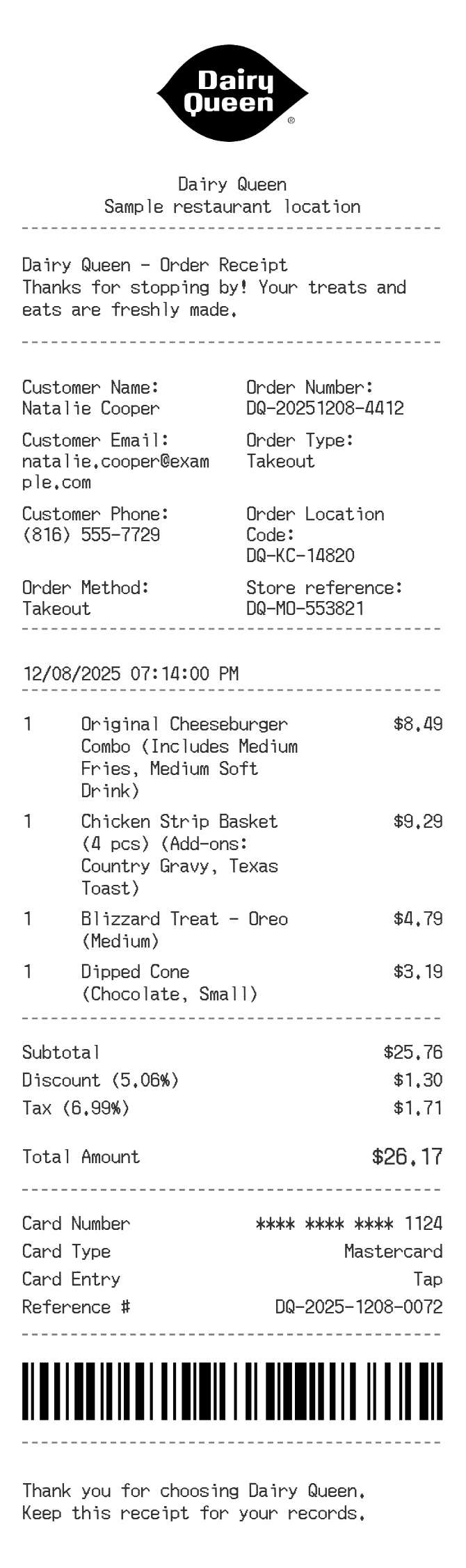
The Dairy Queen template can show a meal basket and a separate dessert on the same receipt. Write the item size and any included components in its description. The editor calculates each line from the quantity and unit price you enter.
What Dairy Queen confirms for app and online orders
For orders placed in the DQ app or on DQ.com, Dairy Queen's terms say the price charged is stated in your order confirmation email. Posted menu prices do not include taxes or charges for delivery, shipping or handling. Those charges are added to the total and itemized in the confirmation, so the email works as the receipt for an app order. Dairy Queen also says that opting out of promotional email does not stop transactional emails such as receipts. You can order as a guest, but guest orders do not get deals or rewards.
DQ Rewards points build up on eligible purchases at participating locations. Purchases made by other people, or made before you created your account, do not earn points. Points expire 365 days after they are first earned, cannot be used for more than $50 in value in one transaction, and cannot be put toward gift cards. Points have no cash value and are deleted if you close your account. Dairy Queen may also limit how many transactions earn points in a day or another period.
Refunds and delivery problems on a Dairy Queen order
Who handles a refund depends on where you ordered. For a delivery order placed in the DQ app, Dairy Queen says to contact the store you ordered from, because the store processes the refund directly. If you ordered through a third-party delivery service, that service handles the order and any refund, and problems with a delivery driver also go to the delivery provider. Keep the confirmation email or the delivery app receipt handy when you get in touch.
Some menu items, including cones, sundaes and the Peanut Buster Parfait, are not offered for delivery because they do not travel well. Order those items for pickup or in the store instead.
Details that help identify an order
| Section | Details |
|---|---|
| Location | Replace the sample heading with the store information you need. |
| Order information | Set the order number, customer and service description. |
| Meal items | Describe a meal as one charged item when its components share a price. |
| Treats | Include size or flavor in the description to distinguish otherwise similar items. |
| Amount paid | Review the percentage adjustments and payment block against your record. |
Related receipt guides
Use prices for the actual order
- A sample item name does not establish that a product is available at a particular store. Replace the example with the product and price you need.
- If a drink or side is included in a meal price, avoid adding its charge a second time.