Starbucks Receipt Generator
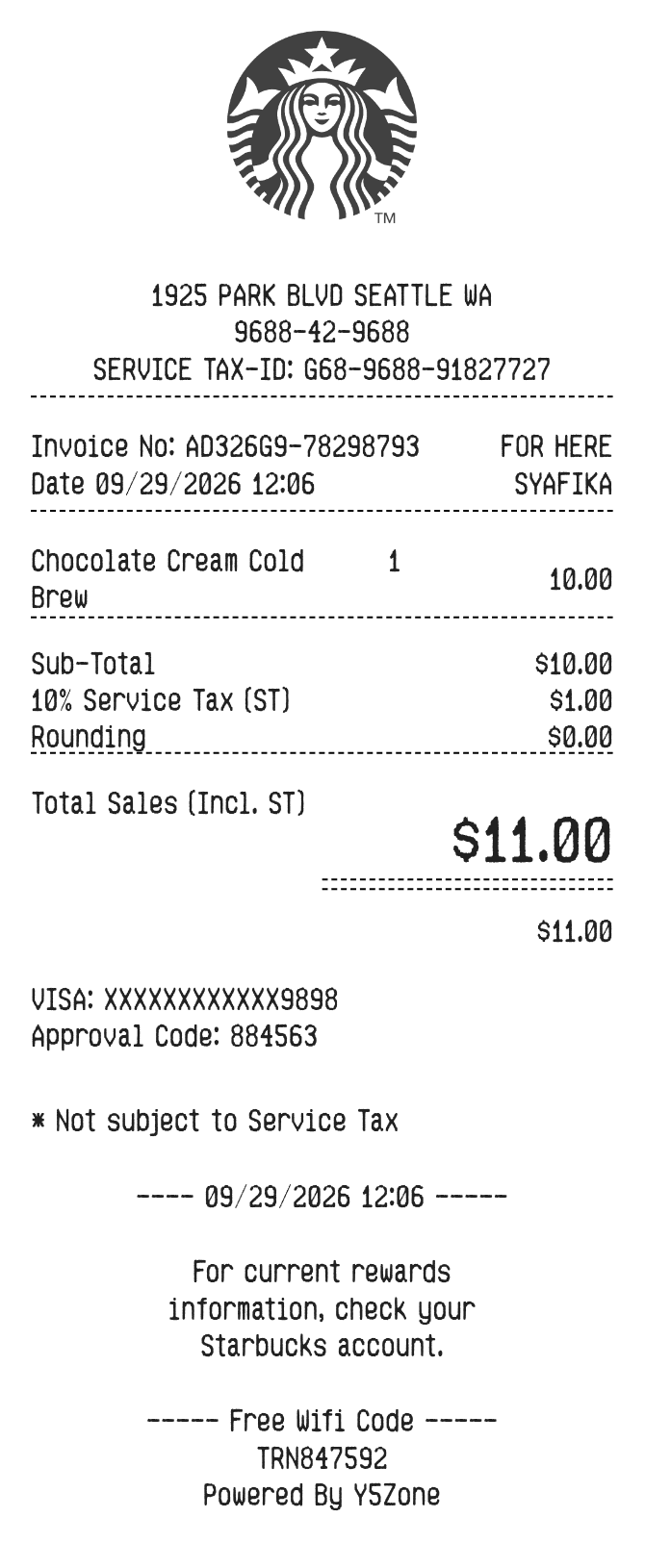
Describe drinks and food with their sizes or preparation details, quantities and unit prices. Add the invoice and employee references, then review tax and card payment.
Last updated
Write the drink details in the item description
The Starbucks editor has a description field for each drink or food item. Include a size, milk choice or other preparation detail there when needed. Its header has a service-tax reference and invoice number, followed by the employee and purchase time.
Starbucks receipts in store and in the app
When you pay with a Starbucks Card, Starbucks gives a receipt if you ask, showing that the card was used and its remaining balance. Purchases linked to your account are kept in a History list on starbucks.com and in the app, where each transaction opens a printable receipt. Reload receipts are the exception: they don't appear in History and are emailed to the address on file instead. For Scan & Pay orders the barista can hand you a receipt after you pay, and for mobile orders the store can print one from the register up to seven days later.
Merchandise, packaged coffee and packaged tea can be returned within 60 days with the original receipt. Refunds go back to the original payment, except PayPal and Starbucks Card purchases, which are refunded as Starbucks Store Credit that can't be loaded into the app. An unused Starbucks Card can be returned with its original receipt by calling Starbucks; used cards can't.
Stars and receipts
Starbucks Rewards members earn 1 Star per $1 at Green level, 1.2 at Gold and 1.7 at Reserve. Starbucks says there's no way to add Stars afterwards if you didn't scan your member barcode or pay through the app, so a paper receipt can't be used to claim them. Returns paid by card or cash may have their Stars deducted.
Reloading a card earns no Stars except Digital Reload Bonus Stars on $30 and $50 reloads. For a business coffee meeting, keep the itemized receipt and note who attended.
Fields available in this layout
| Section | Details |
|---|---|
| Location | Store address, contact number and service-tax ID |
| Purchase | Invoice number, employee, date and time |
| Items | Description, quantity and unit price |
| Totals | Subtotal, entered tax, rounding line and final amount |
| Payment and notes | Card reference, approval code, Wi-Fi note and closing text |
Related receipt guides
Review descriptions, amounts and footer notes
- Replace the location, invoice and employee details.
- Write each drink’s preparation in its description.
- Enter unit prices and review the added tax.
- Check payment and footer text before downloading.
FAQs
Official sources
- Starbucks — View transaction history
- Starbucks — Receipts for mobile orders
- Starbucks — Return policy
- Starbucks Rewards — Terms
- Starbucks Card — Terms
Related Templates
- Coffee shop receipt with register fields
- Dunkin’ preparation notes and paid extras
- Tim Hortons drink-and-food layout
- Steak 'n Shake Receipt
- Subway Receipt
- Sweetgreen Receipt
- Wingstop Receipt
- Captain D's Receipt
- Crumbl Receipt
- Fatburger Receipt
- Baskin-Robbins Malaysia Receipt
- IN-N-OUT Receipt
- Dutch Bros Receipt
- CAVA Receipt