Dunkin’ Donuts Receipt Generator
List drinks, donuts or other food with quantities, prices and preparation notes. Add the store and order details, review each tax line, and check the payment and closing time.
Last updated
Keep the order and check-closing details together
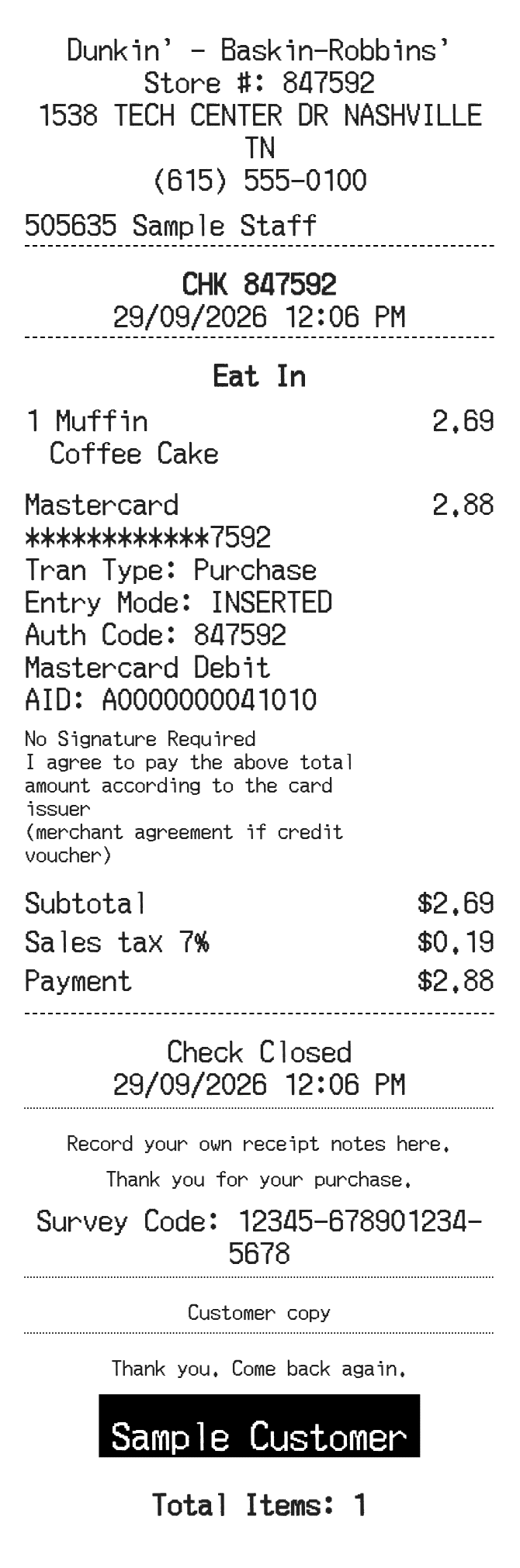
The Dunkin’ editor includes an employee reference, order number and order type beside the food list. Each item can have preparation notes and paid extras. A separate Check Closed date and time records the closing information without changing the main order timestamp.
Dunkin' receipts, Rewards points and survey offers
Dunkin' restaurants are individually owned and operated, and not every location takes part in Dunkin' Rewards. Under the Rewards terms, members earn 10 points for each dollar spent on qualifying products, excluding sales tax and discounts. To earn in a store, scan your Dunkin' Rewards ID before you pay, pay with an enrolled Dunkin' Card, or order ahead in the app. Delivery orders currently don't earn points or redeem rewards. Points can take 24 hours or more to appear, and they expire 12 months from the last day of the month in which they were earned.
A Dunkin' receipt can also lead to a guest satisfaction survey. Dunkin' says the coupon or code shown at the end of the survey is good for one free classic donut with a medium or larger beverage at participating U.S. locations. It must be presented when you order, can't be used on mobile app orders, is limited to one per customer per visit, and expires 14 days from the date of issue. Tax still applies, and the coupon can't be combined with other offers. Separately, Dunkin's Make It Right Guarantee asks you to tell them if an order misses the mark.
How to find a past Dunkin' order or receipt
If you are registered in Dunkin' Rewards, your order history appears in the Dunkin' app and on your account at DunkinDonuts.com under transaction history, along with your points. Deleting your account permanently removes points, rewards and order history, so save any receipts you need first. If a store's system was down and your points weren't recorded, Customer Care can be asked to apply them manually for a qualifying purchase.
Information this layout supports
| Section | Details |
|---|---|
| Store | Name, number, address, telephone and employee |
| Order | Date, time, order number and order type |
| Items | Quantity, unit price, modifications and optional extras |
| Taxes | Named tax lines with separately entered rates |
| Payment | Method, card details, authorization and check-closing fields |
Related receipt guides
Check the drink or food item and its extras
- Enter store, employee and order details.
- Use preparation notes for size, flavor or other instructions.
- Check paid extras and the Show Sections setting.
- Review tax lines, payment and the separate closing timestamp.