AirPods Receipt Generator
Enter the AirPods model, part number and serial number beside the purchase amount. Review the store, date, tax and payment details before downloading.
Last updated
Keep the model and device identifiers together
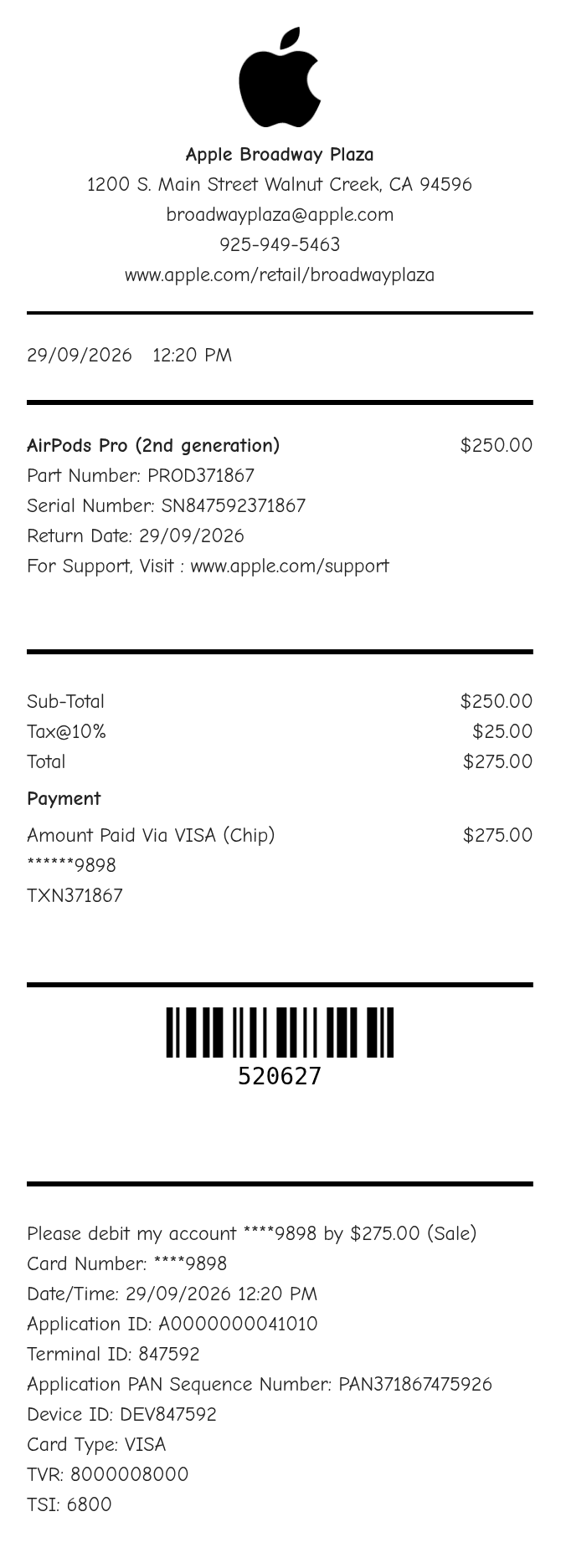
This AirPods layout gives each product its own description, part number, serial number, return-date entry and amount. These details stay together in the preview, followed by a tax summary and card-payment references. Add another row when you need to distinguish a separate device or accessory.
AirPods receipts and Apple invoices
An Apple receipt or invoice for AirPods shows the product and its serial number; Apple notes that AirPods and their charging case share a serial number, printed under the case lid. Apple's online invoice shows the final total tax, including state and local taxes and any fees, which can differ from the estimate at checkout because tax is based on the shipping address or the Apple Store where you pick up.
Items bought directly from Apple can be returned within 14 calendar days of receiving them, with your receipt for in-store returns, and items received from November 6 to December 25, 2026 can be returned through January 8, 2027. Gift returns need the serial number or the order number and are refunded as an Apple Gift Card. Products bought from other retailers go back to that retailer.
Warranty, AppleCare and lost receipts
Apple's one-year limited warranty runs from the date of original retail purchase and says proof of purchase may be required. Apple usually checks coverage by serial number, but if the coverage start date is wrong, for example on a gift, its coverage tool asks you to upload a receipt showing the purchase date. AppleCare can be added within 60 days of a new purchase through Settings.
For online and Apple Store app orders, sign in to your Order Listing with your Apple Account and choose Print an invoice.
Product details and payment references
| Section | Details |
|---|---|
| Product | AirPods model or other item description and full amount |
| Identifiers | Part number and serial number for each row |
| Dates | Purchase date and separately editable return-date entries |
| Store | Name, address, contact information and website |
| Checkout | Card suffix, transaction, terminal and application references |
Related receipt guides
Match identifiers to the correct item
- Replace the sample store and purchase details.
- Enter each model with its corresponding part and serial numbers.
- Check the full amount for each row, the tax percentage and any return-date text.
- Review the payment references and optional barcode, then save a PDF or PNG.
FAQs
Official sources
- Apple — Returns and refunds
- Apple — Viewing and changing orders
- Apple — Payment and pricing
- Apple — One year limited warranty (accessories)
- Apple Support — Find your AirPods serial number