Best Buy Receipt Generator
Add product IDs, models and amounts, then check the store and payment references. Review tax and the receipt preview before downloading.
Last updated
Keep the product ID beside the model name
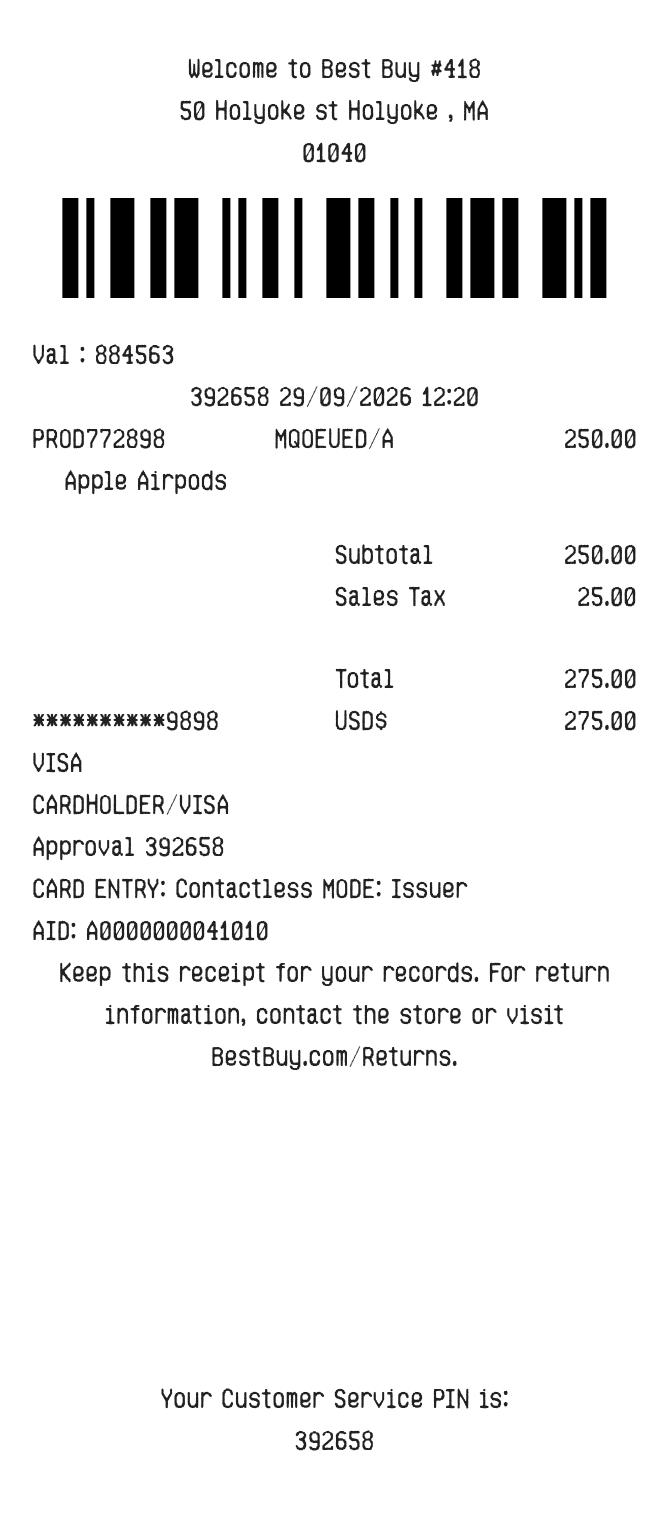
The Best Buy layout prints a product ID, model and amount on each item row, with the description immediately below. Store and validation references appear above the products; card details and a customer-service PIN appear below the total. These codes are editable reference text.
Best Buy receipts and returns
A Best Buy store receipt lists the store, each product's SKU, description and price, subtotal, sales tax, total and payment, and protection plans such as Geek Squad Protection or AppleCare+ appear as their own lines. Best Buy can look up a purchase by your My Best Buy phone number, email or member ID, which is why linking your membership matters if you lose the paper copy.
Return windows run from the day you receive the product: 15 days as standard and 60 days for My Best Buy Plus and Total members, while activatable devices such as phones have 14 days for everyone. Bring the receipt or packing slip and the card you paid with. Some products carry a restocking fee of $45 or 15% if opened, and the fee is taxed in some states. During your return period, Best Buy will match its own lower price if the price drops.
How to get a copy of a Best Buy receipt
Sign in on BestBuy.com, find the purchase and choose See details & receipt, then Print receipt or Print gift receipt. Store purchases show up online if your My Best Buy member ID is linked to your account. In store, the customer service counter can look up a receipt with the card you paid with or your member details.
Best Buy can't retrieve receipts for cash or check purchases by non-members, or for anything bought more than ten years ago.
Product and checkout entries
| Section | Details |
|---|---|
| Products | Product ID, model, description and full line amount |
| Store | Address and store number |
| References | Validation code and customer-service PIN |
| Amounts | Calculated subtotal and entered tax percentage |
| Payment | Type, card suffix, entry method, approval and AID |
Related receipt guides
Review models and amounts together
- Enter the store and purchase date.
- Add each product with its identifier, model and complete line amount.
- Check the tax percentage and calculated total.
- Review the payment references, closing message and optional barcode, then download.
FAQs
Official sources
- Best Buy’s options for getting an original receipt copy
- Best Buy — Receipts for Best Buy purchases
- Best Buy — Return and exchange policy
- Best Buy — Price match guarantee