Square Australia Receipt Template
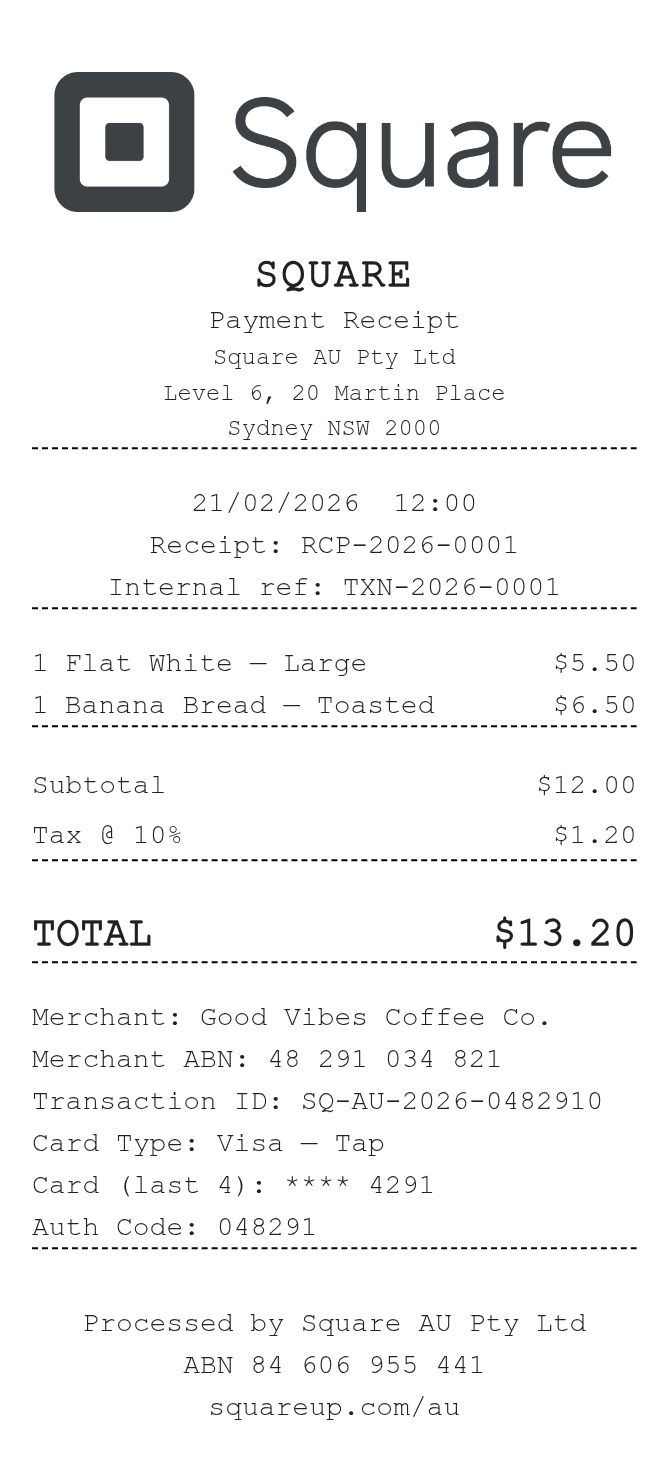
Enter the merchant name, ABN and purchase details for an Australian Square-style receipt. Check the AUD total and card references before downloading.
Last updated
Merchant details and purchase rows in one layout
This Australian Square-style template includes an ABN field alongside the merchant name and transaction references. Add the purchase descriptions and amounts, then review the card type, last four digits and authorization code. It is an independent receipt editor and cannot retrieve or resend a receipt from a Square account.
What a Square receipt shows in Australia
A Square receipt comes from the business that took your payment through Square. Square's Australian support guide says sellers can give a printed receipt or send a digital receipt by text message or email after every successful payment. Each receipt shows an itemized breakdown of whole number and decimal quantities, discounts and applicable taxes. Sellers can also print gift receipts and receipts for declined payments. If you entered an email address for a receipt from a different Square seller in the past, you may be opted in to automatic receipts and get one by email without being asked.
For business purchases, the ATO tax invoice rules apply to the seller. If you ask for a tax invoice, a GST-registered seller must provide one within 28 days, unless the sale was $82.50 including GST or less. For sales under $1,000, the invoice must show that it is intended to be a tax invoice, the seller's identity and ABN, the date, a brief description with quantity and price, the GST amount, and the extent each sale is taxable. Sales of $1,000 or more also need the buyer's identity or ABN.
How to get a copy of a Square receipt
Ask the business that took your payment. Using the Square point of sale app, the seller can open Transactions, select the payment and tap New Receipt to print or resend it. From Square Dashboard, they can find the payment by date under Transactions and select Send Receipt. Resending does not change your automatic receipt settings.
For refunds, Square lets sellers refund card payments within one year of the original transaction. You get an email when a refund starts but not when it finishes, so ask the seller for a refunded payment receipt if you need proof.
What you can put on the receipt
| Section | Details |
|---|---|
| Business | Merchant name and ABN |
| Purchase | Descriptions, quantities and full row amounts |
| References | Transaction ID and authorization code |
| Card | Card type and last four digits |
| Total | AUD starting currency and an editable tax percentage |
Check the business and purchase information
- Replace the example merchant details and review the ABN entry.
- Enter the complete amount for each purchase row. Quantity is descriptive, not a multiplier in this layout.
- Check tax and total against the transaction you are documenting, then update the card references.
- Inspect the full receipt and use the download menu to save the required PDF size or PNG.
FAQs
Official sources
- Square Australia: print and send receipts
- Square Australia - Print and send receipts
- Square Australia - Process refunds
- ATO - Tax invoices