Credit Card Payment Receipt Template
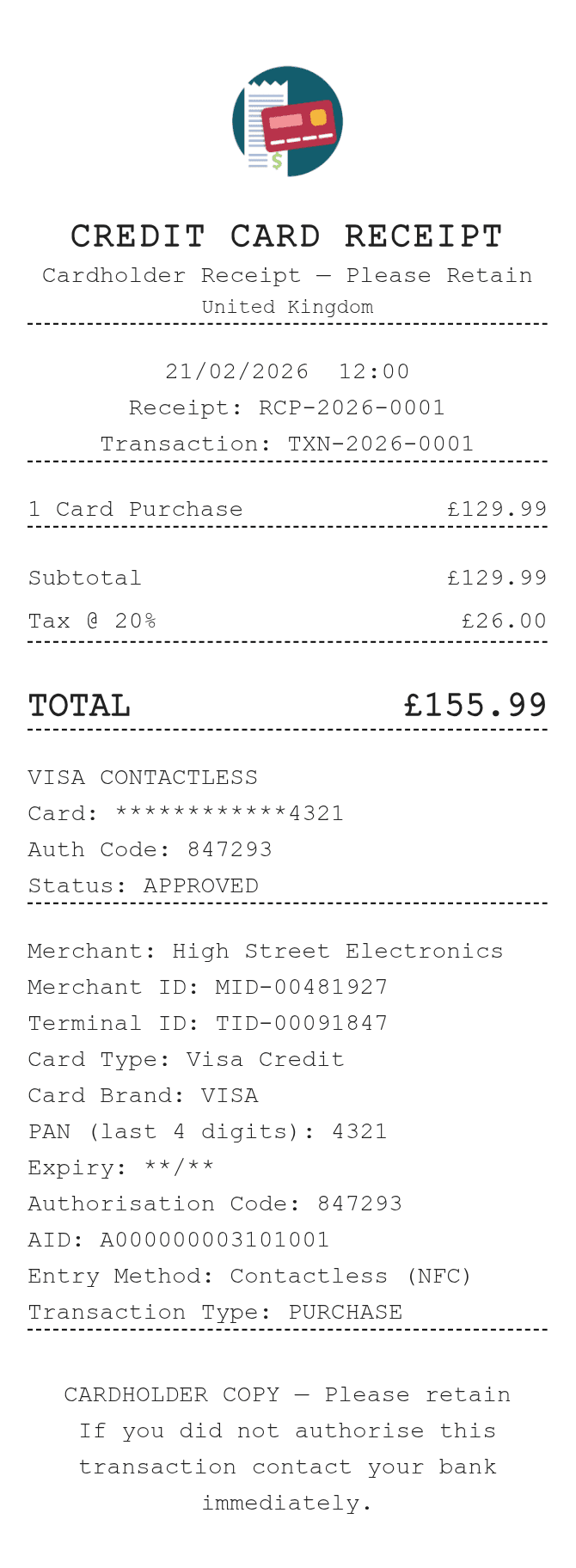
Add the merchant, terminal and masked card details to a card-payment layout. Enter the purchase amount and review the authorization references before downloading.
✏️ Editable fields📱 PDF & Image export⚡ Instant preview
📝Editor
👁️Live Preview
Last updated
Keep purchase details beside the card references
This card receipt layout includes the merchant and terminal information that a plain payment acknowledgment may leave out. You can enter the card brand, last four digits, authorization code and entry method alongside the purchase. These are document fields; the editor does not contact a terminal or authorize a card.
Card-payment fields
| Section | Details |
|---|---|
| Merchant | Merchant name, merchant ID and terminal ID |
| Card | Card type, brand, last four digits and expiration entry |
| Processing references | Authorization code and AID |
| Payment method | Entry method and transaction type |
| Purchase | Editable descriptions, full line amounts and tax setting |
Review the printed payment details
- Replace the sample merchant and terminal details with the information for your record.
- Check the masked card fields and remove any details you do not want included.
- Enter each full purchase amount. Quantity is descriptive in this layout, so it does not multiply the amount.
- Compare the purchase total with the payment information, then inspect the PDF or PNG preview before saving.