Osko Payment Receipt Template
Prepare an Osko payment record with the recipient’s PayID, amount, reference and status text. Check each detail against your own transaction before downloading.
✏️ Editable fields📱 PDF & Image export⚡ Instant preview
📝Editor
👁️Live Preview
Last updated
Record the PayID and payment reference
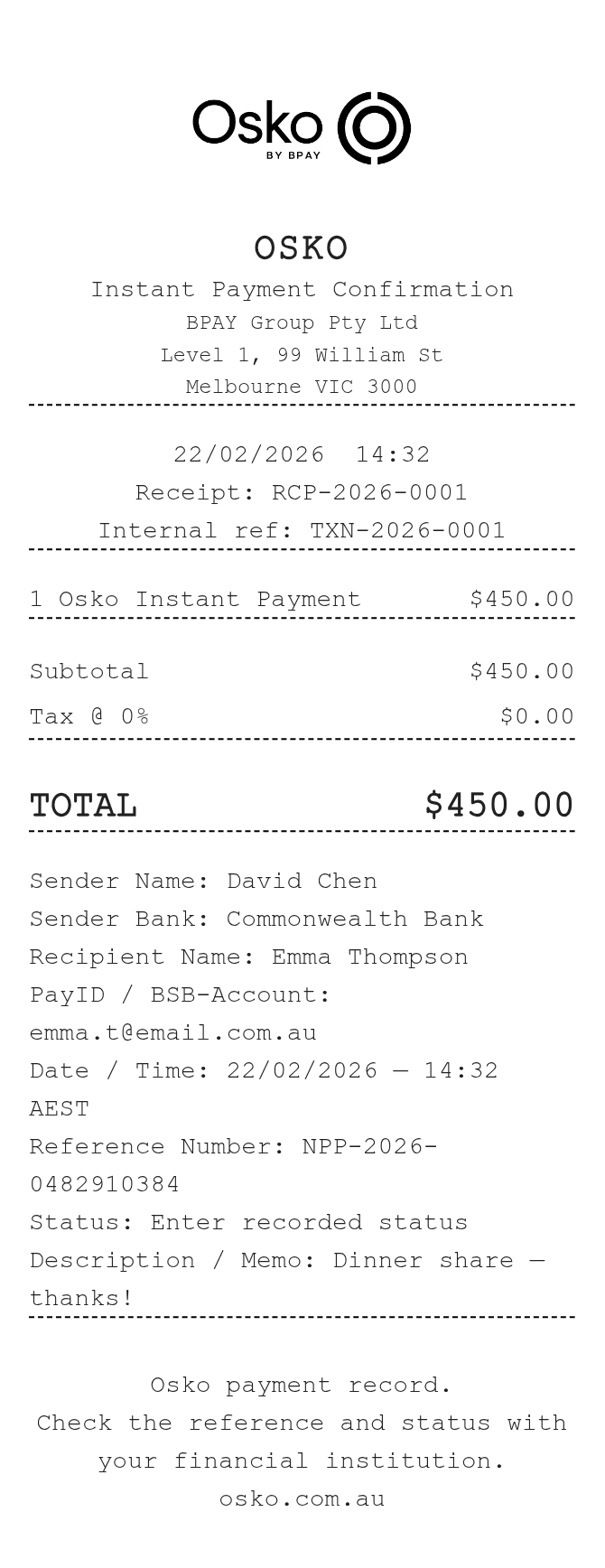
This Osko layout uses a recipient PayID rather than separate receiving BSB and account fields. It also includes the sender’s bank, transaction date and payment description. The receipt is assembled from your entries, so its status text is a note in the document rather than a live response from the banking network.
Details shown on the receipt
| Section | Details |
|---|---|
| Sender | Sender name and bank |
| Recipient | Recipient name and PayID |
| Transaction | Date, reference number and status |
| Description | Purpose of the payment |
| Amount | Full amount in the item row, with AUD as the starting currency |
Review the payment information
- Enter the PayID exactly as recorded for the transfer and check the recipient name.
- Copy the transaction reference and actual status from your banking record.
- Set the transaction date as well as the receipt date. Replace the sample amount with the complete payment amount.
- Read the preview and footer before exporting. Leave unsupported processing-time claims out of the record.