SumUp Card Receipt Template
Add merchant and terminal references, enter the purchase amount and check the card details. Save the completed SumUp-style layout as a PDF or PNG.
Last updated
A compact layout for a terminal payment
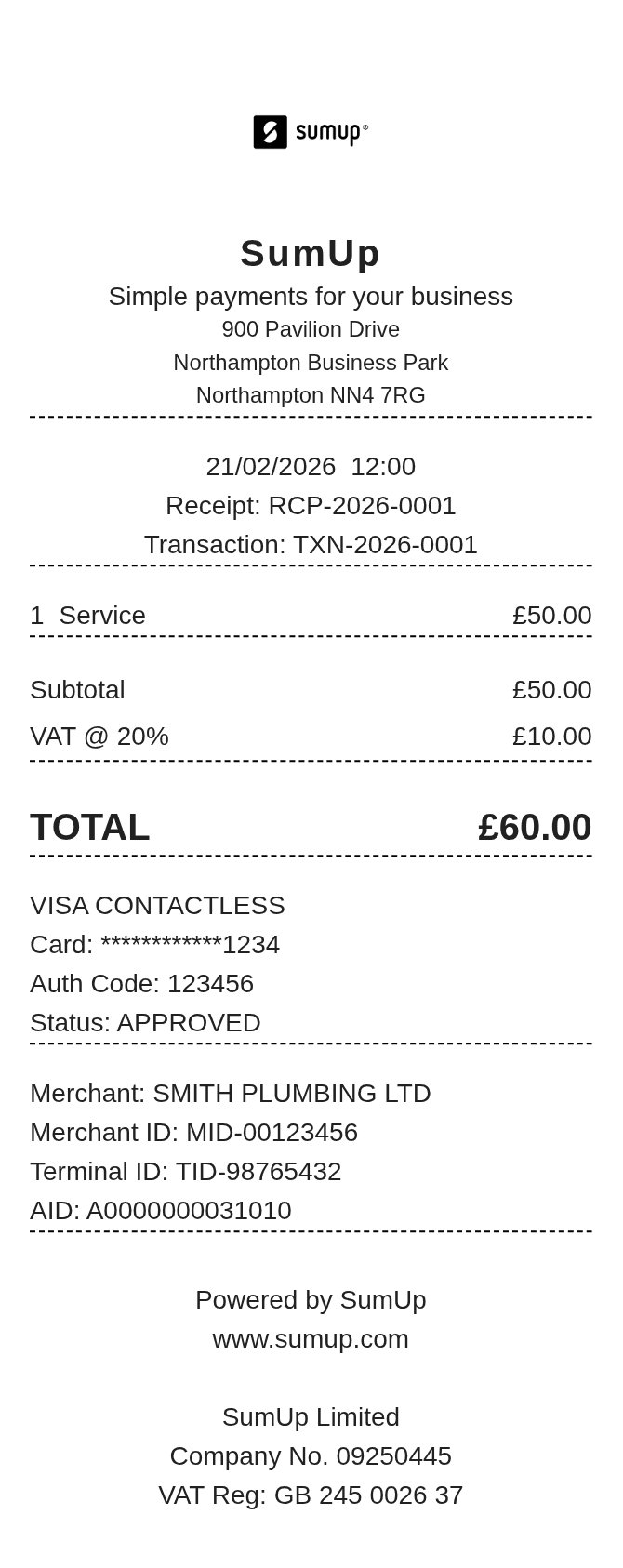
This SumUp-style receipt brings a purchase together with its merchant ID, terminal ID and AID. It starts in pounds and includes editable card details and an authorization code. Use the preview to check how your information fits; the editor does not connect to a SumUp reader or process a payment.
What a SumUp receipt contains
SumUp requires the merchant's business name on every receipt; the address, phone, email and website can each be shown or hidden, a custom message can be added at the bottom, and a 200 × 80 px logo can be added on request. Each SumUp transaction carries a transaction code and receipt number, the card type and last four digits, how the card was entered and verified, the amount, any tip and tax, and the items sold. Refunds are recorded as separate events with their own receipt numbers.
How to resend a SumUp receipt
In the SumUp app, go to Sales, open the transaction, tap Receipt, enter the customer's email or phone number and tap Send receipt. On the web, open Sales, select the transaction and choose Send receipt via Email. Merchants don't automatically get a copy when they send one to a customer, so send yourself a copy for your records.
Details you can edit
| Section | Details |
|---|---|
| Merchant | Merchant name and merchant ID |
| Terminal | Terminal ID and AID |
| Payment | Card details and authorization reference |
| Purchase | Description, full line amount and tax setting |
| Presentation | Receipt date, logo, font and download size |
Prepare the payment record
- Enter the merchant and terminal references from the record you are documenting.
- Replace the sample description and full amount in each purchase row.
- Review the card masking, authorization code and tax setting before checking the total.
- Read the complete preview and export the document in the required format.
FAQs
Official sources
- SumUp: sending an original receipt by email
- SumUp — Customizing your receipts
- SumUp — Resend or reprint receipts
- SumUp — Refund payments