BPAY Payment Receipt Template
Keep the biller code, customer reference and payment amount in one editable BPAY record. Review the receipt number and date before exporting.
✏️ Editable fields📱 PDF & Image export⚡ Instant preview
📝Editor
👁️Live Preview
Last updated
Separate the bill reference from the payment reference
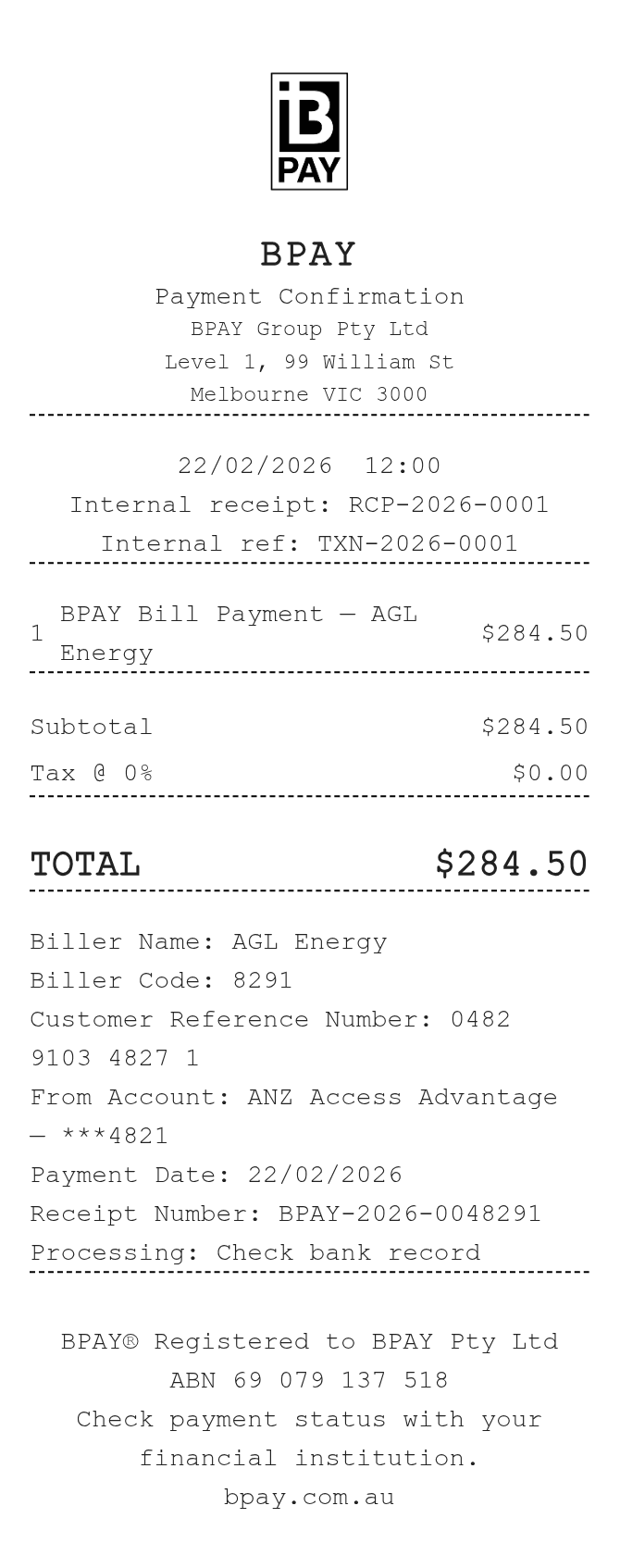
A BPAY bill has a biller code and customer reference number, while the payment record can have its own receipt number. This template gives each one a separate field. Add the biller name, source account and amount to prepare a readable record from your own information.
The references in this layout
| Section | Details |
|---|---|
| Biller code | The code identifying the business being paid |
| Customer reference | The CRN associated with the bill or customer account |
| Receipt number | The reference from the payment record |
| Payment details | Biller name, source account, date and amount |
| Processing note | Editable text for a note from your financial institution |
Prepare the record
- Take the biller code and CRN from the relevant bill, checking each digit.
- Enter the payment receipt number separately; do not replace the CRN with it.
- Set the payment date and full amount. Check the separate date at the top of the receipt as well.
- Review the processing note against your bank information and download the finished layout.