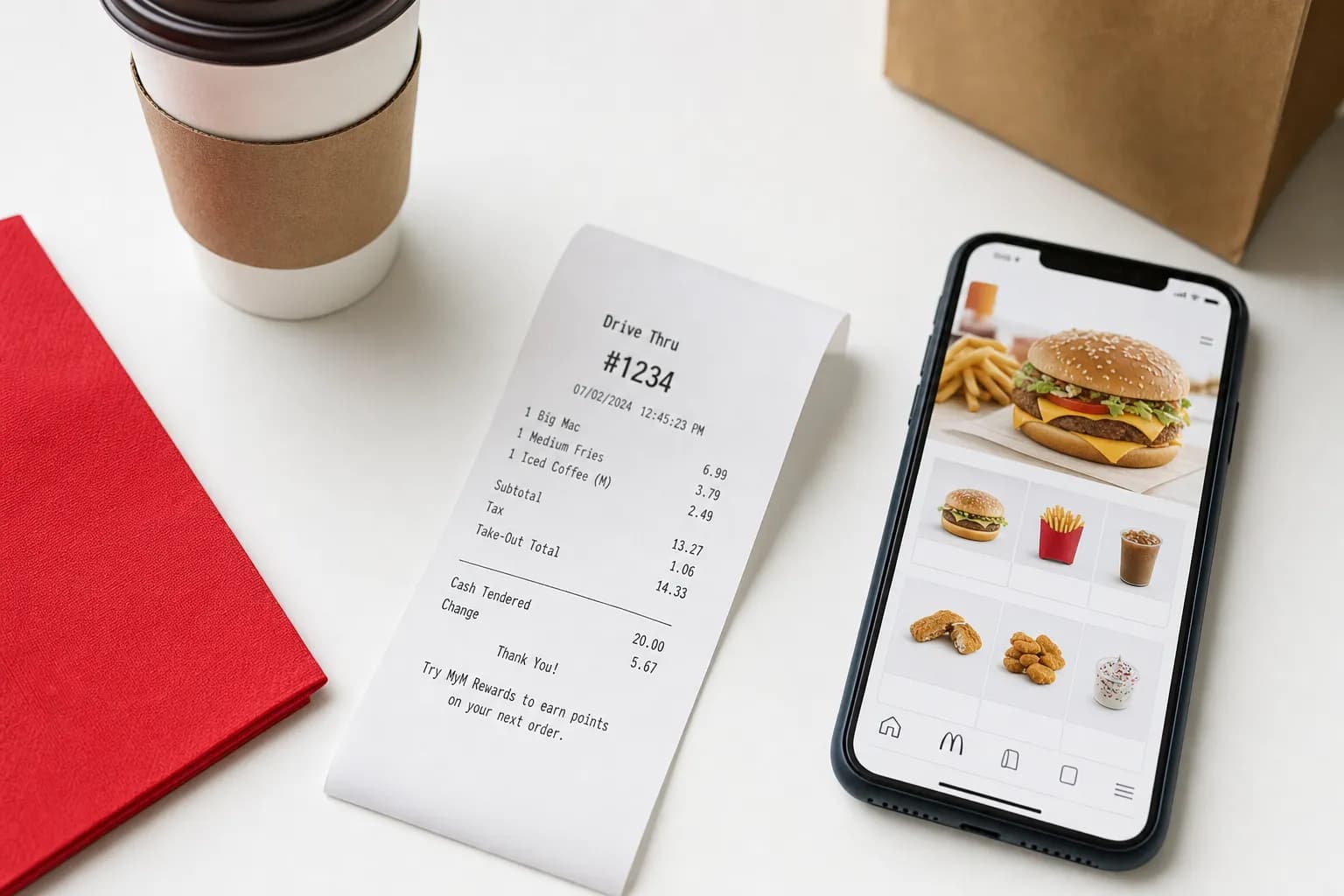
A McDonald’s receipt may include a McDVoice survey invitation and a specific offer. Follow the terms printed on that receipt. For app orders, check order history and the purchase email; for a missing store receipt, contact the restaurant.
Need to recreate a lost McDonalds receipt? The McDonalds receipt template matches the exact format including the survey validation code, order number, and tax breakdown.
How to Get a McDonalds Receipt
Method 1: Ask at the Counter
If your store receipt is missing, ask the restaurant whether it can issue a duplicate:
- Visit the same McDonalds location where you bought
- Provide the approximate time of purchase
- Tell them you need a receipt reprint
- They will print it from the POS system
Provide the location, date, approximate time and payment details when requesting a copy. Reprint availability depends on the restaurant; a universal 24–48-hour cutoff is not established.
Method 2: McDonalds App (For App Orders Only)
The McDonalds app only shows receipts for orders placed THROUGH the app (mobile order & pay, McDelivery, etc.). In-store paper receipts do not appear here.
- Open the McDonalds app
- Tap Order History (under your profile)
- Select the order
- Tap View Receipt or Receipt
The app shows the full breakdown: items, prices, tax, delivery fee (if applicable), and payment method. You can save as PDF for expense reports.
Method 3: Drive-Thru Receipt at Pickup Window
Drive-thru receipts are handed at the pickup window by default unless you decline. If you forgot to grab it, the employee can usually reprint immediately while you are still at the window.
Method 4: Self-Order Kiosk Receipt
If a kiosk receipt did not print, ask the counter staff for help using your order number.
McDonalds Receipt Survey Code — Free Food Explained
The McDVoice survey asks for a 26-digit survey code and says its completion code redeems the offer printed on your receipt. The offer, conditions and expiration should be read from the receipt, rather than assuming a particular free item (checked September 11, 2026).
How to Use the McDonalds Receipt Survey Code
- Go to mcdvoice.com
- Enter the 26-digit code from your receipt
- Complete the 5-minute survey
- Receive a validation code at the end
- Write the validation code on your receipt
- Follow the redemption deadline and purchase conditions printed on the receipt or offer
Survey participation and redemption are subject to the receipt’s offer terms. A survey invitation does not establish a universal seven-day entry deadline or 30-day redemption window.
What McDonalds Receipt Codes Mean
| Code Type | What It Looks Like | Purpose |
|---|---|---|
| Survey code | 26-digit number near bottom | mcdvoice.com survey access |
| Order number | 3-4 digit number with # | Identifies your specific order at the location |
| Restaurant number | 4-5 digit at the top | Identifies the McDonalds location (MCD #) |
| Transaction number | Long number near order info | Internal POS reference |
| Date code | MM/DD/YYYY format | Date of purchase (for survey eligibility) |
McDonalds Receipt Template — What is on Every Receipt
A standard US McDonalds receipt contains 11 sections. Knowing the layout helps with creating accurate restaurant receipt templates and tracking fast food expenses:
| Section | Details |
|---|---|
| Header | "McDonalds" name, store address, phone |
| Restaurant ID | MCD# (4-5 digit location ID) |
| Transaction info | Date, time, register (KS#), cashier ID |
| Order type | Eat In, Take Out, Drive Thru, Curbside, McDelivery |
| Order number | 3-4 digit order number |
| Items | Item name, quantity, price |
| Subtotal | Pre-tax total |
| Tax | Sales tax (rate varies by state) |
| Total | Final amount charged |
| Payment | Method (cash, card, mobile pay), last 4 of card |
| Survey code | 26-digit McDVoice code |
For other fast food brands with similar receipt formats, see our templates for all fast food restaurants including Burger King, Wendys, Taco Bell, Chick-fil-A, and KFC.
McDonalds Receipt Generator — Create Receipts Online
Lost a McDonalds receipt or need one for expense documentation? The receipt generator creates McDonalds-formatted receipts with:
- Standard McDonalds layout with restaurant number, order number
- Order type field (Eat In, Drive Thru, McDelivery)
- Item lines for any McDonalds menu items
- Tax breakdown
- 26-digit survey code field (formatted to match real receipts)
- PDF or PNG download
For a business meal, retain the restaurant-issued record, payment evidence and required business-purpose details. A generated PDF is a reconstruction, not independent proof of the expense. See our IRS receipt requirements guide.
McDonalds Receipt for Taxes — Business Meals
A restaurant receipt can support a business-meal record. Deductibility and limits depend on the circumstances; record the business purpose and attendees and consult IRS Publication 463.
| Requirement | Where Found on McDonalds Receipt |
|---|---|
| Date | Top section with timestamp |
| Vendor | "McDonalds" + store address in header |
| Items | Itemized list (Big Mac Meal, Fries, etc.) |
| Amount | Total at bottom |
| Business purpose | Not on receipt — you must add separately |
For frequent business meal documentation, our small business receipt guide covers the full system including how to organize fast food receipts for tax season.
McDonalds App Receipts — Detailed Look
How the McDonalds App Stores Receipts
McDonald’s confirms that Mobile Order & Pay includes order history, but the McDonald’s U.S. app help does not promise a 90-day receipt archive. Save your own copies and contact support about missing orders.
What is Included in App Receipts
- Order date and time
- Restaurant location used for pickup/delivery
- Each item with customizations
- Subtotal, taxes, fees, tip
- Payment method
- MyMcDonalds Rewards points earned (where applicable)
App Receipts vs Paper Receipts
Keep the complete restaurant-issued receipt or order email and any payment record. Check your employer’s or tax rules for the expense; app and paper layouts do not guarantee acceptance. For another retailer’s system, see Walmart digital receipts.
How to Read a McDonalds Receipt
McDonalds receipts use abbreviations to save thermal paper. Common ones:
| Abbreviation | Meaning |
|---|---|
| QPC | Quarter Pounder with Cheese |
| BLM | Big Mac (sometimes coded BLM internally) |
| EVM | Extra Value Meal |
| HM | Happy Meal |
| LG | Large size |
| MD | Medium size |
| SM | Small size |
| NS | No Salt |
| NO | No (e.g., NO PIK = no pickles) |
| ADD | Add (e.g., ADD CHS = add cheese) |
| SUB | Substitute |
McDonalds Receipt FAQs
How do I get my McDonalds receipt online?
For an app purchase, check order history and the purchase email. For a store purchase, contact the restaurant about a duplicate; there is no verified universal reprint deadline.
How do I get a McDonalds receipt for free food?
Use the McDVoice survey with the code or transaction details from your actual receipt. Follow the specific offer’s instructions and expiration date; a generated code does not create a valid survey reward.
Can I get a McDonalds receipt without going back to the store?
Check app order history and your email first. For a store purchase, contact the restaurant to ask whether it can send or reprint a copy; do not assume all locations have the same retrieval options.
How long is the McDonalds survey code valid?
Use the survey and redemption deadlines printed on your receipt or offer. The McDVoice survey ties the reward to that specific offer, so a universal seven-day or 30-day rule should not be assumed.
What does the survey code on a McDonalds receipt look like?
McDVoice uses a 26-digit code shown as five groups of five digits plus one final digit. Its site also offers a path for receipts without that code. Follow the official form and your receipt’s instructions.
Can I print a McDonalds receipt from the app?
Yes. Open the receipt in the McDonalds app, tap the Share button, and select Print. The receipt opens in your phone browser print preview. You can print to a connected printer or save as PDF. iPhone users find Print under the Share menu. Android users tap the three-dot menu.
Are McDonalds receipts accepted for business meal deductions?
An original receipt can support a tax record, but the merchant name and four receipt fields do not establish deductibility. Keep payment evidence and the relevant business-purpose records. See our IRS receipt requirements guide.
What is the order number on a McDonalds receipt?
The order number is a 3-4 digit number printed near the top of the receipt, often with a # symbol. It identifies your specific order at that McDonalds location for that day. It is used for pickup (especially at curbside or after self-order kiosk orders) and for any reprint requests at the counter.