easyJet Receipt Template with Baggage and Seat Details
Add the passenger, route, seat and baggage notes. List the fare and additional charges as complete amounts, then check the booking and payment details.
Last updated
Put optional charges next to the booking details
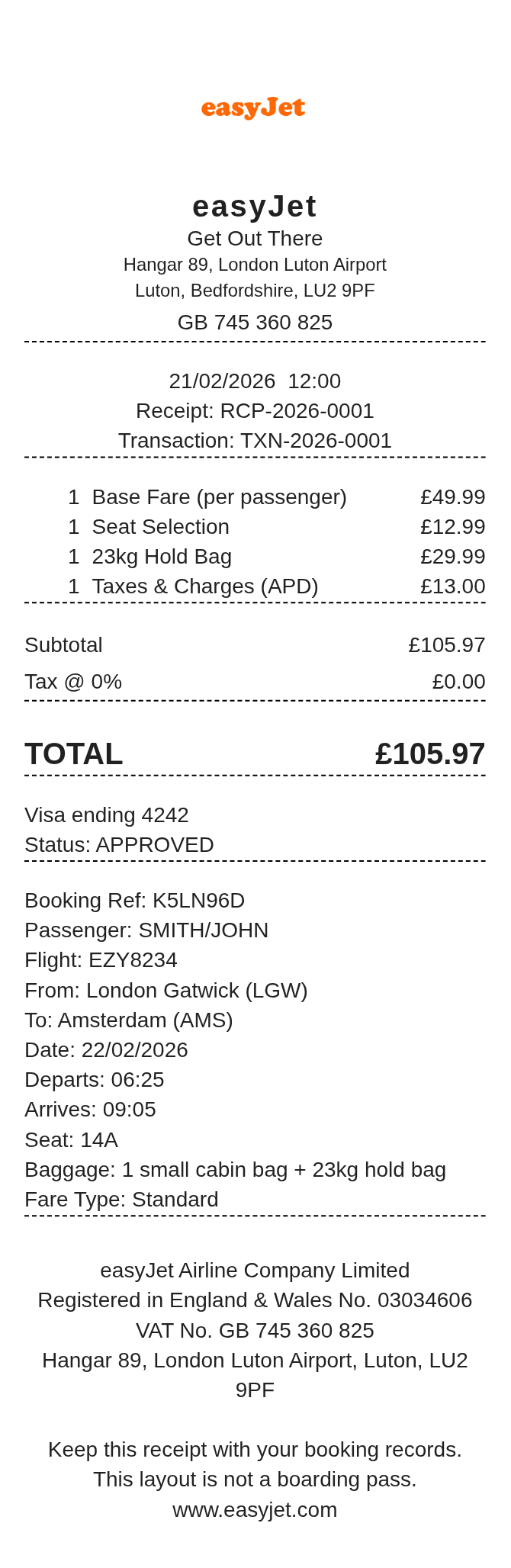
The easyJet receipt template has dedicated fields for the booking reference, flight, airports, departure date and time, arrival time, seat and baggage allowance. These describe the booking you enter. The fare, seat and bag amounts belong in the item table, where each row holds its full charge.
easyJet confirmations, payment PDFs and VAT invoices
easyJet issues three different records for a flight booked on its website or app. The booking confirmation email includes all booking and flight details. A payment confirmation is a PDF you request from your account, and a VAT invoice is a separate PDF request. The payment confirmation can take up to 24 hours to arrive, while easyJet says a VAT invoice may take up to 28 days to be generated and sent. The name and address on the payment confirmation come from your account details, so update them before you request it if they need to match an expense claim.
Changes add charges worth keeping on record. easyJet lets you change flight times, dates and destinations up to two hours before departure, even after check-in. A change fee applies per passenger, per flight, and you pay the fare difference if the new fare is higher. If the new fare is lower, no refund is made and the change fee still applies. For flights from the UK, plane operators pay Air Passenger Duty to HMRC for each passenger. From April 1, 2026, the reduced rate for the lowest class of travel is £8 for domestic flights and £15 for band A destinations, which include EU and EEA countries.
How to get a copy of an easyJet receipt
Sign in with the email address and password used for the original booking, select the booking under View Bookings, then open Payment Details. There you can resend the booking confirmation email, request a payment confirmation PDF or request a VAT invoice PDF. Each PDF goes to the email address associated with the booking.
The online easyJet receipt and VAT invoice options apply to bookings made directly on the easyJet website or mobile app. easyJet's help page covers easyJet holidays and travel agent bookings, third-party bookings, and airport or Customer Services bookings in separate sections, so follow the one that matches how you booked.
Booking notes and charge rows
| Section | Details |
|---|---|
| Passenger and flight | Enter the name, booking reference and flight number. |
| Route and timing | Record both airports, the departure date and the departure/arrival times. |
| Seat and baggage | Enter the seat, allowance note and fare type from your record. |
| Charges | Use complete line amounts; quantity does not multiply them. |
| Tax | One Tax % adds tax to the entire subtotal, including any fee or tax item already listed. |
Related receipt guides
Check baggage in both places
- Changing Baggage Allowance does not add or remove a bag charge. Keep the note and charge rows consistent.
- The receipt date is separate from the departure date. Check both before saving PDF or PNG.
FAQs
Official sources
- easyJet payment and booking confirmations
- easyJet - Payment confirmation and VAT invoice
- easyJet - Change flight and change name
- GOV.UK - Rates for Air Passenger Duty
Related Templates
- Ryanair fare receipt
- Lufthansa flight receipt
- Emirates Receipt
- Eurostar Receipt
- Flight Ticket Receipt
- Heathrow Express Receipt
- Le Shuttle Receipt
- Royal Caribbean Cruise Receipt
- SWISS Passenger Receipt
- Volaris Payment Receipt
- American Airlines Baggage Receipt
- JetBlue Travel Receipt
- Hawaiian Airlines Ticket Receipt
- Turkish Airlines Receipt