Lufthansa Receipt Template with Passenger and Flight Details
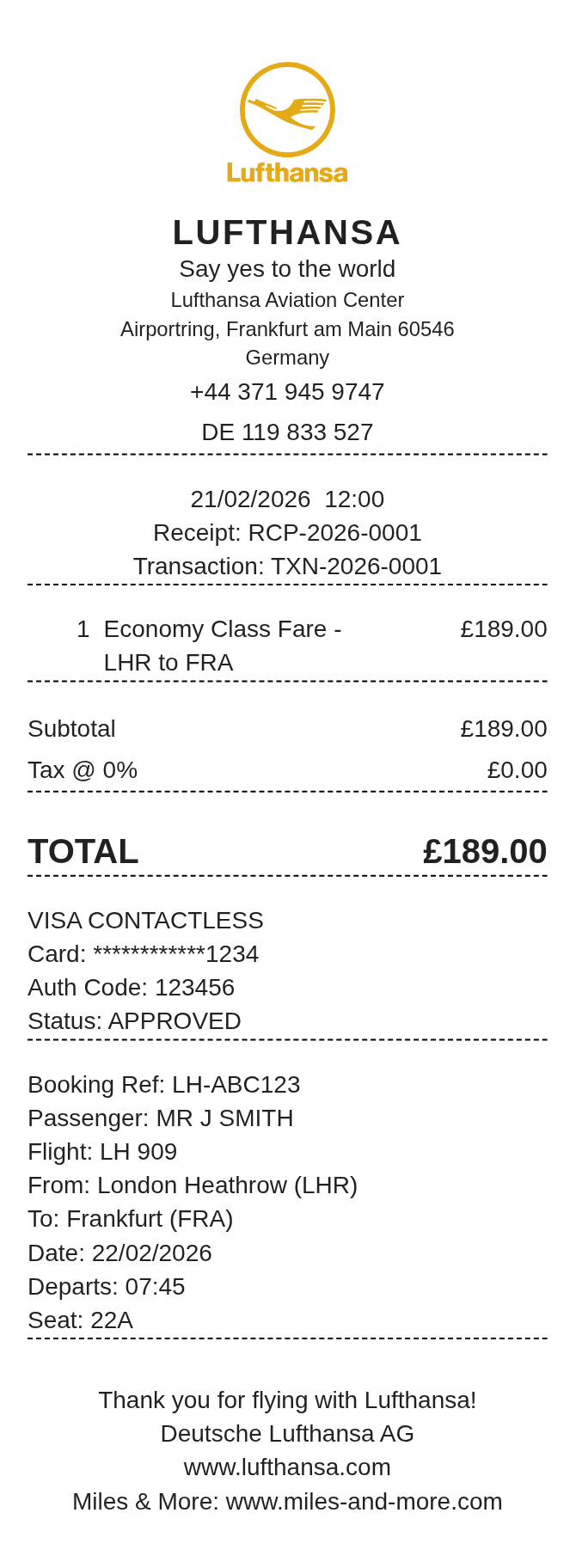
Enter the passenger, booking reference, flight and route. Add the complete fare and other charges, then review the seat, departure and payment details.
Last updated
Keep the flight reference with its charge
This Lufthansa receipt template has separate fields for flight number, airports, departure date, departure time and seat. The item description can give more detail about the fare you are recording. Both are manual entries: changing a destination or seat leaves the charge table unchanged.
What a Lufthansa passenger receipt covers
Lufthansa's passenger receipt is a PDF you can download and print from 24 hours after booking and ticket issue until 90 days after the end of the trip, provided a receipt hasn't already been issued elsewhere. Lufthansa says it counts as a ticket under Section 34 of Germany's VAT Implementing Regulation (UStDV), and therefore as a proper invoice under Section 14 of the VAT Act (UStG). Together with your card slip, it can support travel expense claims and input tax deduction. The carrier code LH identifies Lufthansa as the operator, and the passenger name shows who is entitled to the flight rather than who receives the benefit.
VAT applies only to purely domestic flights within Germany, so cross-border flights carry none, and Lufthansa says VAT appears on the receipt no earlier than one day after the ticket purchase. For flights originating in some countries, including Italy, Greece, Spain, Poland, Portugal, Hungary, Bulgaria and Croatia, Lufthansa issues special invoices on request when the e-ticket confirmation isn't sufficient. For US business travel, IRS Publication 463 treats documentary evidence as adequate when it shows the amount, date, place and essential character of the expense, so keep the Lufthansa receipt with your trip records.
How to get a Lufthansa passenger receipt
Use the Download passenger receipt link on Lufthansa's passenger receipt page while the trip is still inside the 90-day window. If the trip ended more than 90 days ago, the same page links to an online form for requesting the passenger receipt. If you checked in online, Lufthansa recommends saving the PDF, because it lets you print the boarding pass and the receipt again at any time.
To refund a ticket, cancel and request the refund under Flight details in My bookings or through the Lufthansa Chat Assistant; refunds go back to the original payment method. Where Lufthansa is the merchant of record, a canceled or significantly changed flight, such as an international schedule change of six hours or more, qualifies for a refund of the fare, taxes and ancillary fees. For travel agency tickets, Lufthansa recommends contacting the agency.
Fields for the flight record
| Section | Details |
|---|---|
| Passenger | Replace the sample name and booking reference. |
| Flight | Record the flight number, departure airport and arrival airport. |
| Departure | Set the travel date and time separately from the receipt date/time. |
| Seat | Enter the seat as a reference; the editor does not reserve it. |
| Amounts | Enter complete line charges. The subtotal is their sum, with any Tax % added on top. |
Related receipt guides
Use the amount from the booking record
- Quantity is printed for reference and does not multiply the fare. If one row covers two passengers, enter the full charge for that row.
- Tax % does not extract included VAT or determine a rate from the route. Check the amount basis before using it.
FAQs
Official sources
- Lufthansa passenger receipt service
- Lufthansa - Passenger Receipt (PDF)
- Lufthansa - Passenger receipt
- Lufthansa - Refunds
- IRS - Publication 463, Travel, Gift, and Car Expenses