Sixt Receipt Template for Rental and Driver Charges
Record the reservation, renter, pickup and return details. Add complete rental and optional charges, then check the tax and payment summary.
Last updated
Use the reservation to identify the rental
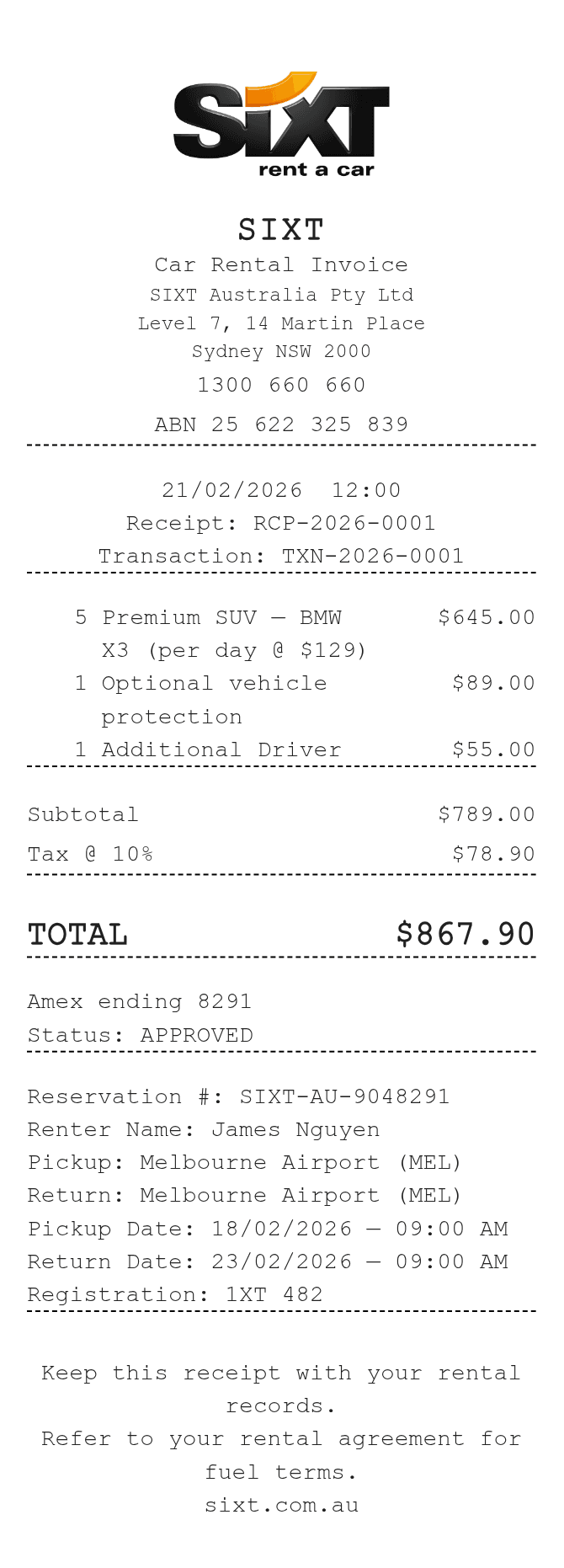
This Sixt receipt template puts a reservation reference and vehicle registration beside the rental period. Its quantity column is for reference: the amount column already holds the full charge. A five-day rental therefore needs its five-day amount, even if you also show 5 as the quantity.
What a SIXT final invoice shows
A SIXT final invoice is a PDF with full tax details, and it carries your rental agreement number as its unique reference. Each line shows a description, a quantity in days or miles, a unit price and a total. Charges agreed at pickup appear first: the rental rate, protection products, extras such as an additional driver or child seat, and any one-way fee. Charges that can only be worked out after return, like extra mileage, refueling or recharging, AdBlue or a late return, are added afterward. Depending on the location, airport surcharges, road-use fees and taxes can follow.
SIXT explains that a weekly or monthly rate may appear next to separate additional days billed at the daily rate. Its own example is an 8-day rental billed as a $280 weekly rate plus a $55 additional day, for $335 in total. Taxes and surcharges calculated as a percentage can rise when charges are added after return. Traffic fines, tolls and damage claims are not billed on the final invoice; SIXT sends those separately. The easiest check is to read the receipt line by line against your rental agreement.
How to download a SIXT invoice or receipt
With a SIXT account, sign in on the website or app, open My Bookings, select the rental and tap Download invoice. Without an account, use Manage Bookings with your booking or rental agreement number and last name, then enter the 6-digit code sent to the email on your rental agreement. SIXT says final invoices are available within 3 days of return, while prepaid receipts are available right after booking.
You can add or change a billing address in the booking before pickup or after return. A tax ID can't be added online; SIXT asks you to send it through Live Chat with your rental agreement number, and it emails an updated PDF invoice.
Complete the rental details
| Section | Details |
|---|---|
| Reservation and renter | Replace the sample reservation number and name. |
| Locations and dates | Enter pickup and return locations, dates and times as text. |
| Vehicle | Use Registration for the vehicle’s registration reference. |
| Charge lines | Record the entire rental, protection or additional-driver amount for each row. |
| Tax | One percentage is added to the complete subtotal; tax already included in prices is not extracted. |
Related receipt guides
Review dates and charges together
- The sample five-day rental line has an amount of 645. Changing the quantity alone leaves that amount at 645.
- Fuel and protection descriptions are editable notes. Check any terms against the rental agreement you are documenting.
- Use the preview to check the reservation and selected payment method, then save a PDF or PNG.
FAQs
Official sources
- SIXT invoices and receipts
- SIXT - When is my invoice available and how do I download it
- SIXT - Invoices and receipts
- SIXT - Understanding the final invoice
- SIXT - Deposits and card authorizations