Avis Receipt Generator for Daily Rental Charges
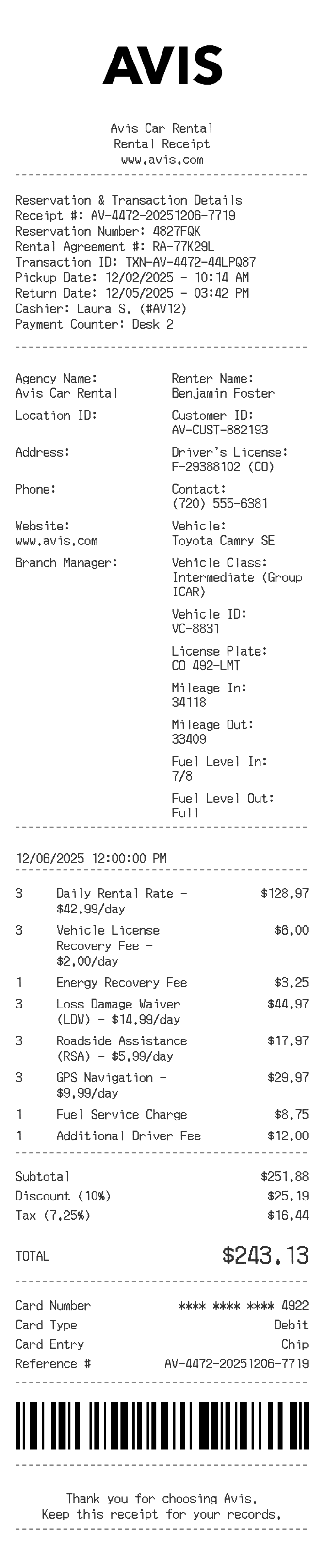
Enter rental days and daily prices, then add fuel or optional-service charges. Keep the renter, vehicle and pickup details with the calculated rental total.
Last updated
Use a daily price for each rental day
The Avis receipt generator multiplies quantity by unit price. For a three-day rental, enter 3 as the quantity and the price for one day in the price field. Pickup and return dates sit in an editable message; changing those dates does not change the number of days charged.
The Avis rental agreement and final receipt
An Avis rental produces two documents: the Rental Agreement you receive at pickup, which carries a nine-digit rental agreement number and estimated charges, and the rental receipt after you return the car. The receipt separates the time and mileage charge from optional products and from taxes, fees and surcharges such as the Concession Recovery Fee, which Avis collects and pays to the owner of the property where the rental takes place, typically an airport.
Some charges arrive later: Avis says e-Toll charges can take 4 to 8 weeks after the rental to post, at $6.95 per toll day up to $34.95 per rental plus the tolls. If you drive fewer than 75 miles under EZFuel, Avis charges a flat $17.99 ($18.99 in California) unless you refill and show a fuel receipt.
How to get an Avis receipt
Use Get E-Receipt on avis.com: choose the country where you booked and enter the reservation confirmation or rental agreement number. Avis says to allow up to 7 days after return, and receipts stay online for up to six months; for older ones call 1-800-352-7900. Avis Preferred members can also view receipts after signing in.
Arrange the rental record
| Section | Details |
|---|---|
| Reservation | Edit the reservation, rental agreement and transaction references in the message section. |
| Renter and vehicle | Use the two-column section for renter details, vehicle class, plate, mileage and fuel levels. |
| Charges | Give daily charges a day count and unit price; use quantity 1 for a single charge. |
| Totals | Line amounts round to cents. A percentage discount reduces the subtotal before the percentage tax is added. |
| Layout | Add, remove or move sections, then check the payment block and barcode. |
Related receipt guides
Compare dates with quantities
- A mileage reading or fuel-level note does not calculate a fee. Enter a confirmed fee as its own item.
- The sample rental prices and percentages illustrate the editor. Replace them with the amounts from the rental you are documenting.
- Scroll through the preview and inspect the PDF or PNG after downloading.
FAQs
Official sources
- Avis — Customer service FAQ (USA)
- Avis — Fees and taxes FAQ (USA)
- Avis — e-Toll
- IRS — Publication 463, travel records