13cabs Receipt Template with Trip References
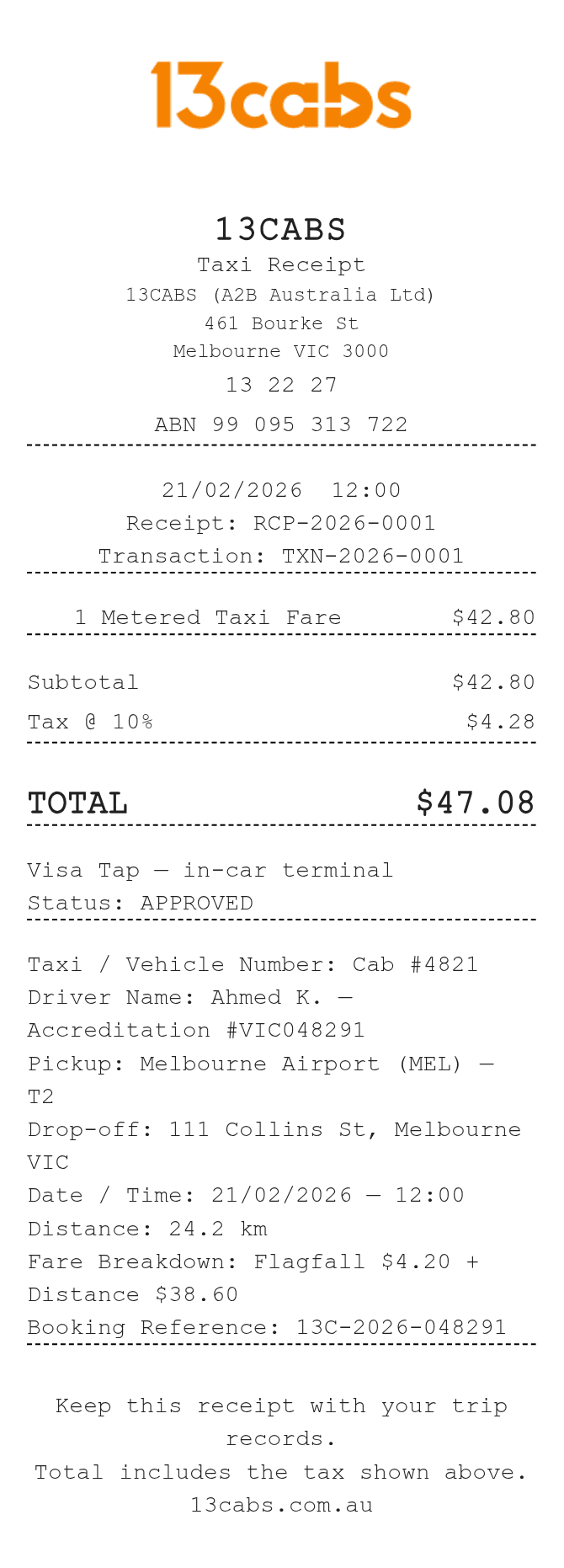
Record the cab, driver and route beside an itemized fare. Enter complete charge amounts, check the tax and payment details, then download the receipt.
Last updated
Keep the trip details beside the fare
This 13cabs receipt template has separate fields for the taxi number, driver, pickup, drop-off and booking reference. Distance and Fare Breakdown are notes you type. They help describe the journey, but the item rows determine its cost. The receipt date and the Trip Date / Time field are also separate entries.
What goes into a 13cabs fare and tax invoice
A 13cabs fare can include more than the metered distance. The 13cabs help center lists a hire charge or flagfall at the start of the trip, a booking fee when you book through the app, website or phone, a government levy in some states, a maxi taxi fee for vehicles with five or more passenger seats, and an $11 Silver Service fee in some states. A service fee applies when you pay by EFTPOS, credit card, Fastcard, eTicket or digital voucher. 13cabs says this taxi payment service fee is governed by state and territory legislation and is separate from a general card surcharge.
For business travel in Australia, the receipt doubles as a GST record. The ATO says anyone providing taxi travel must register for GST regardless of turnover, including owner-drivers and drivers who lease a taxi. If a passenger asks for a tax invoice, it must be provided within 28 days unless the fare is $82.50 including GST or less. An invoice under $1,000 needs the seller's identity and ABN, the date, a description and price, and the GST amount or the words Total price includes GST when GST is exactly one-eleventh of the total.
How to get a copy of a 13cabs receipt
You can ask the driver for a receipt at the end of the trip. If you have an active 13cabs app account with your email address registered, a receipt is emailed when the journey is completed, so check your spam or junk folder if it doesn't arrive.
For a reprint, use the 13cabs contact form and include the trip request number from the app, the date and time of travel, and the pickup and drop-off locations. The team may ask for a payment screenshot, then sends the regenerated receipt by email. 13cabs says it can't guarantee receipts for trips more than 12 months ago.
Trip notes and calculated amounts
| Section | Details |
|---|---|
| Journey | Enter the pickup, destination, distance and trip date from your record. |
| Cab and booking | Add the vehicle number, driver and booking reference. |
| Fare | Put the complete charge in Line amount. Quantity does not multiply it. |
| Tax | One Tax % applies to the whole item subtotal and adds tax on top. |
| Payment | Choose Card, Cash or Other / custom; review the details for the selected method. |
Related receipt guides
Check the fare breakdown
- If you change a charge, update any matching amount in the Fare Breakdown note yourself. The note does not follow the item total.
- A tax-inclusive fare needs care: the percentage field adds tax and does not extract tax already included in an amount.
- Review the full preview, including the booking reference and footer, before choosing PDF or PNG.
FAQs
Official sources
- 13cabs receipt and reprint help
- 13cabs Help Centre - Need a receipt? We can help
- 13cabs Help Centre - Understanding your Fees & Charges
- 13cabs Help Centre - Taxi Payment Service Fee
- 13cabs Help Centre - How can I get a refund?
- 13cabs Help Centre - How does the Fixed Price work?
- ATO - Tax invoices
- ATO - Registering for GST