📝Editor
👁️Live Preview
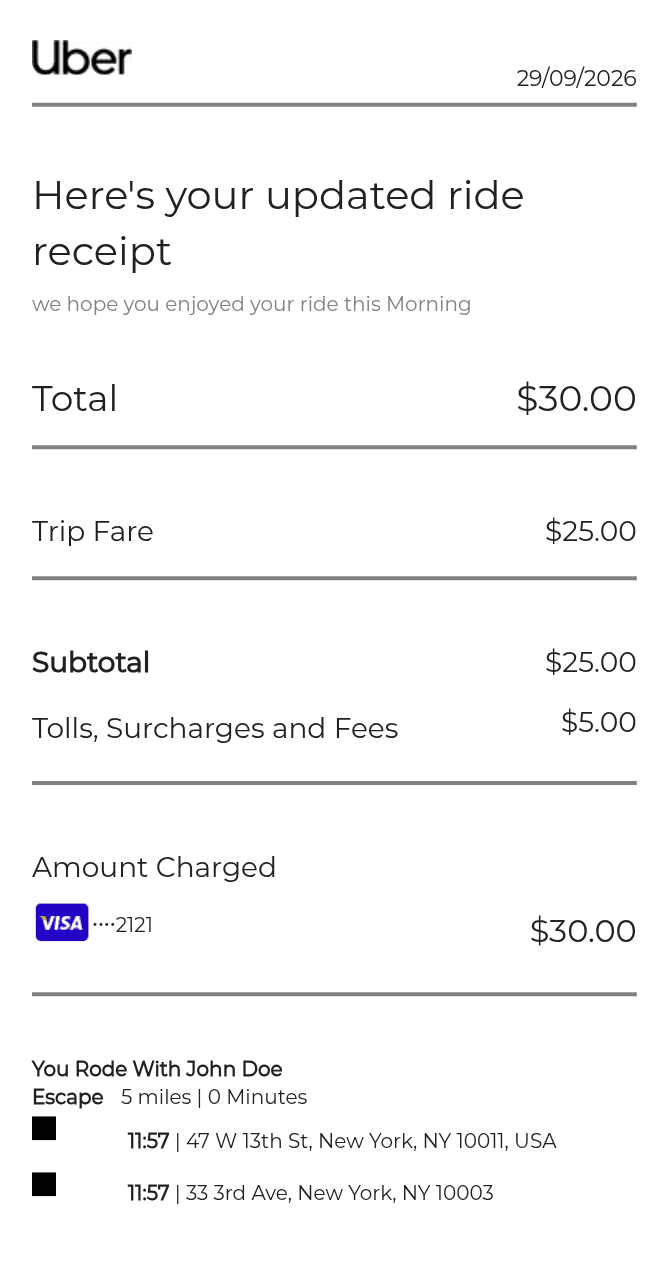
Add the route, driver and vehicle, then enter the full ride total and tolls or surcharges. The editor shows the fare after subtracting those charges from the total.
This Uber receipt generator works backwards from the total you enter. Tolls, fees and surcharges are entered as a combined amount, which the editor subtracts to show the trip fare and subtotal. The pickup and drop-off times calculate a duration; they do not set the price of the ride.
| Section | Details |
|---|---|
| Route | Fill in the starting and ending addresses, distance and distance unit. |
| Ride times | Set the date, pickup time and drop-off time. |
| Total and fees | Enter the complete total first, then the included tolls and surcharges. |
| Driver and vehicle | Edit the driver name and vehicle model independently from the route. |
| Payment | Review the selected payment type and card details in the receipt preview. |