Sonic Drive-In Receipt Generator
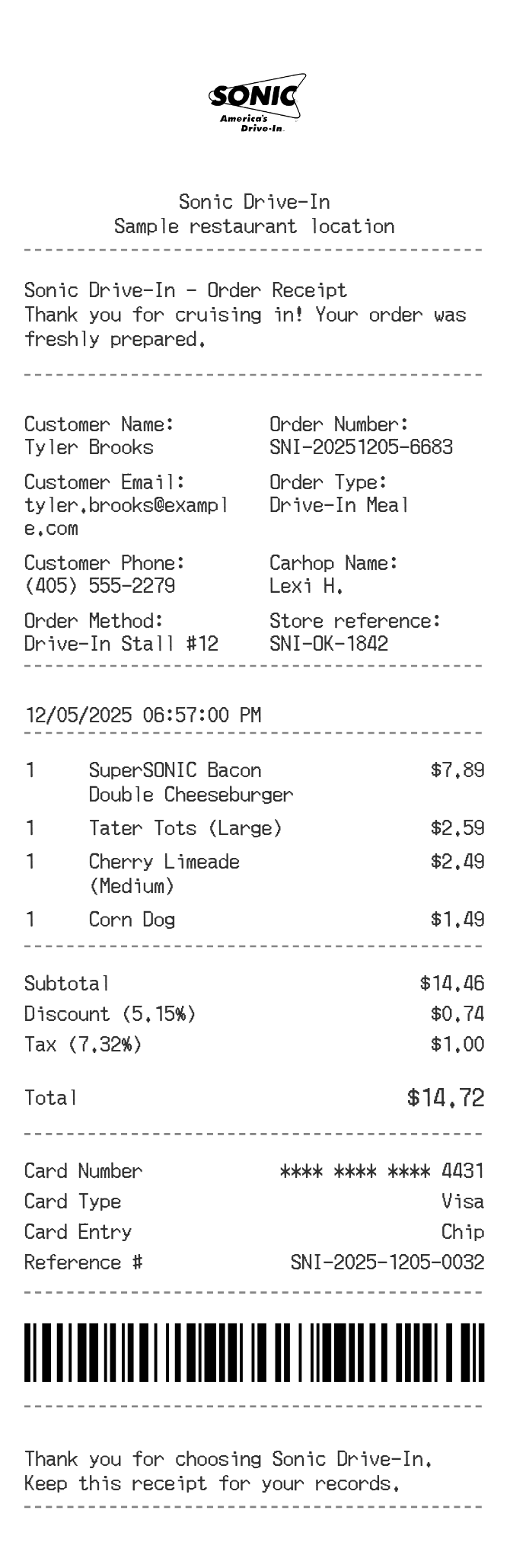
Add the stall and carhop references, then list the food and drinks. Review sizes, quantities and charges before saving the receipt.
Last updated
Keep stall and order details together
This Sonic Drive-In layout includes room for the stall number, carhop and order references. Those details sit apart from the item list. Describe drink sizes or meal choices on the relevant row, and enter the unit price that matches the purchase.
What shapes the total on a Sonic Drive-In receipt
Sonic is part of Inspire Brands, and Sonic says about 95 percent of its more than 3,600 drive-ins are owned by local franchisees. That is why menu prices vary by drive-in location, and why two Sonic Drive-In receipts for the same order can show different totals. The app menu is limited to items every Order Ahead location can make, so regional items may need to be ordered at the drive-in. Discounts tied to promotional time periods, such as Happy Hour, are applied when you place and pay for an app order, not at the pickup time you select.
With Order Ahead, you build the order in the Sonic app, pay with a credit card, a Sonic gift card or Apple Pay, and pick a pickup time. On arrival you pull into a stall and check in through the app, and a carhop brings the order out. Someone else can collect it by pressing the red button and giving the carhop your name. Printed coupons can't be redeemed in the app, only one promo code works per order, and promo codes can't be combined with app rewards. A single Order Ahead order can't be split across payment methods.
Fixing or documenting a Sonic Drive-In order
If something is wrong with your food, Sonic's guidance is to push the red button and ask to speak with a manager, who can correct the order. For other restaurant-specific issues, Sonic directs customers to its Customer Satisfaction Team at (866) 657-6642 or the contact form on its website. Note the drive-in location and order time before you call.
For a business meal, IRS Publication 463 (for 2025 returns) says the receipt should show the restaurant's name and location, the number of people served, and the date and amount.
Details for the drive-in order
| Section | Details |
|---|---|
| Store heading | Enter the branch information. |
| Stall and service | Edit the stall, carhop and order information to match the visit. |
| Food | List each separately priced meal or item with quantity and unit price. |
| Drinks | Include the size and any useful flavor description. |
| Summary | Review discount and tax percentages, then the payment details. |
Related receipt guides
Enter deals and additions explicitly
- The editor does not apply time-based offers or choose prices from a menu. Use the price and discount that belong to the transaction.
- Flavor and size descriptions do not calculate surcharges. Include a surcharge in the price or list it as a separate charge.