Little Caesars Receipt Generator
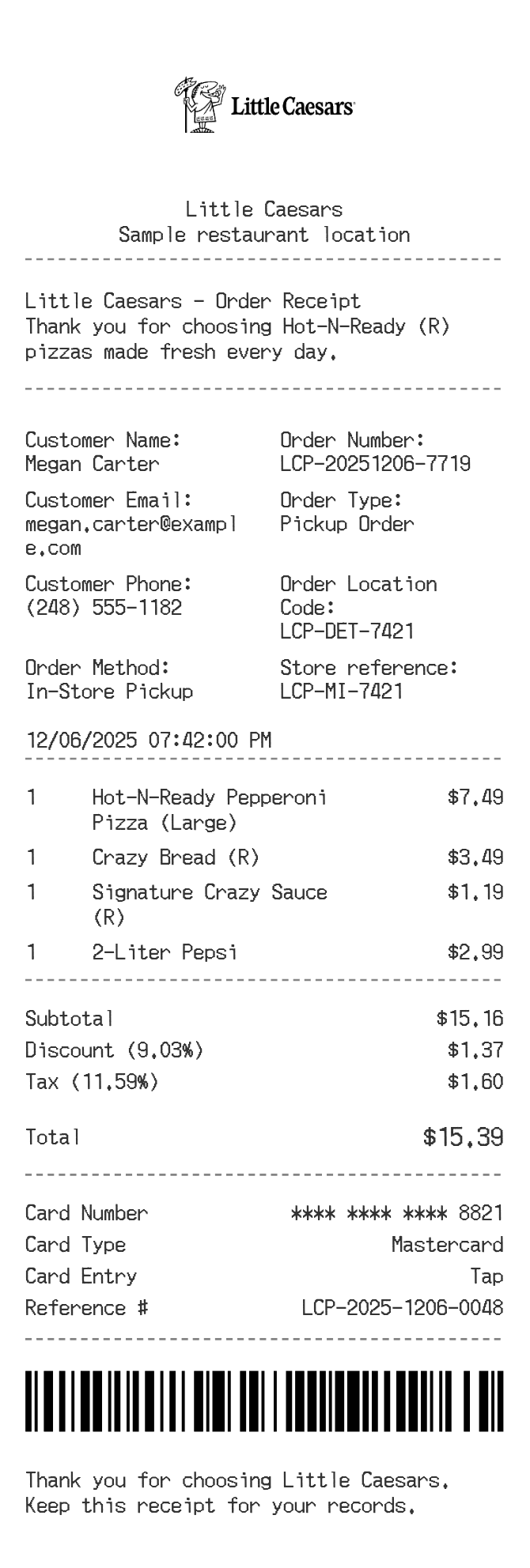
List pizzas, sides and drinks, then add the pickup reference. Review quantities and prices before saving the order receipt.
Last updated
Keep the pizza order easy to collect
This Little Caesars layout keeps pickup and customer information separate from the item list. Identify each pizza by the description you need, then add separately priced bread, sauces or drinks. The quantity field counts complete items at the unit price shown.
Little Caesars order confirmations and store receipts
When you pay for a Little Caesars order online or in the app, the terms of service say you get an order confirmation on screen and by email, and the app may also send a notification. Each confirmation includes an order number and details such as the products ordered and the amount paid. That emailed confirmation is your record of a prepaid online order. Little Caesars notes that products, toppings and pricing vary by location, so two receipts for the same pizza from different stores can show different prices.
Little Caesars restaurants include corporate stores and franchisee stores, and the terms describe franchisees as independently owned and operated. When you order online from a franchisee store, you are contracting with that store, not with Little Caesar Enterprises, and offers a franchisee makes outside the website or app apply only to its own stores. If you use online ordering only to place the order and pay at the restaurant, the terms say the sale takes place when you arrive and complete the transaction there, so your record comes from that store's checkout rather than an emailed confirmation. Gift cards can currently be redeemed only for in-store purchases, not online orders.
Finding a Little Caesars receipt or order record
For an online purchase, search your email for the order confirmation, which shows the order number and amount paid. For a prepaid order collected from a Pizza Portal, you enter the 3-digit PIN or scan the QR code from that confirmation to open the secured compartment, so keep it handy. To change a pickup order, Little Caesars says to call your restaurant directly. Some locations also run a proof-of-purchase program, and Little Caesars suggests checking with your local store about it.
Prepare the order details
| Section | Details |
|---|---|
| Store | Edit the sample branch heading. |
| Pickup reference | Enter the order number and customer information needed to identify the order. |
| Pizzas | Describe the size and type, then enter quantity and unit price. |
| Sides and drinks | Use separate rows for separately charged additions. |
| Payment | Check the percentage adjustments and payment section against the order. |
Related receipt guides
Separate instructions from charges
- Preparation notes belong in a description or custom-message section. They do not change the price automatically.
- For a deal sold at one combined price, describe its included items together and avoid charging them again as separate products.