Pizza Receipt Generator
List pizzas with their sizes, crusts and toppings, then add sides or drinks. Enter the delivery fee and tip separately, review the item tax and save the order receipt.
Last updated
Describe each pizza before adding delivery charges
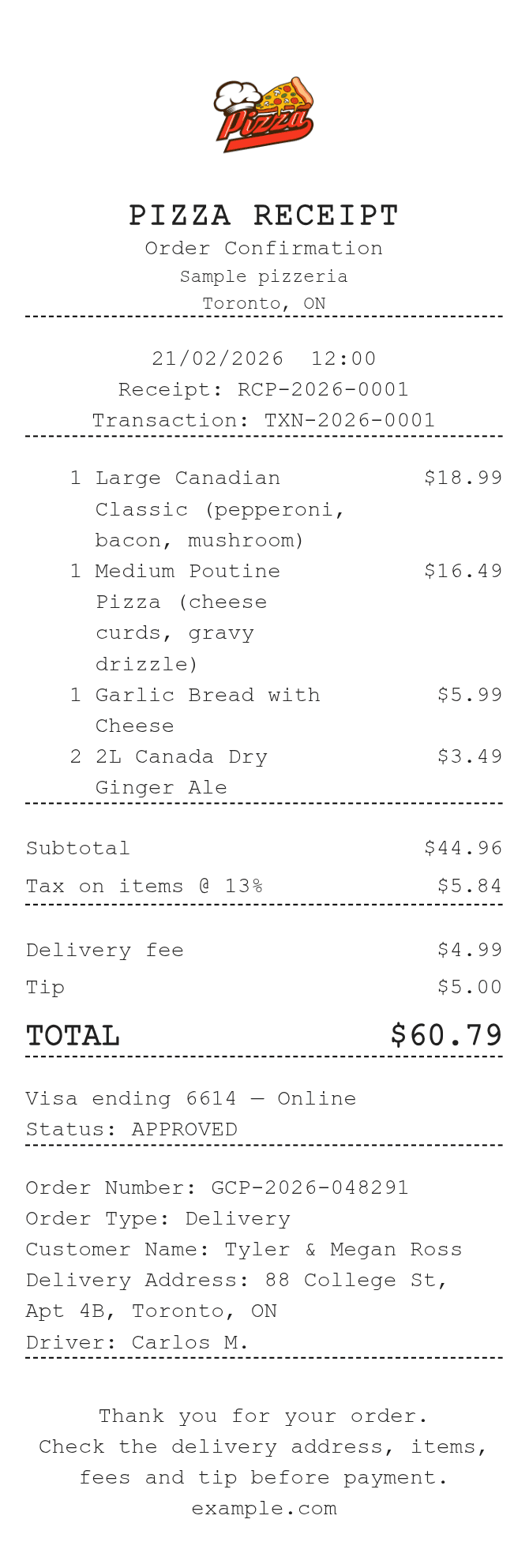
This pizza receipt has an item list and separate fields for the customer, delivery address and driver. Put size, crust and toppings in the description so the charged item is clear. Delivery Fee and Tip are separate amounts below the item-tax calculation.
What a pizza receipt shows
A pizza receipt usually lists the order number and whether it was delivery, carryout or dine-in, then each pizza with its size, crust and toppings, extra-topping charges and any coupon, followed by the subtotal, delivery charge, tax, tip and total. The delivery charge isn't a tip: Domino's says its delivery charge is not a tip paid to your driver, and Papa Johns and Pizza Hut print similar notices. Orders placed through apps like DoorDash have their own receipt with a delivery fee, a service fee, estimated tax and an optional tip, and DoorDash says drivers receive all of the tip.
Delivery charges can be taxed. New York includes a restaurant's delivery charge in the taxable amount, and Texas taxes delivery charges on taxable items even when listed separately. Voluntary tips aren't taxable in either state, while California taxes a mandatory tip or service charge.
Pizza for business meals
Pizza ordered for a client meeting is generally 50% deductible if you or an employee is present and it isn't lavish. IRS Publication 463 says a restaurant receipt should show the restaurant's name and location, the number of people served, the date and the amount.
Chain orders placed online keep a confirmation email and order history in the chain's app, and app orders keep their receipt in the delivery app.
Food, delivery and payment fields
| Section | Details |
|---|---|
| Pizzeria | Name, address, contact details and tax reference |
| Order | Number, type, date and time |
| Items | Pizza or side description, quantity and complete row charge |
| Delivery | Customer, destination and driver text |
| Charges | Item tax, final delivery fee, tip and total |
Related receipt guides
Check pizza descriptions and the final total
- Enter the pizzeria and order details.
- Describe each pizza’s size and selected toppings.
- Enter complete row charges, then the delivery fee and tip.
- Review the destination, payment and final total before export.
FAQs
Official sources
- DoorDash — Fees on DoorDash orders
- New York — Sales by restaurants (TB-ST-806)
- Texas Comptroller — Restaurants and sales tax
- CDTFA — Regulation 1603
- IRS — Publication 463