Toll Receipt Generator
Record the entry and exit points, times, lane and vehicle class. Add the toll amount and payment method, then review the journey details in the preview.
✏️ Editable fields📱 PDF & Image export⚡ Instant preview
📝Editor
👁️Live Preview
Last updated
A toll payment tied to a particular journey
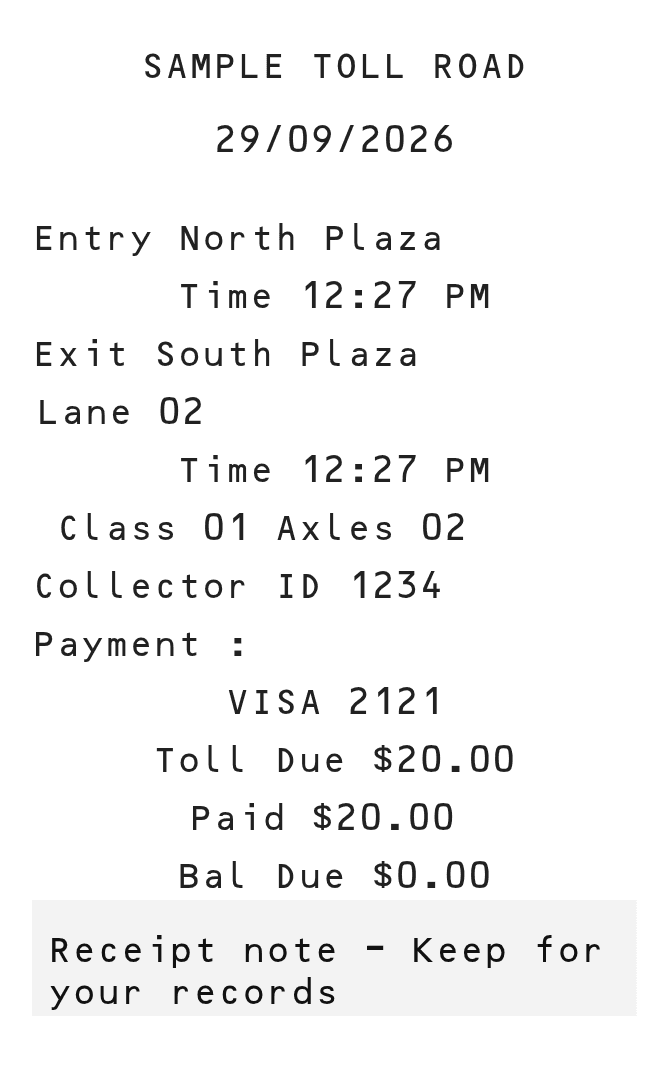
This toll layout pairs an entry point and time with an exit point and time. Lane, vehicle class, axle count and collector ID are separate references. The entered toll amount appears as both Toll Due and Paid, with a zero balance. Use this layout for a fully paid charge; it does not calculate a route tariff or manage partial payments.
Journey references and payment
| Section | Details |
|---|---|
| Operator | Business name and website text |
| Route | Entry and exit points with times |
| Vehicle | Class and axle count |
| Collection | Lane and collector ID |
| Payment | Entered toll amount, method and final card digits |
Related receipt guides
Check the route and paid amount
- Replace the example entry and exit points.
- Set the journey date and both times.
- Copy the lane, class and collector details where available.
- Enter the fully paid toll and review the payment label.