Deliveroo Receipt Generator
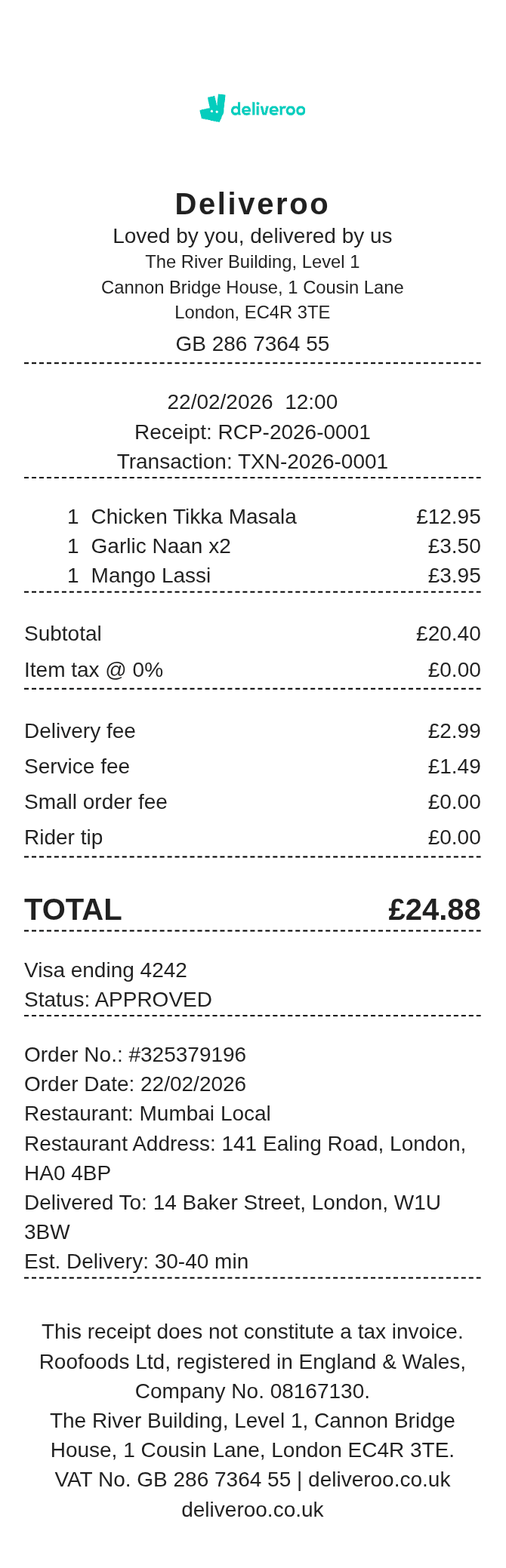
Add the restaurant, delivery address and order details. Review food charges, delivery and service fees, any small-order fee, and the rider tip in the final total.
Last updated
Separate the food order from delivery charges
This Deliveroo template has a restaurant block and a delivery-address block, plus individual fields for fees and the rider tip. Keeping those charges separate from the food list makes the final amount easier to compare with an order record.
Who charges what on a Deliveroo order
Deliveroo's UK Terms of Service, last updated on 6 October 2026, explain that the restaurant or shop, which Deliveroo calls the Partner, sells the items, while Deliveroo acts as its agent to conclude the order through the app. Prices include VAT. On top of the food, Deliveroo may charge a service fee, and Deliveroo or the Partner may charge a delivery fee. Both are shown during checkout. Deliveroo says the delivery fee depends on your location and distance from the restaurant, and some partners set their own.
A small order fee is added only when the basket total is below the Partner's minimum spend, and adding items to reach that minimum removes it. Rider tips are separate again. Deliveroo says your rider receives 100% of any tip, and a tip added after delivery can't be refunded, even if something was wrong with an item. Because the order can carry food, fees and a tip from different parties, check each line on a Deliveroo receipt against your order before using it as a record.
Finding a Deliveroo order and its charges after delivery
Past orders sit in the app or website under your account. Deliveroo's FAQ says to tap the person icon, go to Orders, choose the order, then tap Order Help, which it calls the quickest way to fix a problem. If a refund doesn't show up, Deliveroo says it should appear on your bank statement within 72 hours, and refunds follow the same mix of Deliveroo credit and card used to pay.
Businesses using Deliveroo for Work get a monthly invoice by email with a file listing every order behind it, and have 30 days to pay. Past invoices are requested from corporate support.
Food, delivery and payment fields
| Section | Details |
|---|---|
| Order | Order number, order date and transaction reference |
| Restaurant | Name and address, separate from the receipt header |
| Delivery | Destination and estimated-delivery text |
| Food | Descriptions, quantities and complete row amounts |
| Charges | Item tax, delivery, service, small-order fee and rider tip |
Related receipt guides
Check the whole order total
- Replace both restaurant and delivery addresses.
- Review the order date as well as the main receipt date.
- Enter food row amounts and each separate fee.
- Compare the resulting total with the payment amount before export.
FAQs
Official sources
- Deliveroo - Terms of Service (UK)
- Deliveroo - FAQ (UK)
- Deliveroo for Work - FAQs
- HMRC - VAT guide (VAT Notice 700), section 16 VAT invoices