Osprey Charging Receipt Generator
Enter the Osprey location, charge-point ID and session details. Add the complete charging amount, review VAT and payment references, then download the receipt.
Last updated
Describe one visit to a charging point
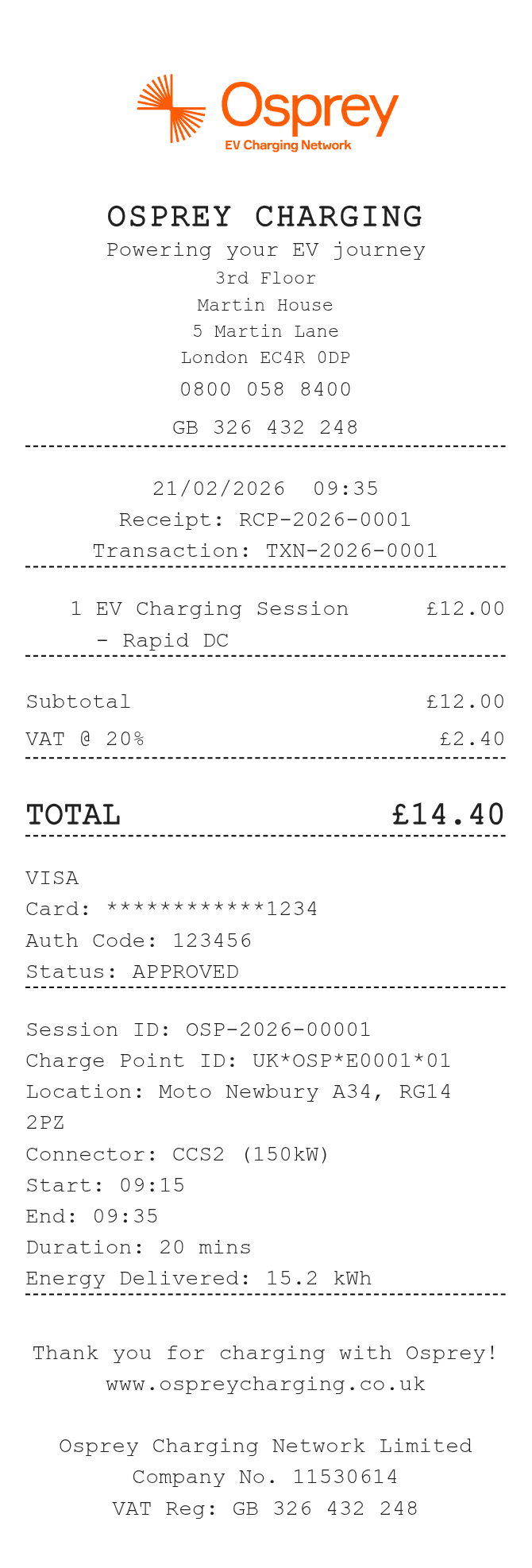
The Osprey template groups the session ID, equipment reference and location with the connector, start and end times, duration and delivered energy. The charging amount appears in a separate item list. Add a clearly described row for another recorded fee when one belongs to the same transaction.
What an Osprey charging receipt reflects
Osprey says you only pay for the electricity you use, with no connection fee, subscription or minimum spend. Its help center pricing, updated September 24, 2026, lists 89p per kWh including VAT for pay-as-you-go contactless payment. Paying through the Osprey app, an Osprey RFID card or Osprey Go costs less: 82p per kWh on weekdays from 7am to 8pm, 79p at weekends from 7am to 8pm on the Weekend Saver, and 69p overnight from 8pm to 7am on the Overnight Saver. Third-party RFID cards and apps set their own prices.
Osprey takes a £45 pre-authorization at the start of each session to confirm there are enough funds. That amount counts toward the session. If the charge costs more, Osprey keeps the £45 and charges the rest on top. If it costs less, the difference is refunded, which usually takes a few working days depending on your bank. So your bank statement can show a hold that differs from the final receipt total. For VAT, HMRC's Revenue and Customs Brief 13 (2026) says that from November 1, 2026, charging at publicly accessible and workplace charge points is standard rated, unless supplied to a charity for non-business use.
How to get an Osprey Charging VAT receipt
If you charged through the Osprey app, receipts are available straight away. Go to your profile, tap 'charge history' and then 'billing' to view and download them. If you paid by contactless or RFID card, request a receipt with the form in the main menu of Osprey's website, and a member of the team will reply by email. Osprey notes that its 24-hour helpline cannot access receipts or invoices, so send receipt questions to its support email instead.
For business claims, HMRC Notice 700/21 says retailers only need to issue a VAT invoice when asked. For a supply of £250 or less including VAT, a less detailed invoice can show the seller's name, address and VAT number, the time of supply, a description, the VAT-inclusive total and the VAT rate.
Fields in the Osprey layout
| Section | Details |
|---|---|
| Charging point | Equipment ID, location and connector description |
| Visit | Session ID, start time, end time and duration |
| Energy | Delivered kWh as a separate session entry |
| Amount | Complete row charges, VAT percentage and total |
| Payment | Method, status and optional card references |
Related receipt guides
Match the location and session references
- Replace the sample operator and charging-point details.
- Enter the session timing and delivered energy.
- Record each full charge and check how the entered VAT affects the total.
- Review the payment details and download after checking the complete preview.
FAQs
Official sources
- Request an original receipt from Osprey Charging
- Osprey Charging - How can I get a VAT receipt?
- Osprey Charging - Pricing
- Osprey Charging - Pre-authorization refunds
- HMRC - Revenue and Customs Brief 13 (2026): VAT on electric vehicle charging for non-domestic use
- HMRC - Record keeping for VAT (Notice 700/21)
- GOV.UK - Charging VAT and VAT rates