bp pulse Charging Receipt Template
Enter the charging location, connector and session times, then record the energy delivered and charge. Check the account type, VAT and payment details before downloading.
Last updated
Put the charge point and session on the same record
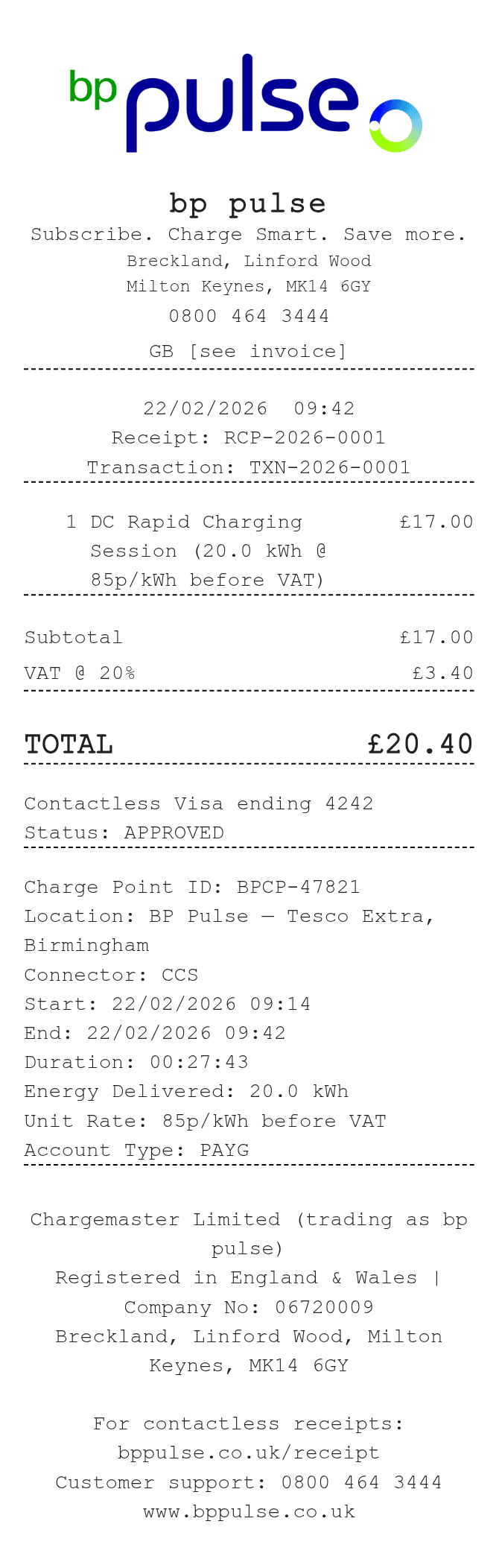
The bp pulse layout has a charge-point reference, location and connector entry alongside start, end and duration notes. Energy, unit rate and account type have their own fields. These session details describe the charge; the item rows determine the receipt subtotal.
What a bp pulse charging receipt reflects
In the UK, bp pulse quotes public charging prices per kWh including VAT. The price depends on charger speed, location and how you pay: subscribers, pay as you go app users, and contactless or pay online customers each have their own column on the pricing page, with fast AC chargers cheaper than rapid and ultrafast units. A full subscription costs £7.85 a month including VAT. When you pay by contactless or through the app, bp pulse asks your bank for a temporary pre-authorization hold of £60. You only pay for the energy used, and bp pulse instructs the bank to release the rest once the session ends, which can take a few days.
VAT is why many drivers need the receipt. HMRC treats electricity supplied through a publicly accessible charging point as standard-rated, whatever the amount, and GOV.UK lists the standard rate as 20%. Its fuel and power notice, updated October 28, 2026, adds that from November 1, 2026 the legislation says an EV charging supply is not for domestic use, so the 5% domestic rate does not apply. Keep a bp pulse receipt showing VAT if your business reclaims VAT on charging costs.
How to get a bp pulse VAT receipt
If you charged through the app as a subscriber or pay as you go customer, tap Profile, then Recent Transactions, choose the charge under Charge Activity and select Download VAT Receipt. Paying online at the charger gives you the option to download a VAT invoice to your phone when you finish.
Contactless sessions do not appear in the app. Instead, complete the receipt request form on the bp pulse website and customer care emails the receipt. Wait 48 hours after the session before asking, and request it within 8 weeks of charging.
Session notes and billed amounts
| Section | Details |
|---|---|
| Location | Charge point ID, site and connector type |
| Session | Start, end, duration and energy delivered in kWh |
| Tariff notes | Entered unit rate and account type |
| Charge | Full amount for each row, with VAT added at the entered percentage |
| Payment | Card, cash or custom payment details |
Related receipt guides
Use the figures for the session being recorded
- Replace the example charging site and charge-point ID.
- Enter the session times, energy delivered, unit-rate note and account type.
- Enter each complete charge in Line amount and check the VAT setting.
- Match the payment reference to the session, review the full preview and save a PDF or PNG.
FAQs
Official sources
- bp pulse - Claim your VAT receipt
- bp pulse - Pricing and payment FAQ
- bp pulse - Public charging pricing
- HMRC - Fuel and power (VAT Notice 701/19)
- GOV.UK - VAT rates