📝Editor
👁️Live Preview
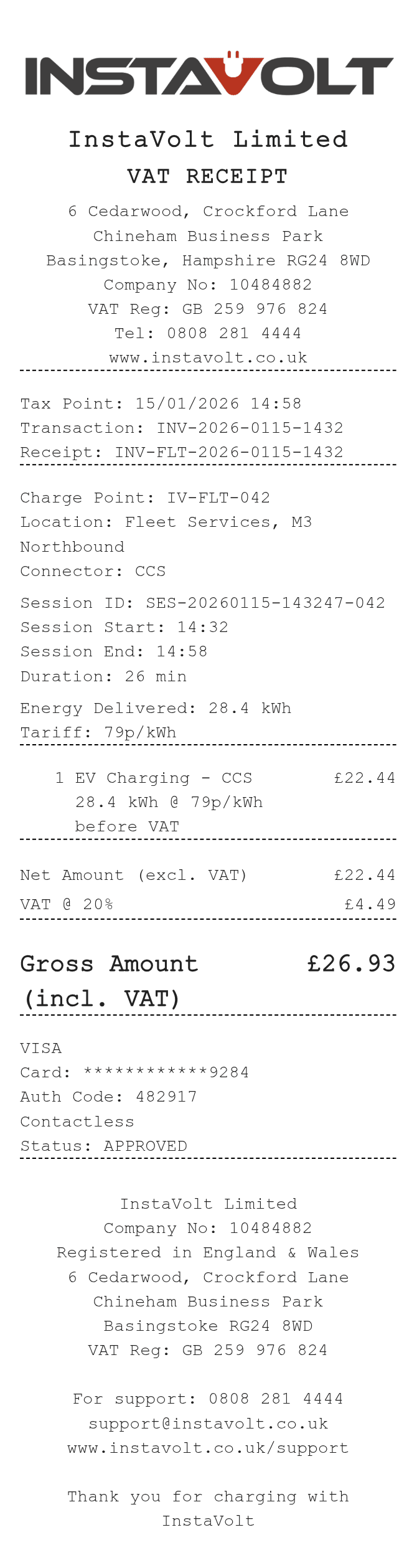
Enter the charge point, session reference and delivered kWh. Check the net charging amount, VAT and gross total, then review the payment details and download.
The InstaVolt preview labels its summary as Net Amount, VAT and Gross Amount. Charging-location and session details appear above the item list, including connector, start and end times, duration, energy and tariff. Enter the line charge before VAT so the added tax is represented once.
| Section | Details |
|---|---|
| Station | Charge-point ID, location and connector |
| Session | Session ID, start, end and duration |
| Energy | Delivered kWh and tariff note in pence per kWh |
| Summary | Net line charges, entered VAT percentage and gross total |
| Payment | Card, cash or custom method with an optional payment note |