Dick’s Sporting Goods Receipt Generator
Record apparel, footwear and sports equipment in separate rows. Check any savings entry alongside the discount setting, then review the final amount.
Last updated
Keep item savings and overall discounts clear
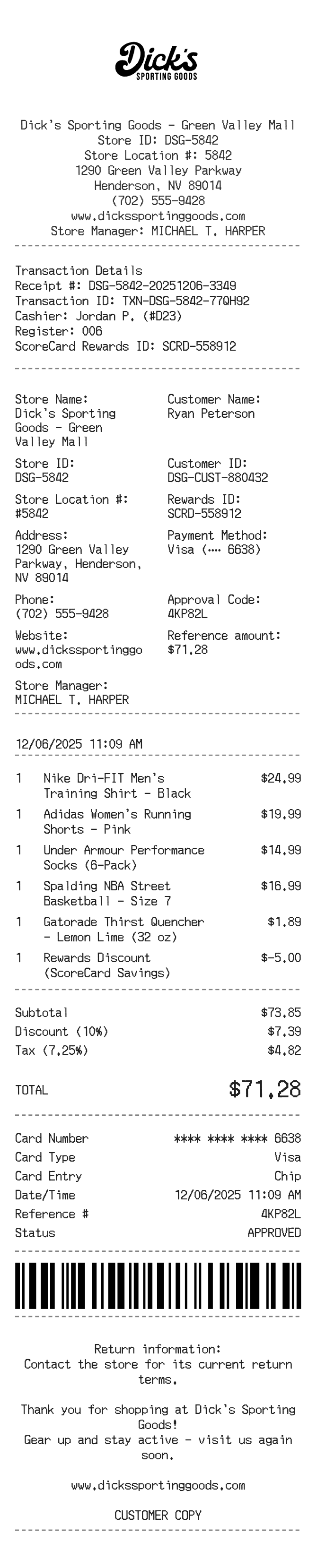
The Dick’s Sporting Goods sample contains clothing, a basketball and a separate savings row. The item list also has a discount percentage, so it is worth checking both before using the total. Store, customer and ScoreCard references appear in editable text sections above the product list.
How a Dick's receipt connects to ScoreCard points
At Dick's Sporting Goods, the receipt and your ScoreCard account work together. Under the ScoreCard Terms and Conditions, you earn at least one point for every $1 of qualified purchases, which exclude sales tax, shipping, gift cards, warranties, gift wrap, Reward redemptions and certain brands such as PING and special order golf equipment. You need to identify yourself as a ScoreCard member at checkout. If you forgot, or the points look wrong, you can add an in-store purchase to your account within 90 days of the transaction by logging in at DICKS.com/ScoreCard. Points can take up to seven weeks to appear.
Returns reverse the points. If you return items that earned points, Dick's deducts those points, and you must present your ScoreCard when returning purchases that earned them. Rewards follow a 300-point threshold, which Dick's advertises as a $10 Reward for every 300 points, and eRewards generally arrive within two weeks. A Reward can't be used for sales tax, gift cards, shipping or prior purchases, and any unused portion is forfeited. If you return a purchase made with a Reward, no part of the Reward is reimbursed. Points not converted to a Reward expire one year after they were earned.
Proof of purchase for a Dick's order
For an online order, Dick's lets you return the item to any open store with proof of purchase. Dick's says to select In-Store Return and enter your confirmation number and billing ZIP code to get a proof of purchase barcode. Your order confirmation email also works as proof of purchase for an in-store return. You can track an order with the order number and billing ZIP code.
For store purchases, keep the paper receipt and scan your ScoreCard every time, since your account is what lets you add a missed purchase within 90 days.
Details in the starting layout
| Section | Details |
|---|---|
| Products | Description, quantity and unit price |
| Item adjustments | A separate savings row when your record calls for one |
| Summary | Subtotal, discount percentage, tax percentage and total |
| Customer | Name, customer ID and ScoreCard reference |
| Checkout | Store, cashier, register and transaction details |
Related receipt guides
Avoid recording the same saving twice
- Update the store and purchase references.
- Replace the products and include useful size or model information.
- Review any negative savings row and the separate discount percentage. Keep only adjustments that belong to the record.
- Check tax and payment details, including any reference amount repeated in a text section.
FAQs
Official sources
- Dick's Sporting Goods - ScoreCard Terms and Conditions
- Dick's Sporting Goods - Help Desk FAQ
- Dick's Sporting Goods - Return Policy