Macy’s Receipt Generator
Enter product prices and department codes, then add any bag charge separately. Review the tax and payment breakdown before saving.
Last updated
Keep the bag charge separate from the merchandise
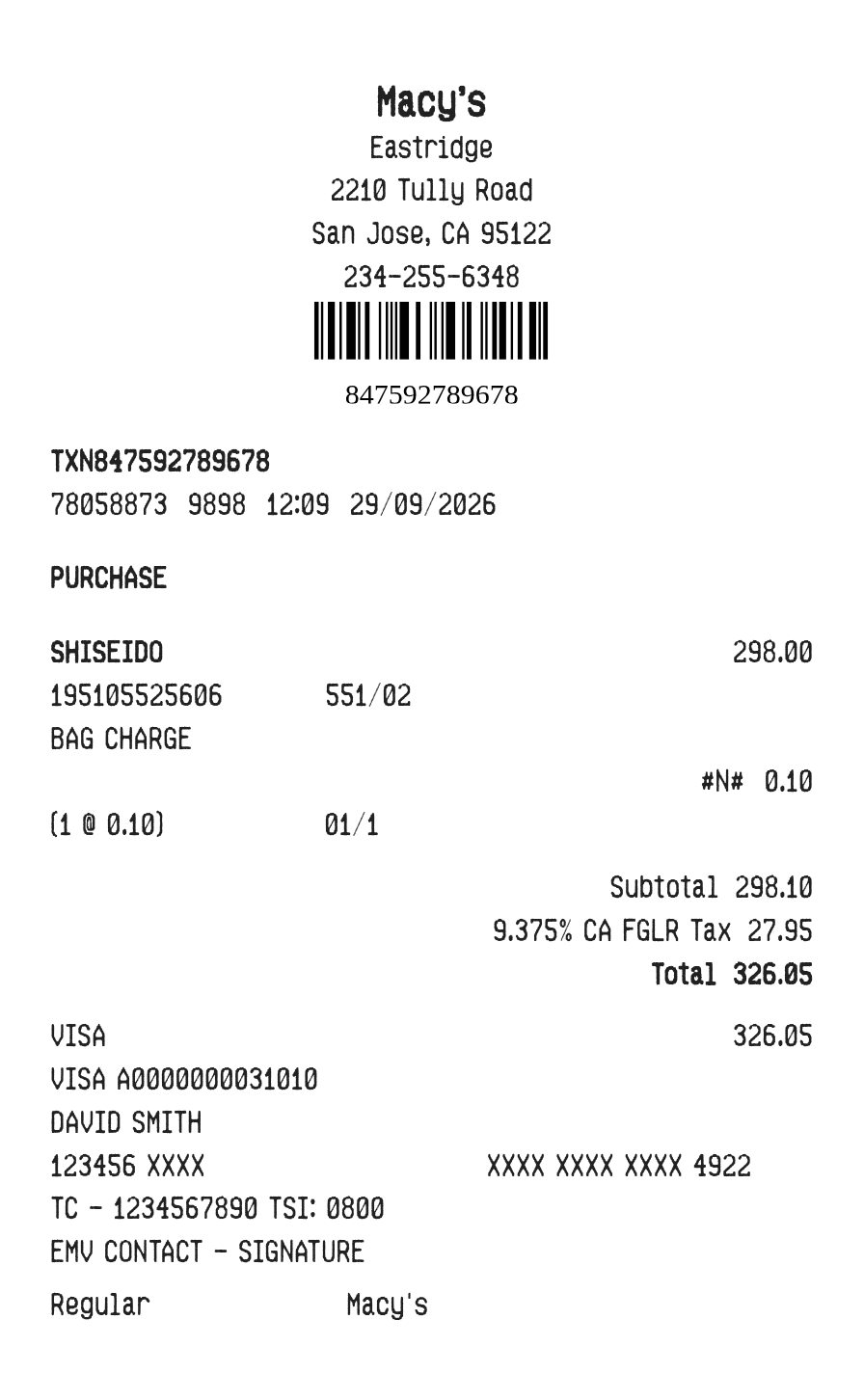
The Macy’s editor uses a compact product layout with SKU, department and category codes. A separate bag-charge section has its own price and quantity. The receipt combines product prices and the bag charge in the subtotal, then calculates the entered tax percentage and payment amount.
Macy's receipts and eReceipts
Macy's issues paper receipts and eReceipts, and either can be used for a return. The store receipt shows the full transaction, while your online Purchase History shows a summary. Promotional discounts are split proportionally across the items on a receipt, so line prices can differ from the tags and refunds use each item's adjusted price. The discount for opening a new Macy's card appears on the card statement, not on the register receipt.
Most items can be returned within 30 days of delivery or purchase, unworn and with tags, and purchases from October 5 to December 31, 2026 can be returned until January 31, 2027. Store returns are free, and mail returns are free for Star Rewards members and $9.99 plus tax for others. Without proof of purchase, Macy's may find the purchase by your account number; otherwise it gives store credit at the lowest selling price of the last 180 days.
Finding Macy's receipts and Star Rewards
Save the card you paid with to your Macy's Wallet and eligible in-store purchases back to October 12, 2018 appear in Purchase History. Macy's says receipt information can usually be retrieved for up to two years, using your account number, return label or registry number.
Star Rewards members earn 1 to 5 points per dollar depending on tier, and 1,000 points become $10 Star Money, which expires after 30 days. Points aren't earned on sales tax.
Merchandise, bags and payment
| Section | Details |
|---|---|
| Products | Product or brand name, SKU, department, category and price |
| Bags | Bag price, quantity and classification references |
| Tax | Percentage, region text and label |
| Checkout | Store, receipt number, transaction ID and cashier |
| Payment | Cash information or card and terminal references |
Related receipt guides
Review the bag line before the subtotal
- Replace the store and checkout references.
- Enter each product’s price and identifying codes. Add separate rows for additional products.
- Set the bag price and quantity, or use zero when there was no bag charge.
- Check tax and payment details, then inspect the total and download.
FAQs
Official sources
- Macy's — Return policy
- Macy's — eReceipts
- Macy's — Viewing in-store purchases online
- Macy's — Star Rewards