Academy Sports Receipt Generator
Enter sportswear and equipment purchases, then check the subtotal, tax and total fields. This layout keeps the receipt totals under your control.
Last updated
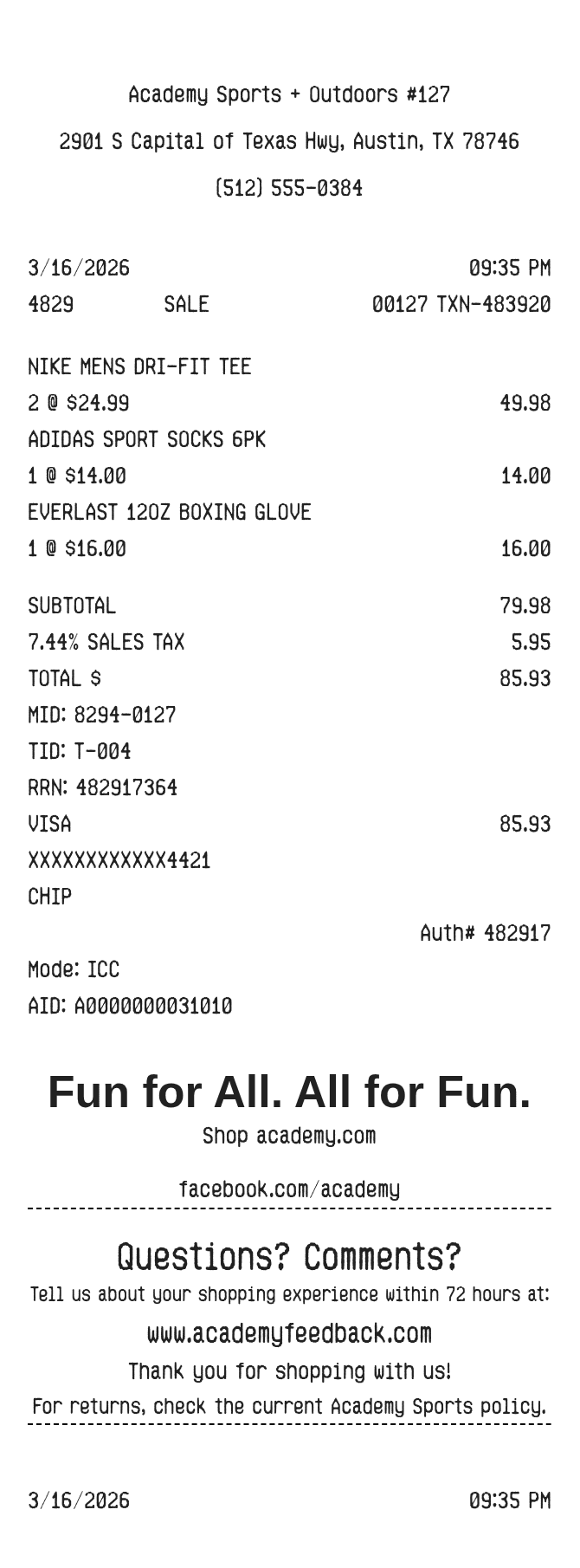
An Academy layout with manually entered totals
The Academy Sports template has separate fields for products, store details and card-terminal references. A product row shows the quantity, unit price and line amount. The summary below it works differently: you enter the subtotal, tax amount and final total yourself. That makes the final amount check essential after changing the shopping list.
Why the Academy Sports receipt matters for returns
Academy Sports + Outdoors accepts most unused, new-condition items within 60 days of purchase, counted from the date on your receipt. With a valid receipt, Academy usually refunds the original form of payment or gives an even exchange. A gift receipt gets merchandise credit or an exchange. Without a receipt, Academy tries to verify a credit or debit card purchase; if it cannot, you get merchandise credit at the item's lowest price in the past 90 days, and you must show government-issued photo ID. Cash refunds always require the original receipt, and Academy says it may limit returns even when a receipt is presented.
Some categories follow different rules. Most firearm, ammunition and suppressor sales are final, as are bows, knives, fuel-powered items and trading cards. Opened electronics, air beds and massage guns can only be exchanged for the same item if defective. Academy's price adjustment applies to items bought within 14 days of the date on the original receipt, and its price match beats a qualifying competitor's price by 5%. Academy notes that price matching happens before tax and does not change the sales tax charged.
How to get a copy of an Academy Sports receipt
For academy.com and app orders, the online receipt is your receipt. View it in My Account or under Order Status in the Academy app, and print it from My Account if you return by mail, since the online receipt goes in the box. For store purchases, myAcademy Rewards members can see in-store purchases in their account if they entered their account phone number at the register, and Academy says purchase history shows the full receipt.
Where the details go
| Section | Details |
|---|---|
| Items | Product name, code, quantity and unit price |
| Summary | Manual subtotal, tax rate, tax amount and total |
| Checkout | Order, receipt and transaction numbers |
| Payment | Cash received or card details, authorization and terminal references |
| Printed text | Editable captions, receipt note and thank-you message |
Related receipt guides
Check the receipt from items to payment
- Replace the sample store, printed date and time.
- Add products with sizes or models in their names and check each displayed line amount.
- Enter the summary amounts. Changing an item or tax rate does not recalculate these manual fields.
- Choose the payment type and check that the amount paid agrees with the final total before downloading.
FAQs
Official sources
- Academy Sports + Outdoors - Return Policy
- Academy - What if I don't have a receipt for my return?
- Academy - How long do I have to make a return?
- Academy - Price Match Guarantee
- Academy - myAcademy Rewards