Dollar General Receipt Generator
Enter products, quantities and prices, then mark the items that are taxable. Review the tax lines, payment method and receipt code before downloading.
Last updated
Taxable flags control this receipt’s tax calculation
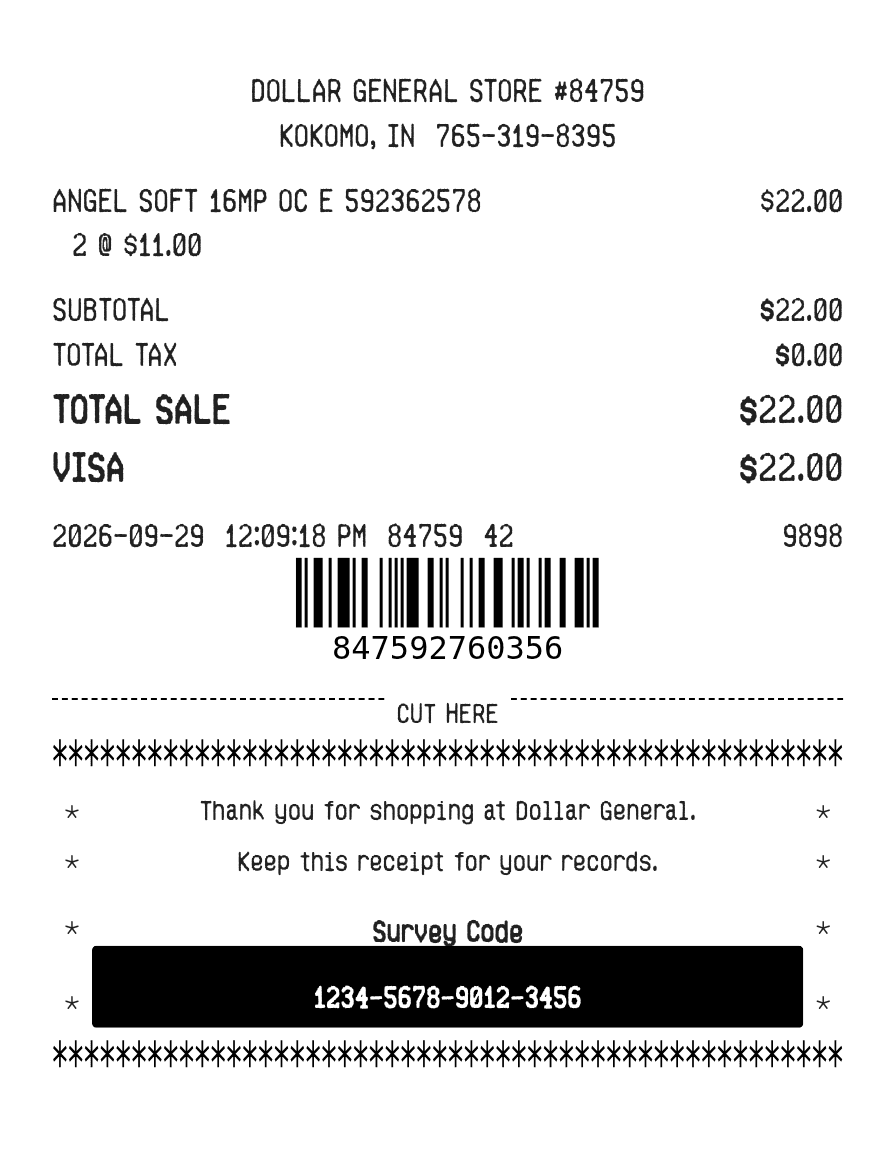
The Dollar General layout shows a compact product name and code with each amount. It has separate Exempt and Taxable controls for every row, plus editable tax-rate lines. Only rows marked Taxable contribute to the taxable subtotal. The printed store, lane and transaction references sit below the payment amount.
Dollar General receipts and the return rules behind them
A Dollar General receipt matters most when something needs to go back. Dollar General's DG Brands FAQ tells shoppers to bring the item and the receipt to the store where they bought it and see a sales associate. With a receipt, digital or from the register, refunds for merchandise in its original packaging are given within 90 days of purchase. Without a receipt, Dollar General exchanges the item for merchandise of equal value or gives a gift card of equal value instead of a cash or card refund.
Orders shipped from DollarGeneral.com follow separate rules. Unused items can be returned within 30 days of purchase, food and hazmat items can't be returned, and stores can't accept products that were shipped to you. The refund goes back to the original payment method or onto a Dollar General gift card. It includes the item price and any sales tax, but shipping charges aren't refunded and the customer pays return postage. For DG Delivery, delivery fees aren't refunded if the order shrinks because of out-of-stocks, substitutions or returns, unless the order wasn't delivered.
How to get a copy of a Dollar General receipt
For DG Pickup orders, Dollar General says the DG Pickup Complete email and the order details under Order History in the DG app or on DG.com can be used as your receipt. DG Delivery purchases get a digital receipt emailed automatically to the address used for the order, and that order complete email serves as the receipt.
For in-store purchases, keep the register receipt or a photo of it. Entering your phone number at checkout applies myDG offers from your wallet, but a return without a receipt is limited to an exchange or a gift card, so the paper copy is what protects a full refund.
Products, tax and checkout fields
| Section | Details |
|---|---|
| Items | Name, code, quantity and unit price |
| Tax flags | Exempt (E) or Taxable (S) for an item |
| Tax lines | Editable labels and percentage rates |
| Store visit | Store number, location, lane, date and time |
| Footer | Barcode and editable survey-note text |
Related receipt guides
Review the tax flags before the total
- Replace the product names and codes, then enter quantities and prices.
- Mark each applicable item Taxable. Setting a rate alone does not make an unmarked item taxable.
- Review every tax-rate line; each rate applies to the selected taxable subtotal.
- Choose the payment method, check the amount and update the footer references before saving.
FAQs
Official sources
- Dollar General - DG Brands FAQ (returns)
- Dollar General - Terms & Conditions (last updated March 2, 2026)
- Dollar General - Order help