Sales Receipt Template for Canada
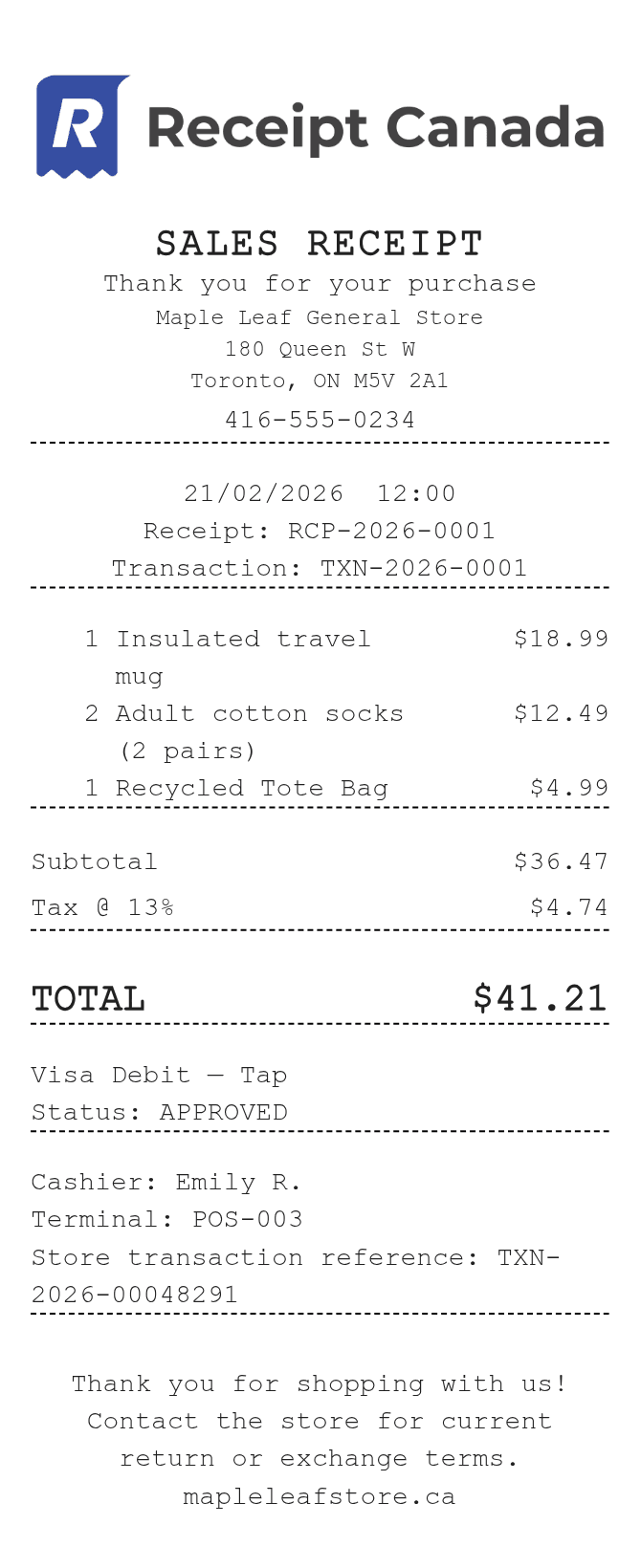
Create a Canadian-dollar sales record with the store, cashier and terminal details. Enter the purchase amounts and tax percentage, then check the payment summary.
Last updated
Keep the checkout references together
This Canadian sales receipt template pairs an item list with cashier and terminal references. The receipt number identifies the document, while the store transaction reference can help you match it to an existing checkout record. Enter both from the transaction you are documenting.
What a Canadian sales receipt needs to show
Canada's Input Tax Credit Information Regulations set what a receipt must show for a GST/HST-registered buyer to claim input tax credits, in three tiers. Under $100: the seller's name, the date and the total. From $100 to under $500: add the seller's GST/HST registration number, and either the tax amount or a statement that tax is included with the rate. From $500: add the buyer's name, the payment terms and a description of each item. A registration number is the 9-digit business number followed by RT and a 4-digit account, such as 123456789 RT 0001.
Provincial tax can add lines. British Columbia requires PST to appear as a separate item on the receipt, bill or invoice. Current rates are 5% GST in Alberta, BC, Manitoba, Saskatchewan, Quebec and the territories; 13% HST in Ontario; 14% in Nova Scotia; and 15% in New Brunswick, Newfoundland and Labrador and PEI. Provincial sales tax is 7% in BC and Manitoba, 6% in Saskatchewan and 9.975% QST in Quebec.
Registration and keeping sales receipts
You're a small supplier and don't have to charge GST/HST while taxable sales stay at or under $30,000 over four consecutive calendar quarters. If you pass $30,000 in a single quarter, you must charge tax on the sale that put you over. An unregistered seller doesn't charge GST/HST, so its receipts shouldn't show a GST/HST line.
The CRA says businesses must keep copies of purchase invoices and receipts. Buyers can check a seller's number in the CRA GST/HST Registry before claiming credits.
Complete the store and sale information
| Section | Details |
|---|---|
| Store | Replace the example business name, address and contact details. |
| Tax registration | Enter the seller registration reference from its records. |
| Checkout | Record the cashier, terminal and transaction reference. |
| Item amounts | Enter the complete charge for each row, including all units shown. |
| Payment | Choose the payment method and enter the recorded details. |
Related receipt guides
Check the tax treatment of the basket
- The single Tax % field adds the same percentage to the whole subtotal. It does not choose a provincial rate or separate GST, PST and QST.
- A basket with different tax treatments needs a breakdown that matches the original sale. Do not assume the example percentage applies to every item or province.
FAQs
Official sources
- Input Tax Credit Information (GST/HST) Regulations
- CRA — Input tax credits
- CRA — When to register for GST/HST
- CRA — GST/HST rates
- CRA — GST/HST and payroll records
- BC — PST for food and beverage providers