Payroll Receipt Template
Present earnings and deduction references for a recorded pay period. Enter complete earnings amounts, copy net pay from your payroll record, and review the figures before saving.
✏️ Editable fields📱 PDF & Image export⚡ Instant preview
📝Editor
👁️Live Preview
Last updated
Keep earnings and net pay distinct
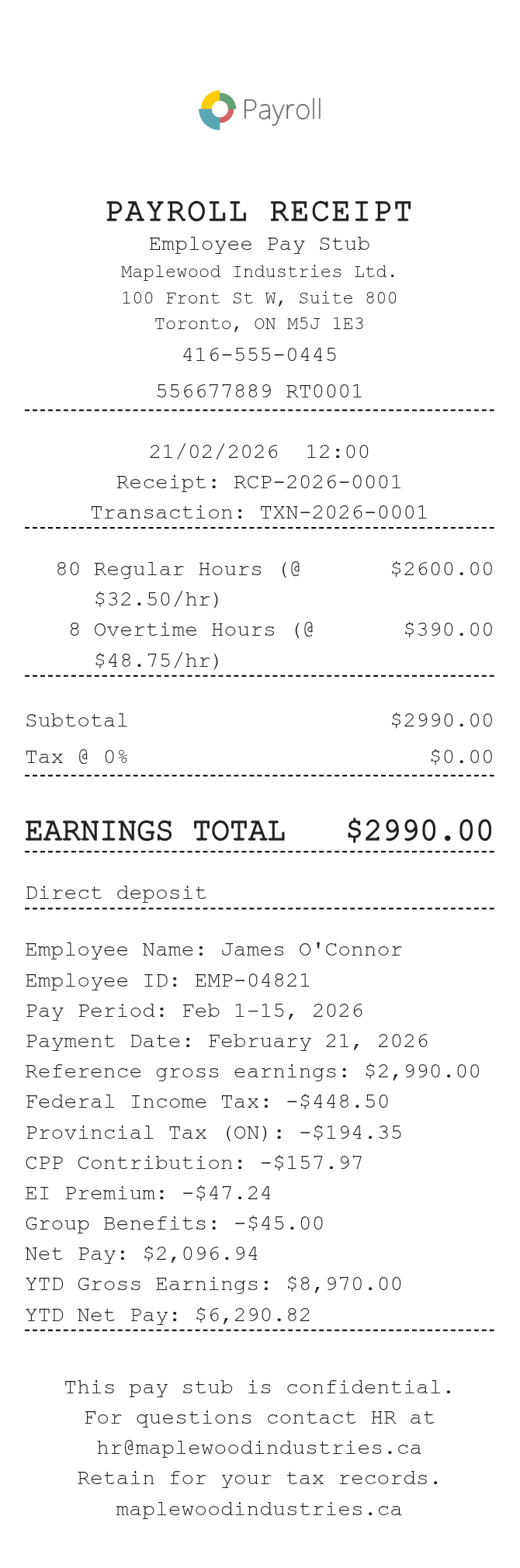
This payroll receipt template includes employee and pay-period details, earnings rows, deduction fields and year-to-date references. The starting layout uses Canadian dollars and names federal and Ontario tax, CPP and EI deductions. These are editable reference amounts copied from an existing payroll calculation.
Enter the figures from the payroll record
| Section | Details |
|---|---|
| Employee | Check the employee name and ID. |
| Period and date | Enter the period worked and the separate payment date. |
| Earnings | Enter each complete earnings amount; quantity does not multiply it. |
| Deductions | Copy each applicable deduction into its reference field. |
| Net and year to date | Enter net pay and cumulative figures separately. |
Related receipt guides
Hours do not calculate wages in this layout
- The example shows 80 hours at 32.50 with a line amount of 2,600.00. If the hours change, calculate and enter the new complete line amount. The hours and rate written in the description are not linked to that amount.
- The earnings total adds the line amounts. Deduction fields do not reduce it, and the Tax % control adds to it rather than withholding payroll tax. Reconcile the separately entered net pay with your payroll record.