Hampton Inn Receipt Template
Enter dated room and tax charges with the guest and stay details. Set the payment amount, review the remaining balance and download the folio.
Last updated
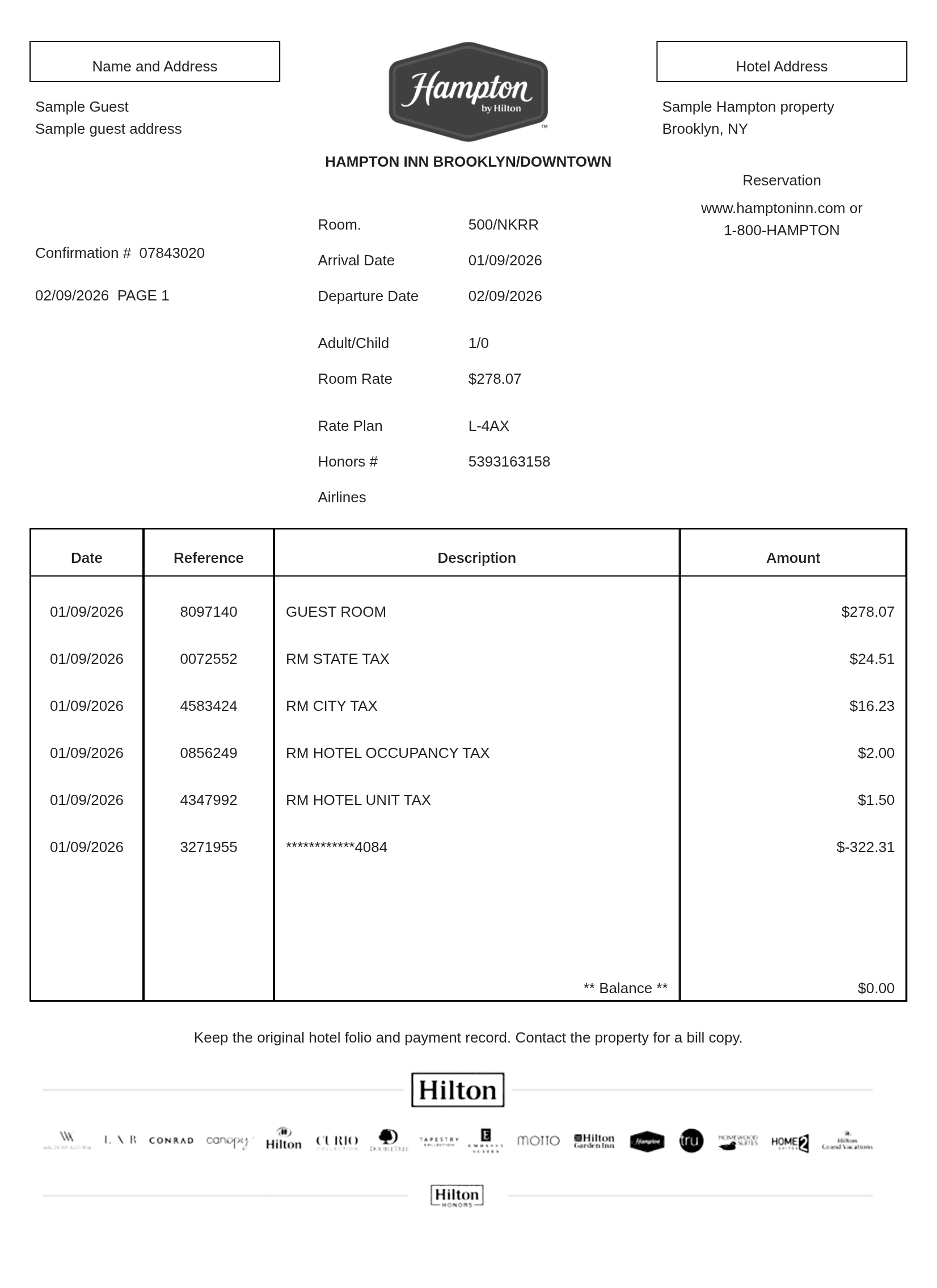
Dated charges with a separate payment entry
The Hampton layout lists each charge by date, reference and description. Room and tax amounts are entered as complete charges. A separate payment amount is deducted from their total to show the balance; changing the displayed room rate or stay dates does not generate charge rows.
Why a Hampton Inn folio matters after checkout
Hampton by Hilton is part of Hilton Honors, so a stay receipt, or folio, is the document Hilton relies on for points. Members earn Base Points on Eligible Spend charged to their own folio, and charges not billed to the room during the stay don't count. If points are missing, the Honors terms require a request with a legible copy of the folio, received within six months of the stay, and they warn that altered or inadequate documentation may lead to denial. Hilton tells members to keep hotel documentation until the points appear on their statement.
For business travel, IRS Publication 463 makes lodging an exception to the usual $75 receipt threshold: you need documentary evidence for lodging regardless of amount. A hotel receipt is enough to support the expense if it shows the hotel's name and location, the dates of the stay, and separate amounts for charges such as lodging, meals and telephone calls. A folio that lists each night's room charge and tax on its own line meets that standard more easily than a single total, and it also lets you separate any meals, which are generally only 50% deductible.
How to get a copy of a Hampton Inn receipt
Hilton Honors members can download a receipt or folio for stays within the past 12 months. On hilton.com, log in, select Your Stays, tick Previous stays in the filters and choose View Receipt. In the Hilton Honors app, open Account and select View receipt for the stay. If you aren't a member, or the receipt isn't there, contact the hotel directly, since the property holds the original folio.
Fields in the Hampton folio
| Section | Details |
|---|---|
| Stay | Property, guest, room, dates and rate-plan text |
| Charges | Date, reference, description and full amount |
| References | Confirmation and optional Honors entry |
| Payment | Method, amount and payment reference |
| Balance | Entered charges less the applied payment |
Related receipt guides
Match the charges to the payment
- Replace the hotel and guest information.
- Enter room charges and tax amounts as dated rows.
- Set the actual payment amount separately.
- Compare the calculated balance with your source folio before saving.
FAQs
Official sources
- Hilton Help Center - How to get a copy of your stay receipt
- Hilton Honors - Program terms and conditions
- IRS - Publication 463, Travel, Gift, and Car Expenses